
doorboy.vim
 doorboy.vim copied to clipboard
 itmammoth
Vim plugin for auto closing brackets ( => (|) and quotations " => "|" , and more
doorboy.vim

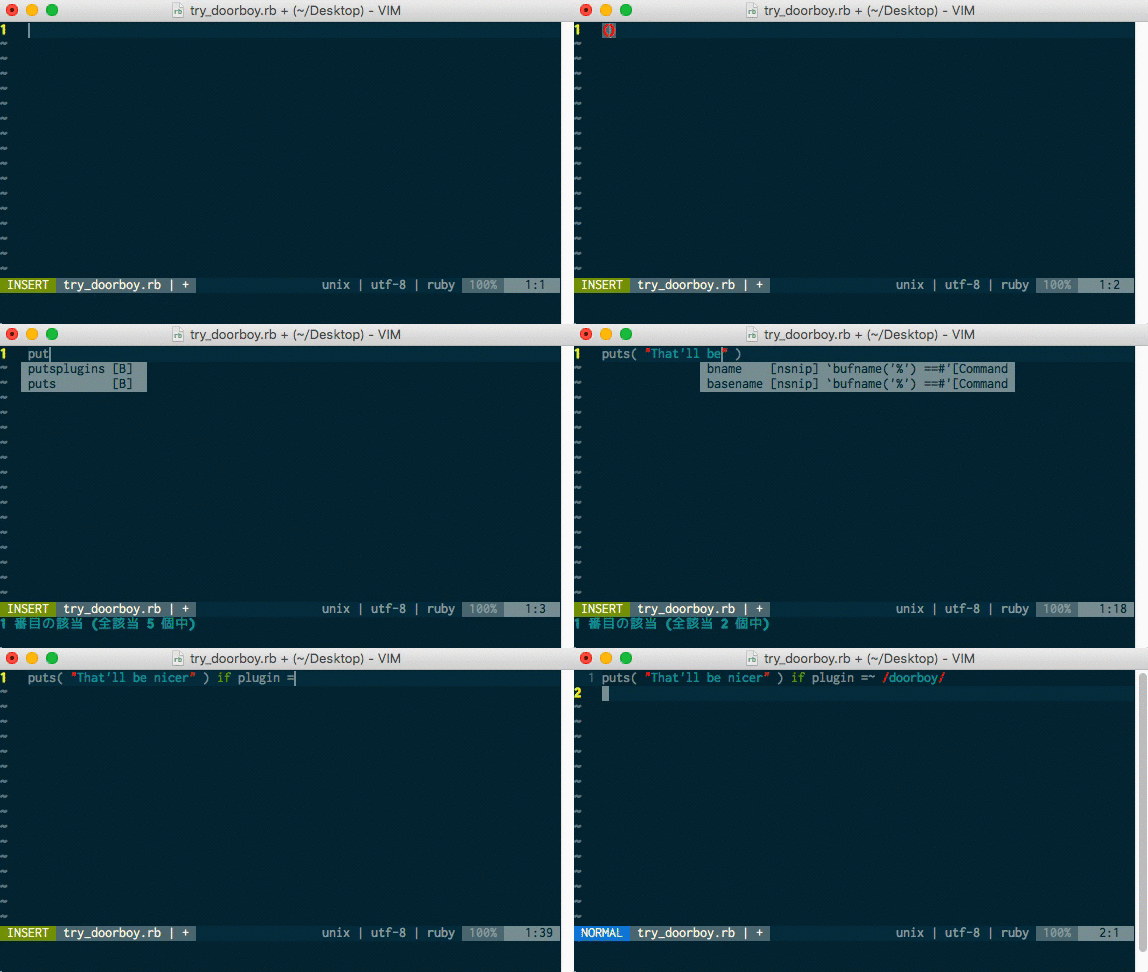
doorboy.vim is a smart plugin that serves you around brackets((){}[]) and quotations('`").
Installation
vim-plug
Add this to your .vimrc file.
Plug 'itmammoth/doorboy.vim'
Then, :PlugInstall
dein.vim
Add this to your .vimrc file.
call dein#add('itmammoth/doorboy.vim')
Then, :call dein#install()
Vundle
Plugin 'itmammoth/doorboy.vim'
... and many other plugin managers.
Features
Auto closing brackets with ( { [
(| represents the cursor position)
Type: (
Then: (|)
Auto closing quotation with " ' `
Type: "
Then: "|"
Auto closing brackets and quotations works properly in the cursor context.
Skipping close brackets and quotations
When: 'string|'
Type: '
Then: 'string'|
Pushing away brackets
When: {|}
Type: <Space>
Then: { | }
Enhanced backspace
When: { | }
Type: <BS>
Then: {|}
Type: <BS>
Then: |
Smart new line
When: {|}
Type: <CR>
Then: {
        |
      }
Configuration
key-mappings
doorboy.vim automatically provides some key-mappings to you.
Quotations
"'|/on filetype ruby/on filetype javascript and perl
Brackets
({[)}]
Spaces
<BS><Space><CR>
NOTICE:
doorboy.vim NEVER overwrites the mapping with <BS>,<Space> and <CR> if these keys are already taken, so in such a case, you need to add the preferred mappings to your .vimrc file.
Available mapping functions are
- doorboy#map_backspace
- doorboy#map_space
- doorboy#map_cr
For instance (to go with neocomplete + endwise)
" inoremap <expr> <CR> (pumvisible() ? "\<C-y>" : "" ) . "\<CR>"
inoremap <CR> <Plug>MyCR
inoremap <expr> <Plug>MyCR (pumvisible() ? "\<C-y>" : "" ) . doorboy#map_cr()

" inoremap <expr><BS> neocomplete#smart_close_popup()."\<BS>"
inoremap <expr><BS> neocomplete#smart_close_popup().doorboy#map_backspace()
g:doorboy_additional_quotations
In the doorboy definition, quotation means one character that opens a specific literal and closes it as well.
You can add quotations with letting g:doorboy_additional_quotations variable.
"
" g:doorboy_additional_quotations must be a dictionary,
" and which has filetypes as its keys and quotations as its values.
" (filetype '*' means any filetypes.)
"
let g:doorboy_additional_quotations = {
  \ '*': ['@'],
  \ 'coffee': ['/']
  \ }
If you find your customizing useful for all vimmers, please just send me a pull request. Thanks.
g:doorboy_nomap_quotations
You can keep some quotations from being mapped by doorboy with letting g:doorboy_nomap_quotations variable.
let g:doorboy_nomap_quotations = {
  \ 'javascript': ['/']
  \ }
g:doorboy_additional_brackets
You can add brackets with letting g:doorboy_additional_brackets variable.
let g:doorboy_additional_brackets = {
  \ 'html': ['<>']
  \ }
g:doorboy_nomap_brackets
You can keep some brackets from being mapped by doorboy with letting g:doorboy_nomap_brackets variable.
let g:doorboy_nomap_brackets = {
  \ 'vim': ['{}']
  \ }
Contribution
Fork it, then run the commands below for vim-flavored testing.
$ bundle install
$ git clone https://github.com/slim-template/vim-slim.git vim-slim
$ rake test
(The slim ftplugin in dooboy requires vim-slim, so you need to git-clone it in your workspace.)
blankslate.vimrc is an essential vim script file for manual testing.
$ vim -u blankslate.vimrc
Now you can try vim plugged in doorboy.vim
License
MIT License.
 itmammoth