

 itflow-org
Upgrade & Restore
Good Day All,
I wanted to test a upgrade as I'm not sure if the update function works completely. So I have created a backup... I then created a fresh install and didn't seem to find a restore option via the setup menu or via the settings menu.
I then restored the SQL DB, it did restore all clients, but all info ( test invoices, quotes, documents, files, tickets, assets... ) was missing, only the client info restored. Was it something that I did wrong from my side?

Hey,
You can think of updates in terms of the files and the database structure.
So as far as I know, the upgrade functionality in settings essentially just runs a git pull and updates the files. This is fine for most updates.
Some updates modify the database structure. I don't think this has really been factored in at the moment - there is no easy automatic way to update. The good news is, only there are only a few small changes at any one time with the database structure. I just take a look at db.sql to see what has changed recently and update my database structure accordingly after I do a git pull.
What I'd (personally) recommend is:
- If you aren't already using a nice GUI tool to manage databases, install something like phpMyAdmin - just make sure to secure it properly
- Import your backup into a new database
- Dump the structure of the "new" install database and the backup and compare to see what structure has changed
- Add/Edit the required columns to the "backup" database & set ITFlow to use this database instead
This is essentially what I do - I dump my "live" database structure and compare it against db.sql to see any changes.
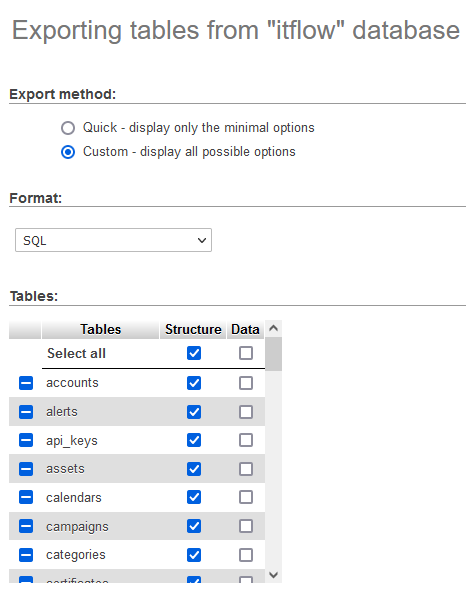
You can go for the reinstall and import route but you're likely going to run into issues as the installer drops existing tables.
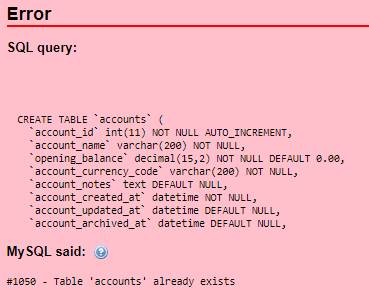
Your error in that image is because you have an accounts table and you're trying to create another one. You might be able to just dump the data from your backup, or adjust the queries to be something like CREATE TABLE IF NOT EXISTS, but you might run into issues..
Note: again just reiterating this project is a work in progress and is not considered to be 100% stable. If you upgrade wrong, you may well lose data - specifically: asset login passwords are tied to account passwords - half restoring your logins database and your user's table will lead to issues here. Note that other things like your API key, etc, are regenerated on reinstall.
Let me know how you get on?

@wrongecho Well said! @crnbezuidenhout this is about the best solution for now

On Linux, /settings-update.php will now show you the differences between your current database structure and the latest structure in db.sql. Not every difference will matter, but it's best to keep as close as possible to the latest structure in db.sql to avoid running into issues. The database update process is still manual for now.

Closing as Backups and Restore should be handled by a backup application not ITFlow itself.