

 iperov
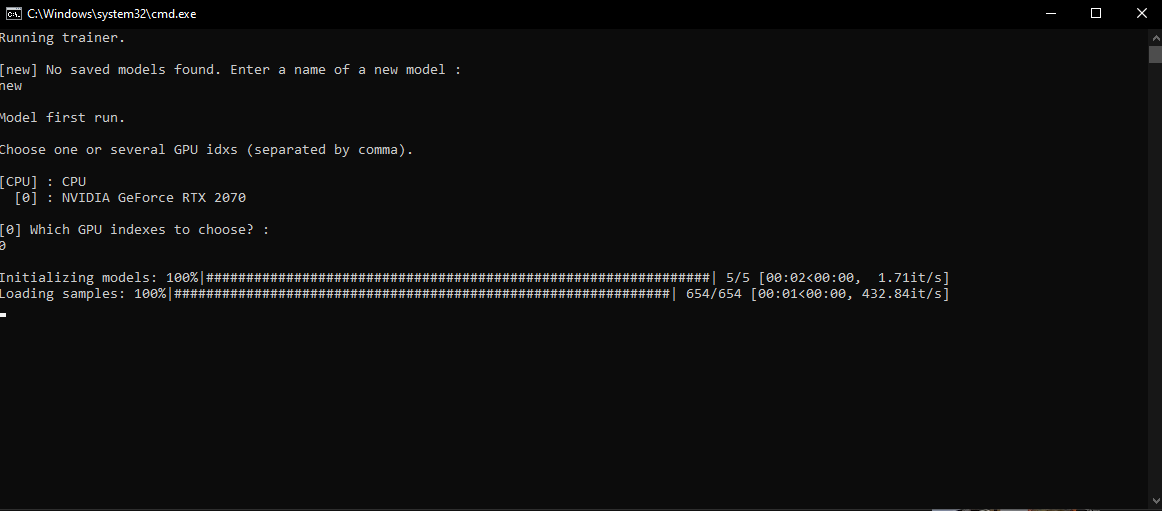
Stuck on sample loading stage. (during training)
When I start training with "Quick96", everything freezes at the samples loading stage. What could be the problem? How to fix it?

Hi, Im having exactly the same problem too. Did you manage to fix it? Thanks

Hi, Im having exactly the same problem too. Did you manage to fix it? Thanks
No, I'm still looking for how to fix this too. @00ar06
Ahh ok, I haven’t seen this issue many other places so far. Might post it on a Few forums to try and get some answer.
Ahh ok, I haven’t seen this issue many other places so far. Might post it on a Few forums to try and get some answer.
That would be great, I've tried everything to fix it. I have no idea what caused this error, everything works fine on older computers. And what is most interesting, I already used DeepFaceLab on this computer around 2019-2020, everything was fine. ¯_(ツ)_/¯
Oh right that’s odd if you had it working before. I actually got mine to work. Well upto a point before. Basically, I checked the change log in the files and it opened to a website. Here it mentioned about if you have Windows 10 you’d need to go to setting, display, graphic settings and then you had to click yes to boosting performance. I can check tomorrow what exactly the names of the things were as I’m away from my computer. But once I did this, is went past the loading phase and began to train. However, now I’m at the stage of merging, but having issues there now too. I’ve been getting this error “paging file is too small for operation to complete” . So not too sure what to do now. Maybe check the above fix for yourself, hopefully it works👍
Oh right that’s odd if you had it working before. I actually got mine to work. Well upto a point before. Basically, I checked the change log in the files and it opened to a website. Here it mentioned about if you have Windows 10 you’d need to go to setting, display, graphic settings and then you had to click yes to boosting performance. I can check tomorrow what exactly the names of the things were as I’m away from my computer. But once I did this, is went past the loading phase and began to train. However, now I’m at the stage of merging, but having issues there now too. I’ve been getting this error “paging file is too small for operation to complete” . So not too sure what to do now. Maybe check the above fix for yourself, hopefully it works👍
Yes, the problem is what you described. I think that this mode disappeared after reinstalling Windows. I set the performance mode, but then the same error as yours. The paging file I have is 30GB, maybe 16GB of RAM is not enough for work? But it worked before. Thanks for helping me with this, but what to do next remains a mystery.
Ah no problem, well at least were both at the same place now 😂 hmm yeah, I’ll have to have a look at the paging file thing today. I’m very new to this, can you check your paging file in the settings?

Try to increase or enable paging file. Moreover pack the samples, it's faster.

just turned on the gpu boosting setting in windows i now get an error which seems like it hasnt got enough ram error

I had the same problem and increased my paging file to 64gb. After a reboot it worked. The paging file is using 60GB during the process.
Thx

Why doesn't it just simply use the RAM instead of the paging file? I simply cannot provide 60GB from my boot partition and if I activate the paging file on my other SSD DFL does not care.

Is there a solution to this already? I read in a other post, that they downgraded to GPU drivers from 2021 and that fixed it. Haven't tried it myself tho

Did you ever find the answer? If so, would you mind sharing it and closing this issue?
