

 ionic-team
bug: sc-ion-*** classes randomly added to elements, resulting in rendering errors
Prequisites
- [X] I have read the Contributing Guidelines.
- [X] I agree to follow the Code of Conduct.
- [X] I have searched for existing issues that already report this problem, without success.
Ionic Framework Version
- [ ] v4.x
- [X] v5.x
- [ ] v6.x
Current Behavior
I have an IonApp which contains an IonSplitPane and its menu and page. I am running this app on the desktop only. It generally works fine, but sometimes when I load the page the split pane is rendered with classes like:
sc-ion-split-pane-md-h md sc-ion-split-pane-md-s
and when this happens the page fails to render because these classes have a large effect on the CSS styles. These sc-ion-... classes are not applied only on the split pane but across the entire tree. If I reload the page, they go away and everything works fine.
This is documented in a few issues from the forum:
https://forum.ionicframework.com/t/ionic-5-web-app-chrome-css-issues-sc-ion-class-added/213363 https://forum.ionicframework.com/t/sc-ion-class-changes-app-style/213415 https://forum.ionicframework.com/t/ionsplitpane-randomly-fails-to-render/214041
Expected Behavior
I believe these classes are only meant to be included in a mobile android app, but I'm not sure. The CSS classes applied to the elements should be consistent in any case.
Steps to Reproduce
~~This is a hard one to reproduce as it happens randomly, but in my app I have been able to make it happen somewhat regularly by clearing the browser cache and reloading the page. I can work on putting together a demo app, but I don't have a lot of hope for it given how random the issue is.~~
~~I would be very happy to help debug the issue, but I've now spent a lot of time in the code and I can't figure out where these classes could be coming from. Given a nudge toward where they are generated I can add some debugging and try to figure out why they might be being added some of the time.~~
To reproduce it, you just need to overwrite the native document.head.attachShadow in the browser.
Code Reproduction URL
Here's a sample app that reproduces the issue. All I did was run the Ionic generator for a sidemenu-based app and then add the script here:
https://github.com/aub/breakin/blob/main/public/index.html#L6
Note that when the relevant line of that script is run, the menu doesn't appear and many of the elements get their sc-ion-*** classes applied to them. If you comment out that line, the menu will appear and the classes will be removed.
Ionic Info
Ionic:
Ionic CLI : 6.11.1 (/usr/local/lib/node_modules/@ionic/cli) Ionic Framework : @ionic/react 5.6.14
Capacitor:
Capacitor CLI : not installed @capacitor/core : 2.4.8
Utility:
cordova-res (update available: 0.15.3) : 0.15.1 native-run (update available: 1.3.0) : 1.0.0
System:
NodeJS : v16.5.0 (/Users/aubrey/.nvm/versions/node/v16.5.0/bin/node) npm : 7.19.1 OS : macOS Big Sur
─────────────────────────────────────────────────
 Ionic CLI update available: 6.11.1 → 6.14.1
      Run npm i -g @ionic/cli to update
─────────────────────────────────────────────────
Additional Information
No response

Thanks for the issue. Are you able to reproduce the issue in an Ionic starter application and provide a link to the repo? Even if the issue happens sporadically, I can try clearing my browser cache and see if I can pinpoint what is happening.

I'll give that a try right now, thanks. If you have an idea about where in the code these classes might be being applied then I can look down that route as well.
The sc- classes are added by Stencil to scoped components: https://github.com/ionic-team/stencil/search?q=sc-
FYI, the nice little app generator wizard linked to in the issue template isn't working. It gives me an error about an invalid grant.
@liamdebeasi I haven't figured out how to get a demo app of this to work. I made the basic version with the side menu, and reloading that over and over again doesn't reproduce the problem. With your help about it being in stencil, though, I did manage to narrow down the problem to the code here.
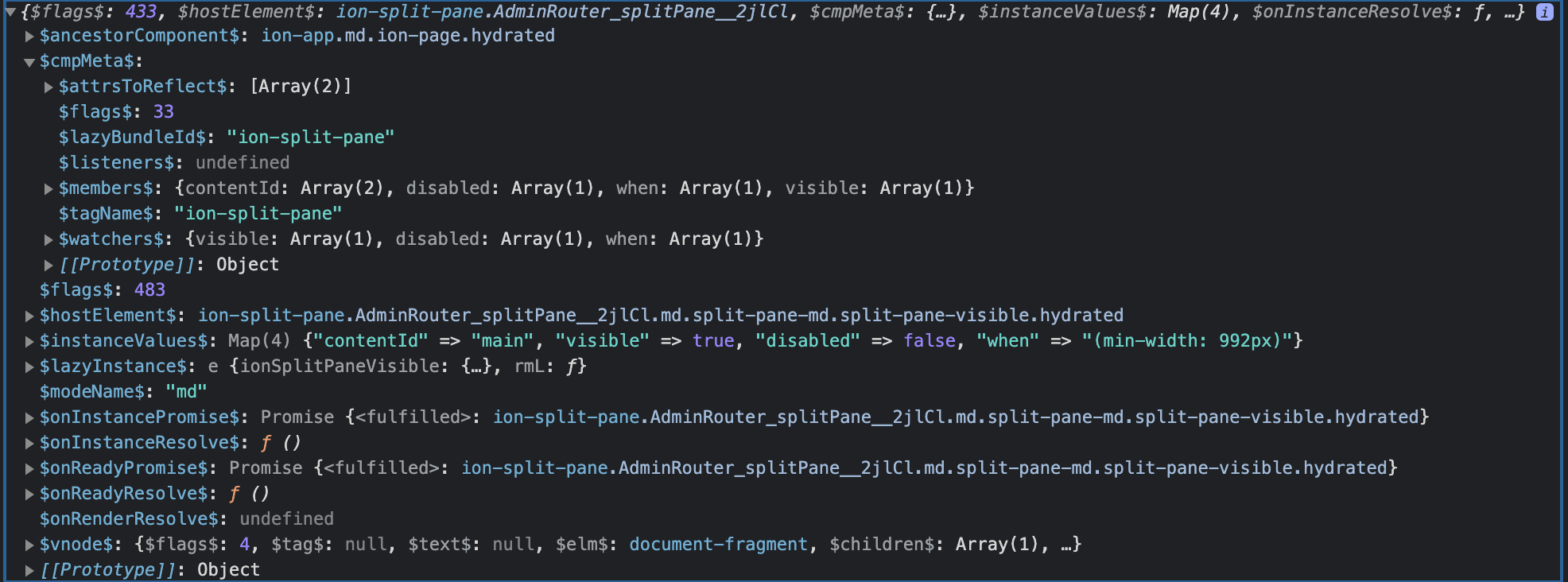
When it works, the flags variable used in the if above that is 33 but when it fails it is 41. I'm adding some screenshots here to show the hostRef argument to that function under both situations. I will carry on trying to figure out where that hostRef is coming from and why its cmpMeta.$flags$ might be different but if you have any ideas there it'd be really appreciated. Thanks!
When it works, the argument to attachStyles looks like this:
And when it doesn't work it looks like this:
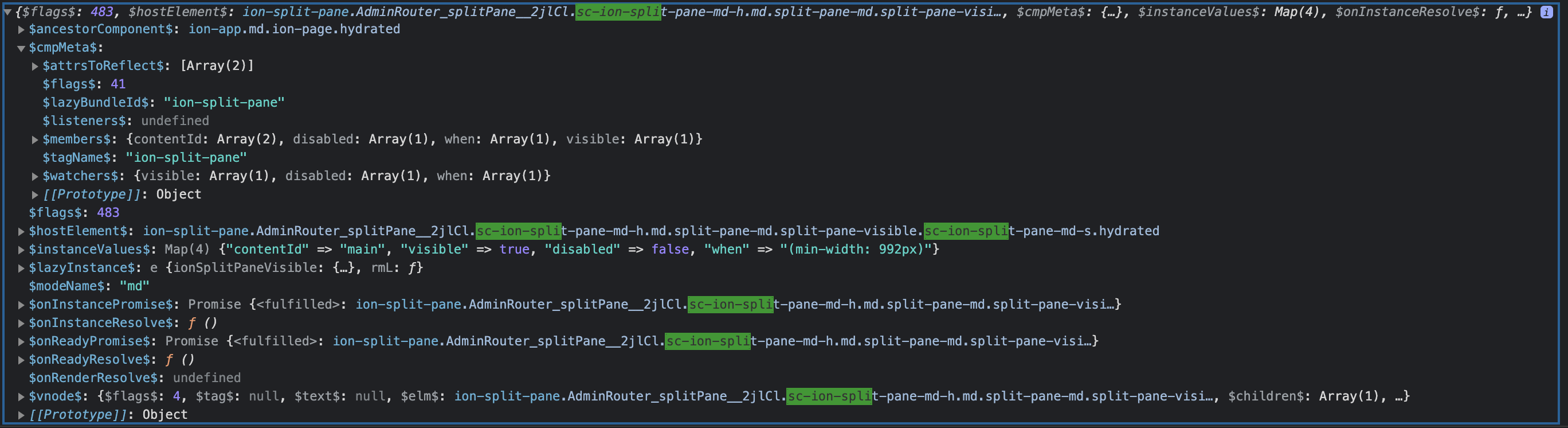
Ok, and now I figured out that for some reason when it fails the supportsShadow helper is returning false.
Thanks! Are you able to provide a link to the project that the issue does reproduce in?
I can't really, no. It's our app for my work, which is under a private repo. Now that I'm getting this narrowed down, let me see if I can get closer to making a sample app from scratch that reproduces it.
Ok, I figured it out... we're using a tool called HotJar and loading their JS onto the page. That code has a line that replaces the document.head.attachShadow with their own code that adds tracking. This means that the test in supportsShadow will fail because that function is no longer the native code that it is checking for. Instead, it looks like this:
ƒ (){var n=t.apply(this,arguments);return e.shadowRoots.set(this,n),e.listenToMutations(n),n}
The randomness comes from the fact that the supportsShadow may or may not run before the HotJar library is bootstrapped. I will update my demo app to load in the HotJar JS and see if I can get it to reproduce, but I suspect there are other libraries that may be overwriting this function.
Thank you! Since the issue is related to the custom document.head.attachShadow function that Stencil adds, I am going to transfer this to the Stencil repo.
Thanks for this, I'm going to ingest this into our internal backlog to investigate further

I have a similar problem, with 2 ion-buttons. Maybe with other components, but I just haven't noticed it so far. In my case it's not sporadic. One button always gets the "sc-ion-" classes, the other doesn't. Both are inside (different) ion-modals.
This one has the classes:
This one doesn't:
I don't have HotJar.
When I do document.head.attachShadow in the console, I get this:
To be honest, I don't quite get the purpose of these "sc-ion-" classes. Why would I ever want them? Is there any config option, or hack, or something, that would just simply turn these off for the whole app? I need consistent styling above anything else, so this has me pretty worried. I caught this coincidentally, because the button padding looked kind of small. Who knows how many other instances of these I have, that I just haven't noticed yet.
