

 invoke-ai
Dark image after upscaling
Describe your environment
- GPU: cuda, GTX 1660 Ti
- VRAM: 6 GB
- CPU arch: x86
- OS: [Windows]
- Python: [miniconda]
Describe the bug Image after upscale with realesrgan is very dark.
Additional context On my system it works if I set use_half_precision = False Should we take over precision value from main program?
        if not torch.cuda.is_available():  # CPU or MPS on M1
            use_half_precision = False
        else:
            use_half_precision = True

    def load_esrgan_bg_upsampler(self):
        if not torch.cuda.is_available():  # CPU or MPS on M1
            use_half_precision = False
        else:
            use_half_precision = True


Found it during test of RC2 but it looks like the same general issue with my GTX 1660 and half precision.
Phooey. I omitted including the fix in rc4. I'll send you a comment when I make the relevant commit.
Ok, if you checkout release-candidate-2 HEAD (not the tagged version), you'll find the proposed fix for the realesrgan issue.
Ok, if you checkout
release-candidate-2HEAD (not the tagged version), you'll find the proposed fix for the realesrgan issue.
I am on commit 911c99f125b5e92a7e5bc9e36e185f473af07645 (HEAD -> release-candidate-2, upstream/release-candidate-2)
run command !fix 000403.1.png -U 4
Still have dark output:
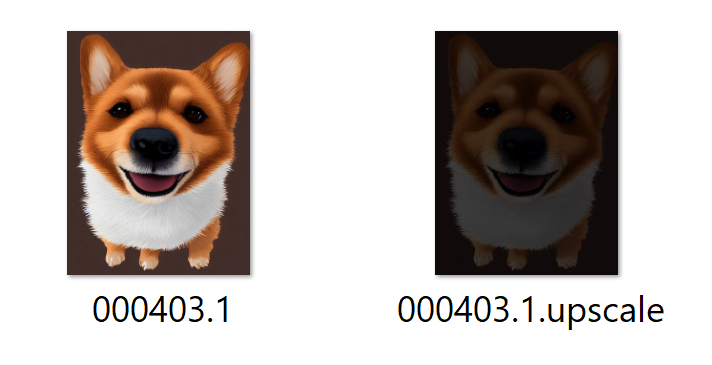
Am I missing something?
Started with command python scripts\dream.py --free_gpu_mem
Autodetected full precision: >> Using more accurate float32 precision
I turns out to be a challenging problem to fix, but I will work on it when the release is out.
Confirmed the same:
Describe your environment GPU: cuda, GTX 1660 Ti VRAM: 6 GB CPU arch: x86 OS: [Windows] Python: [anaconda]
Additional context
- Upscaling with DreamTextures in Blender (Based on Invoke) works correctly, tested with multiple image sizes. However they are dark when upscaled in InvokeAI

Similar issue here, images are very dark after upscale, except the bottom right corner for an unknown reason
Describe your environment GPU: cuda, GTX 1660 super VRAM: 6 GB CPU arch: x86 OS: [Windows] Python: [miniconda]
Additional context Fresh install from the main branch yesterday Example output and the upscaled version :
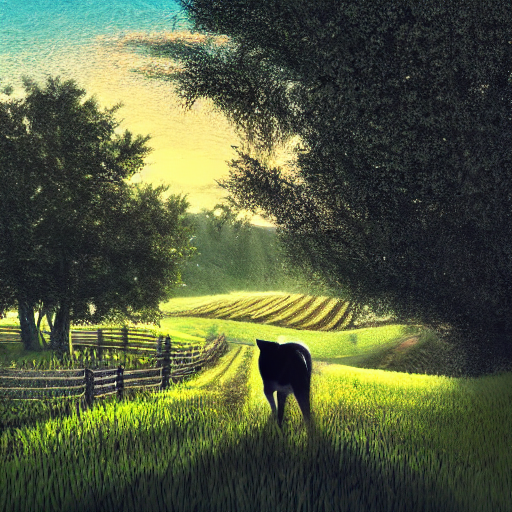
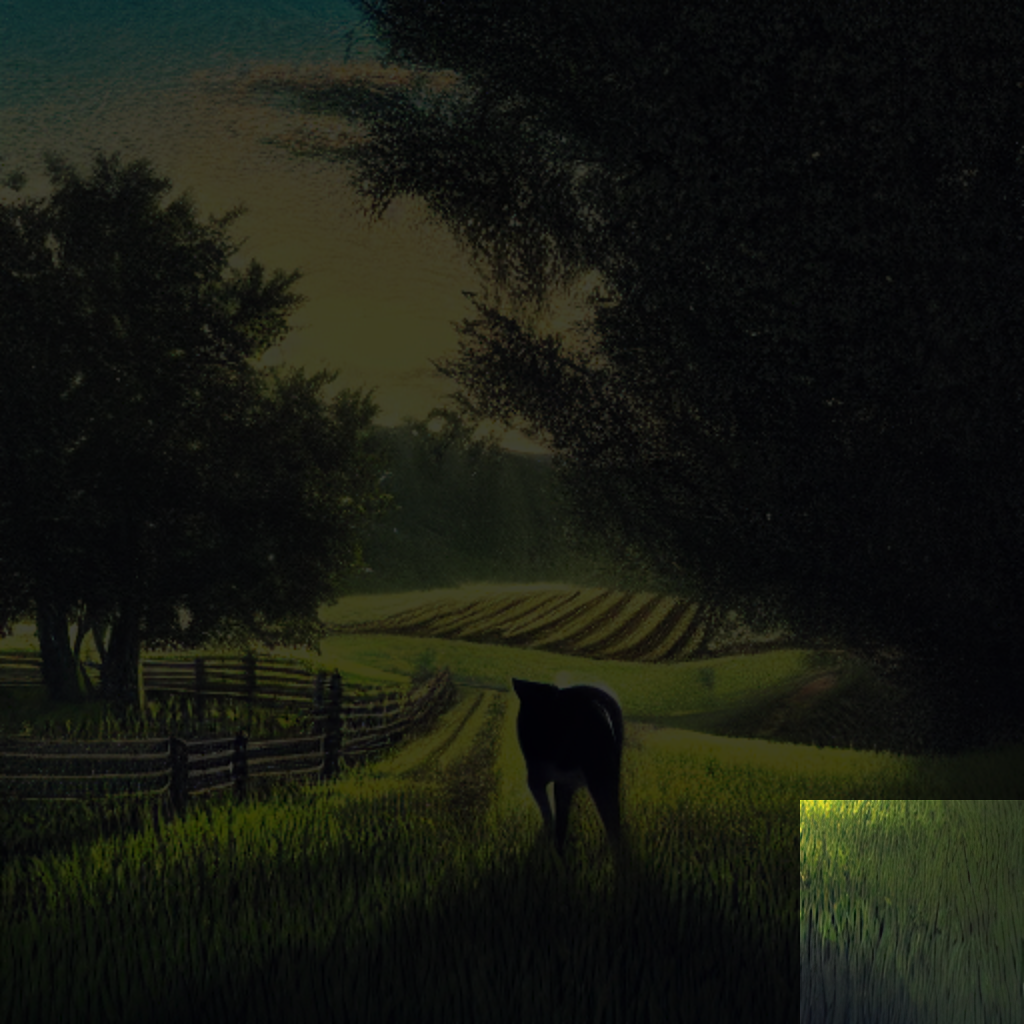

Having the same issue here, also on a 1660 (super) with 6gb VRAM, running on Linux Mint. Installed InvokeAI using the bundled install script.

Have you tried changing between --precision="float16" vs --precision="float32" ?
Changing to precision float16 just makes Invoker output black images, it seems it's an issue with this specific GPU that is fixable by using --precision full --no-half, it works on Automatic's webui but Invoker doesn't recognize those arguments.
Changing to precision float16 just makes Invoker output black images, it seems it's an issue with this specific GPU that is fixable by using
--precision full --no-half, it works on Automatic's webui but Invoker doesn't recognize those arguments.
I also have a GTX 1660 6gb installed(Windows platform). However, "Automatic" works successfully without any additional arguments. Including the "Upscale" function with the "realesrgan" model. The problem with "Upscale" is observed only in InvokeAI.

I don't know if this helps, but there's a slight delay in "the darkening", image upscales normally and after a half a sec image gets dark.


I have this issue as well, 1660 Ti. Does not happen with EasyDiffusion or A1111 installs. As said above, seems like a need to allow for a command argument "--precision full --no-half" like is used with the others. Attached image rendered at 512x512 and upscaled 4x.

