

 intitni
When I sign in it keeps prompting me to ‘timeout’
v0.8.6 service is open.
➜ Applications launchctl list | grep com.intii 13395 0 com.intii.CopilotForXcode.ExtensionService
Permissions are supported.


I've tried it dozens of times.

This means that the issue is related to a timeout during the sign-in process handled by Copilot.vim. To resolve it, all I can recommend is to ensure that you are able to connect to the GitHub Copilot server. You can also try connecting with a VPN or something if possible.

I use clashx to proxy my network, how do I verify that I am connected to the GitHub Copilot server
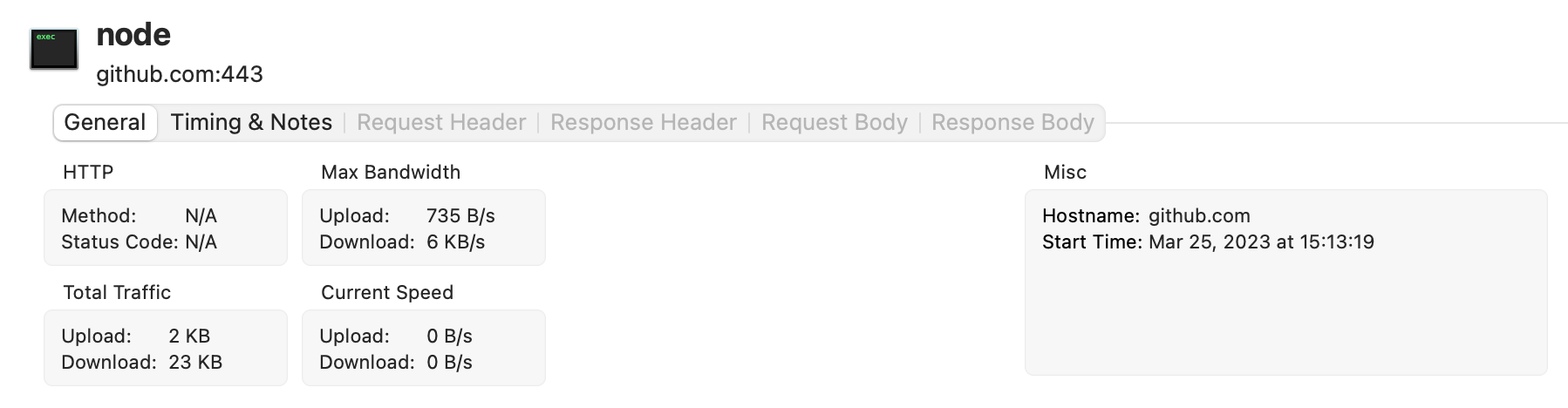
I use proxyman to monitor the network connection of mac, and I found that there is no network request during the period from when I press 'sign in' to 'timeout'
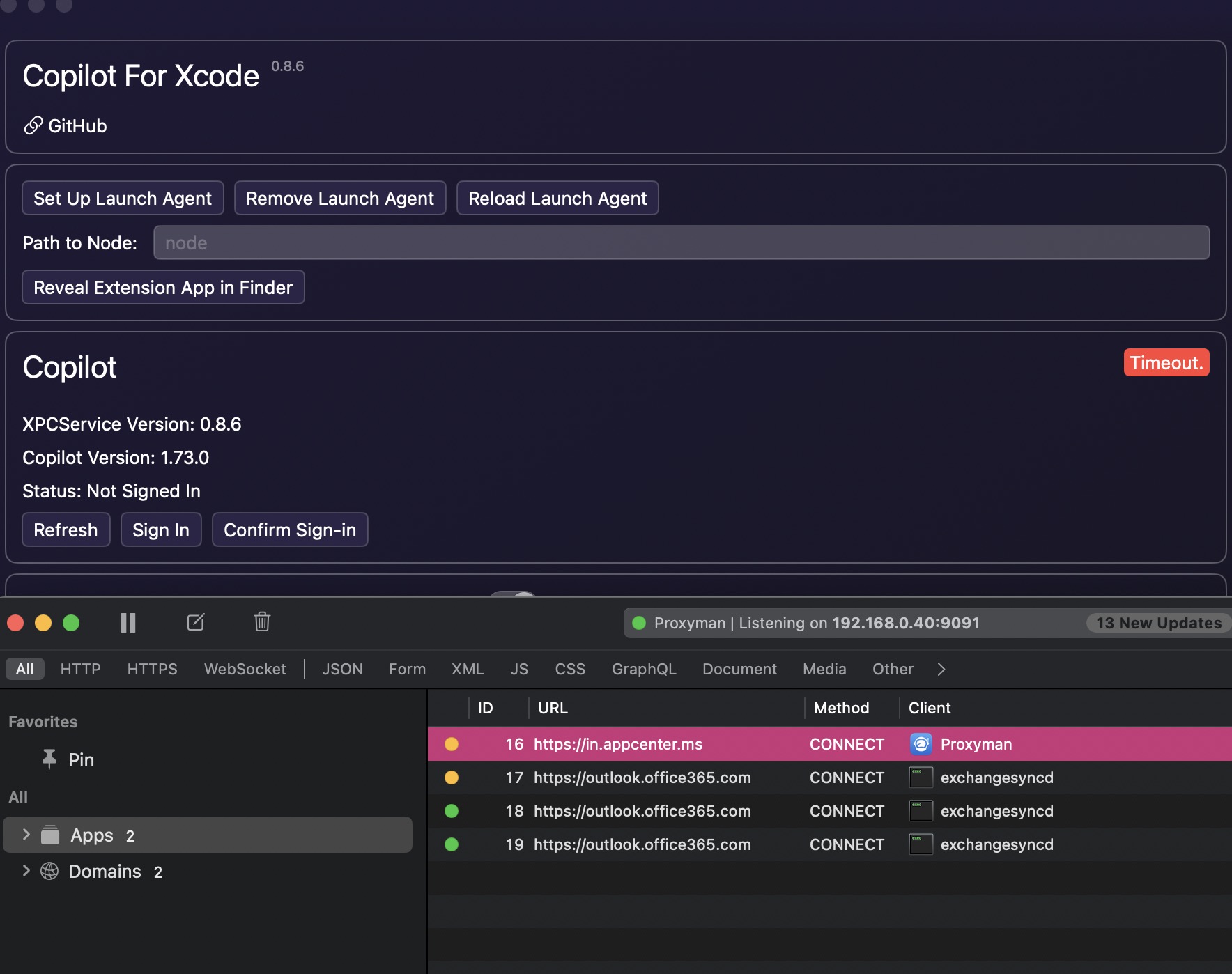
It appears that the Copilot version is available, which suggests that the language server is properly started and the application can communicate with it. Therefore, the issue may be occurring internally within the language server. I have no idea how to make it work for you.
One last thing I can suggest is to check Console.app and look for errors from subsystem: com.chimehq.JSONRPC
The language server may send logs when errors occur.

On my computer this code does not execute
    func listener(
        _: NSXPCListener,
        shouldAcceptNewConnection newConnection: NSXPCConnection
    ) -> Bool {
        newConnection.exportedInterface = NSXPCInterface(
            with: XPCServiceProtocol.self
        )

        let exportedObject = XPCService()
        newConnection.exportedObject = exportedObject
        newConnection.resume()
        return true
    }
I ran Copilot for Xcode and ExtensionService in debug mode, and I found that XPC did not monitor any connections. I can successfully monitor connections on another computer with the same code.
I don't think this is the cause. From your screenshot above, the app has already got the XPCService version, which means the listener is already setup and they can talk to each other.
If this code looks suspicious to you, you can try adding break points to the XPCService.swift in both the Client and Service target.
This code is fine, I mean the client cannot connect to the server. I set a breakpoint in XPCService.swift under the client, and it will be executed when NSXPCConnection is obtained. But any breakpoints I hit on XPCService.swift under the server` will not be executed.
I found that I have two services:
➜  Downloads launchctl list | grep com.intii
-	0	com.intii.CopilotForXcode.ExtensionService
2687	0	application.dev.com.intii.CopilotForXcode.ExtensionService.142380527.142722262.EEF8D2C7-ADB8-46E1-A8FE-6DE8EBDBF34A
2745	0	dev.com.intii.CopilotForXcode.ExtensionService
2682	0	application.dev.com.intii.CopilotForXcode.142380709.142722751.E54DF447-1010-4DB9-95AE-1C014669FE08
Is it possible that xpc is not connected to the correct server
If you are debugging the ExtensionService in Xcode, you have to remove and unload the launch agent. Otherwise the app will launch another ExtensionService and talk to that one instead.
And every time you open the host app in release mode, it will create the launch agents again, be sure to avoid that.
i see the real error
{"jsonrpc":"2.0","id":7,"error":{"code":-32603,"message":"Request signInInitiate failed with message: connect ETIMEDOUT 52.69.186.44:443"}}
I don't know why my proxy is not working
I finally succeeded, for me my hosts file was modified before.
➜  ~ cat /etc/hosts
##
# Host Database
#
# localhost is used to configure the loopback interface
# when the system is booting.  Do not change this entry.
##
127.0.0.1	localhost
255.255.255.255	broadcasthost
::1             localhost
# Added by Docker Desktop
# To allow the same kube context to work on the host and the container:
127.0.0.1 kubernetes.docker.internal
# End of section
199.232.69.194   github.global.ssl.fastly.net
#185.199.108.153  assets-cdn.github.com
#185.199.109.153  assets-cdn.github.com
#185.199.110.153  assets-cdn.github.com
#185.199.111.153  assets-cdn.github.com
#52.74.223.119  https://github.com/AudioKit/AudioKit.git
#52.69.186.44 https://github.com
#52.69.186.44 github.com
When I comment out the options related to github, it is normal. Thank you so much for your patience and guidance!
If the problem comes up again, try it #copilot config 140.82.112.5 api.github.com
