

 interpretml
DataException: MissingColumnsInData, Expected column(s) 0 not found in fitted data
I have a model (fit during an Azure automated ml run) that predicts on a dataframe just fine, but fail when the model and dataframe are passed to interpret functions such as PartialDependence, complaining of missing columns.
# link to an AutoMLRun
from azureml.train.automl.run import AutoMLRun
automl_run = AutoMLRun(experiment=experiment, run_id='AutoML_ae0c7f63-a1b7-4892-af3e-92b79cdcf282')

# grab the best run and model
best_run, best_model = automl_run.get_output()

# get the test dataframe
from azureml.core import Dataset
test_dataset = Dataset.get_by_name(workspace=ws, name='employee_turnover_test')
df_test = test_dataset.to_pandas_dataframe()
y_col = ['EmployeeLeft']
x_col = ['City', 'EmailDomain', 'HiredthroughSMTP', 'ManagerRatingOfLikelihoodToLeave',
        'MarkedForPHTProgram', 'MostRecentPerformanceEvaluation', 'SocialMediaActivity',
        'Survey_AttitudeTowardWorkType', 'Survey_AttitudeTowardWorkload', 'Survey_RelativePeerAverageAttitudeTowardManager']
x_test = df_test.loc[:,x_col]
y_test = df_test.loc[:,y_col]

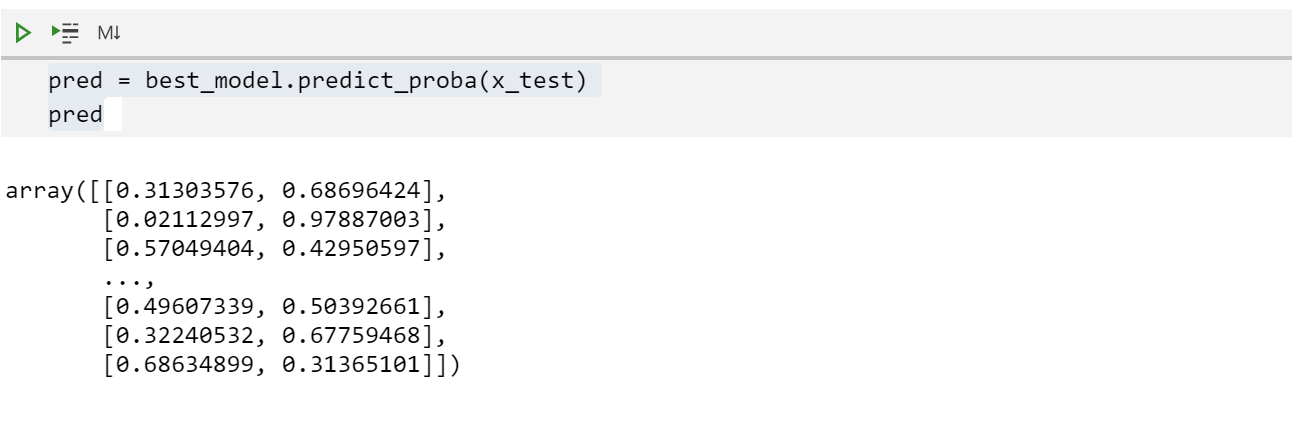
# confirm the model predicts on test dataframe
pred = best_model.predict_proba(x_test)
pred
# try feeding the model's predict_proba method and test dataframe to PartialDependence
from interpret.blackbox import PartialDependence

pdp = PartialDependence(predict_fn=best_model.predict_proba, data=x_test)

Full error message:
---------------------------------------------------------------------------
DataException                             Traceback (most recent call last)
<ipython-input-14-0bf5382bcb1b> in <module>
      1 from interpret.blackbox import PartialDependence
      2
----> 3 pdp = PartialDependence(predict_fn=best_model.predict_proba, data=x_test)
      4 pdp_global = pdp.explain_global(name='Partial Dependence')

/anaconda/envs/azureml_py36/lib/python3.6/site-packages/interpret/blackbox/partialdependence.py in __init__(self, predict_fn, data, sampler, feature_names, feature_types, num_points, std_coef)
     43             data, None, feature_names, feature_types
     44         )
---> 45         self.predict_fn = unify_predict_fn(predict_fn, self.data)
     46         self.num_points = num_points
     47         self.std_coef = std_coef

/anaconda/envs/azureml_py36/lib/python3.6/site-packages/interpret/utils/all.py in unify_predict_fn(predict_fn, X)
    210 def unify_predict_fn(predict_fn, X):
    211     predictions = predict_fn(X[:1])
--> 212     if predictions.ndim == 2:
    213         new_predict_fn = lambda x: predict_fn(x)[:, 1]  # noqa: E731
    214         return new_predict_fn

/anaconda/envs/azureml_py36/lib/python3.6/site-packages/sklearn/utils/metaestimators.py in <lambda>(*args, **kwargs)
    114
    115         # lambda, but not partial, allows help() to work with update_wrapper
--> 116         out = lambda *args, **kwargs: self.fn(obj, *args, **kwargs)
    117         # update the docstring of the returned function
    118         update_wrapper(out, self.fn)

/anaconda/envs/azureml_py36/lib/python3.6/site-packages/sklearn/pipeline.py in predict_proba(self, X)
    469         Xt = X
    470         for _, name, transform in self._iter(with_final=False):
--> 471             Xt = transform.transform(Xt)
    472         return self.steps[-1][-1].predict_proba(Xt)
    473

/anaconda/envs/azureml_py36/lib/python3.6/site-packages/azureml/automl/core/shared/logging_utilities.py in debug_log_wrapped(self, *args, **kwargs)
    299         def debug_log_wrapped(self: Any, *args: Any, **kwargs: Any) -> Any:
    300             self._logger_wrapper(log_level, "Starting {} operation of {}.".format(f.__name__, self.__class__.__name__))
--> 301             r = f(self, *args, **kwargs)
    302             self._logger_wrapper(log_level, "{} {} operation complete.".format(self.__class__.__name__, f.__name__))
    303             return r

/anaconda/envs/azureml_py36/lib/python3.6/site-packages/azureml/automl/runtime/featurization/data_transformer.py in transform(self, df)
    406         if self._columns_types_mapping is not None:
    407             df = self._check_columns_names_and_convert_types(
--> 408                 df, self._columns_types_mapping
    409             )
    410

/anaconda/envs/azureml_py36/lib/python3.6/site-packages/azureml/automl/runtime/featurization/data_transformer.py in _check_columns_names_and_convert_types(df, columns_types_mapping)
    697                         columns=col,
    698                         data_object_name="fitted data",
--> 699                         reference_code=ReferenceCodes._DATA_TRANSFORMER_TRANSFROM_COLUMN_NOT_FOUND,
    700                     )
    701                 )

DataException: DataException:
	Message: Expected column(s) 0 not found in fitted data.
	InnerException: None
	ErrorResponse
{
    "error": {
        "code": "UserError",
        "message": "Expected column(s) 0 not found in fitted data.",
        "target": "X",
        "inner_error": {
            "code": "BadArgument",
            "inner_error": {
                "code": "MissingColumnsInData"
            }
        },
        "reference_code": "17049f70-3bbe-4060-a63f-f06590e784e5"
    }
}

Overall the Azure platform works so in this case without seeing your exact code I would suspect that you have created an index column. When it tells you '0' was not found it means that you have added this column when attempting to predict using the model and this column name was not present within the training data at the point in time of fitting. The alternative is that you have passed data to model.predict() with no column names.

I encountered the same Expected column(s) <column_name> (label_column_name) not found in X. issue when running a regression automated ML in a pipeline using AutoMLStep and reading the training_data using OutputFileDatasetConfig.
Retrieving the training_data using a Dataset object solved the issue.
train_data = Dataset.get_by_name(
        workspace=ws,
        name="dataset_name")

automl_config = AutoMLConfig(
    training_data=train_data,
    ...)

train_step = AutoMLStep(
    automl_config=automl_config,
    ...)
azureml-sdk v.1.38.0


