
datatools-ui

datatools-ui copied to clipboard
 ibi-group
Editor: Hiding departure times in timetable editor causes column alignment issue
Observed behavior (please include a screenshot if possible)
- Load any GTFS file into editor
- Open timetable editor
- Select route/pattern/calendar combo
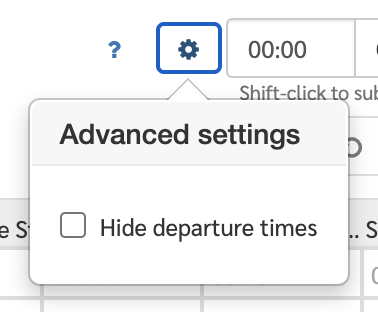
- Click Settings (cog icon) > Hide departure times
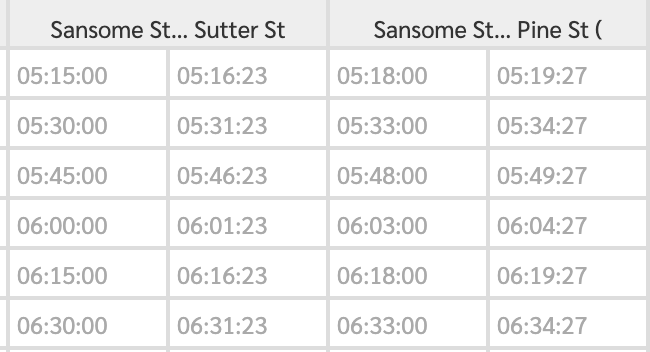
- Observer issue where stop_times column header incorrectly spans two columns. Also, arrival times text should be black not grey.
Expected behavior
Time data should be shown in black. Column headers should span single column (one-to-one stops to arrival times).
Steps to reproduce the problem
See above.
Any special notes on configuration used
N/A
Version of datatools-ui and datatools-server if applicable (exact commit hash or branch name)
latest dev
