
UI.WinForms.Styler
 UI.WinForms.Styler copied to clipboard
Published
1 year ago
•
 iNKORE-NET
iNKORE-NET
A Windows Forms library that provides native controls with many of the advanced features.

A Windows Forms library that provides native controls with many of the advanced features.
iNKORE.UI.WinForms.Styler
Give us a star if you like this!








📸 Screenshots
-
SampleApp
Control Windows 11 Windows 7 Basic Controls
AdvProgressBar
AdvButton
AdvComboBox
AdvTextBox
SplitButton
CommandLink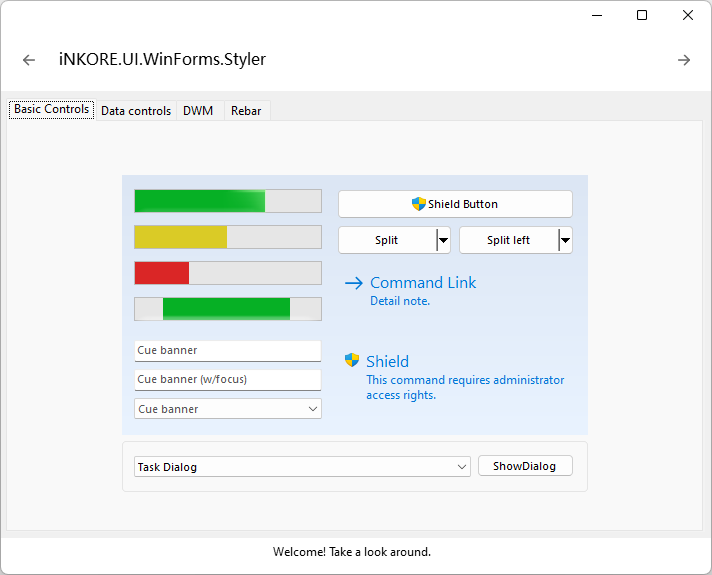

Data Controls
AdvListView
AdvTreeView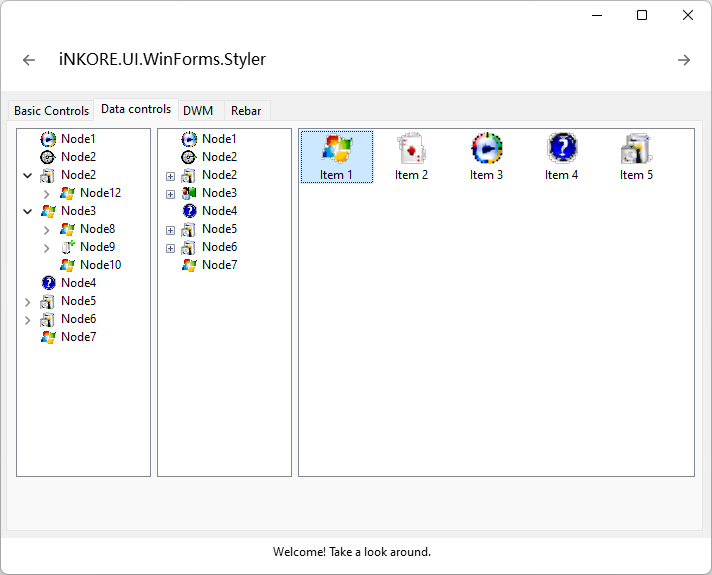

Rebar 

TaskDialog 
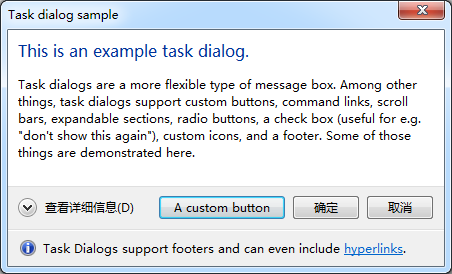
TaskDialog
(with command links)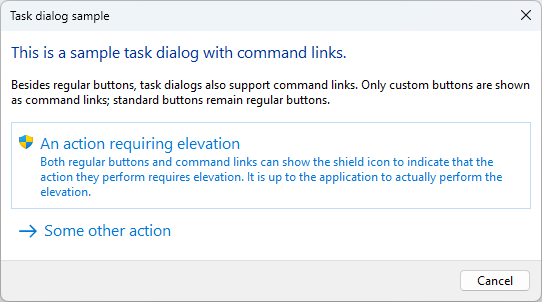

ProgressDialog 

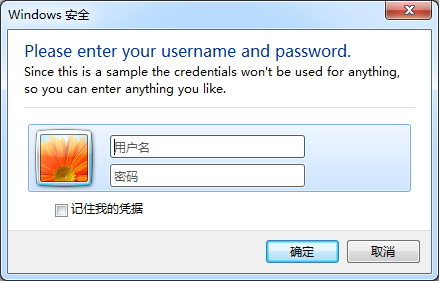
CredentialDialog 
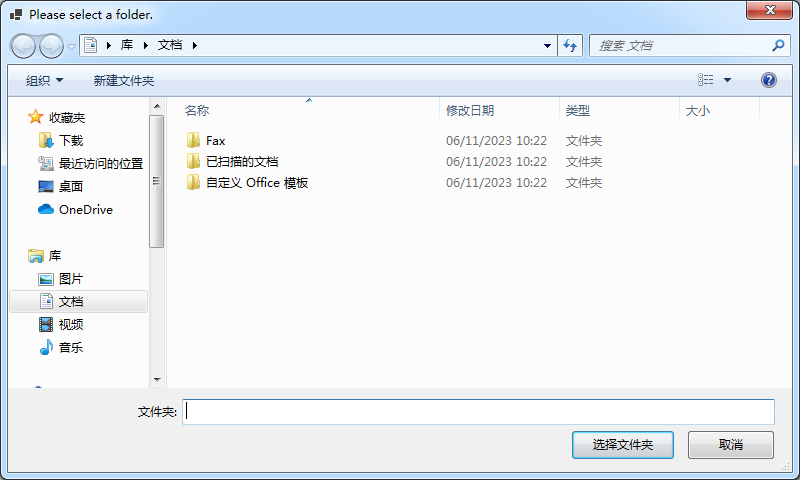
FolderBrowser
Dialog
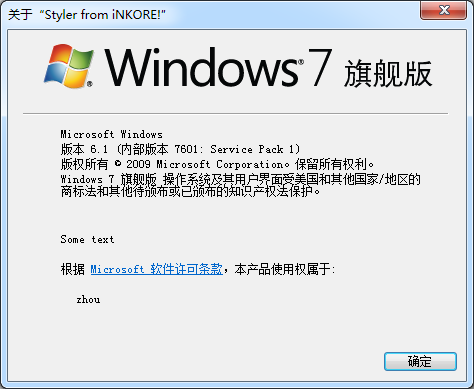
ShellAbout
Dialog
📃 Overview
-
Controls
- [x] AeroForm: Base form class that automatically sets its font according to the Windows UX guidelines and supports some Aero properties.
- [x] AdvButton: Advanced Button class, supports icons and admin shields
- [x] AdvComboBox: Advanced ComboBox class, supports cue banner
- [x] AdvListView: Advanced ListView class, supports explorer-like style and grouping
- [x] AdvProgressBar: Advanced ProgressBar class, supports 3 color states and marquee mode
- [x] AdvTabControl: Advanced TabControl class, supports rendering correctly when using bottom alignment with a visual
- [x] AdvTextBox: Advanced TextBox class, supports cue banner
- [x] AdvTreeView: Advanced TreeView class, supports explorer-like styles, customizing HScrollBar
- [x] CommandLink: Native CommandLink class, with a clean, lightweight appearance that allows for descriptive labels, and are displayed with either a standard arrow or custom icon, and an optional supplemental explanation.
- [x] DragDropSign: A simple control with the visual style of DragDropSign
- [x] HorizontalPanel: A horizontal panel which resembles what is used for information and navigation in the Control Panel of Windows 7 and Vista.
- [x] LabeledDivider: The labeled divider provides a Aero styled divider with an optional caption, similiar to what is seen in the Control Panel dialogs of Windows 7 and Vista.
- [x] NavigationButton: A simple Back/Forward Button drawn by Windows via Visual Styles if available.
- [x] RadioButtonGroup: A list of radio buttons based on a collection of objects for easy creation of radio button groups.
- [x] SearchTextBox: A standard WinForms text box presenting the common Vista "search" interface.
- [x] Separator: The line is drawn with Visual Styles (TaskDialog > FootnoteSeperator). If running on XP or another OS, the line is drawn manually.
- [x] SplitButton: A button with a split dropdown menu
- [x] StylePanel: An enhanced panel which provides customizable visual style background
- [x] TabStrip: A strip bar with TabCOntrol header-like items
- [x] VerticalPanel: A vertical panel which resembles what is used for information and navigation in the Control Panel of Windows 7 and Vista.
- [x] VisibleSplitContainer: A SplitContainer with a visible grip in the separator
- [x] RebarWrapper: Container for native Rebar Control
- [x] ThemeLabel: A Label containing some text that will be drawn with glowing border on top of the Glass Sheet effect.
-
Dialogs
- [x] ProgressDialog: Represents a dialog that can be used to report progress to the user.
- [x] TaskDialog: The task dialog contains an application-defined message text and title, icons, and any combination of predefined push buttons.
- [x] AdvOpenFileDialog: Prompts the user to open a file.
- [x] AdvSaveFileDialog: Prompts the user to select a location for saving a file.
- [x] CredentialDialog: Represents a dialog box that allows the user to enter generic credentials.
- [x] ShellAboutDialog: Shows a dialog with windows system detials
- [x] VistaFolderBrowserDialog: Prompts the user to select a folder.
References
- https://github.com/LorenzCK/WindowsFormsAero
- https://github.com/dahall/AeroWizard
- https://github.com/ookii-dialogs/ookii-dialogs-winforms
Metadata
19
Stars
0
Forks
19
Watchers
Owner
 iNKORE-NET
Metadata
A Windows Forms library that provides native controls with many of the advanced features.