

 hypothesis
Client half-working on telegra.ph pages
Steps to reproduce
- Visit http://telegra.ph/whatsapp-backdoor-01-16
- Try and annotate some content
Expected behaviour
Annotations should show up as expected.
Actual behaviour
- Observe that on page the annotations look messed up when doing them
- Reload the page and observe the annotations are not showing (but are correctly stored)
See below after coming back to the page (reloading):
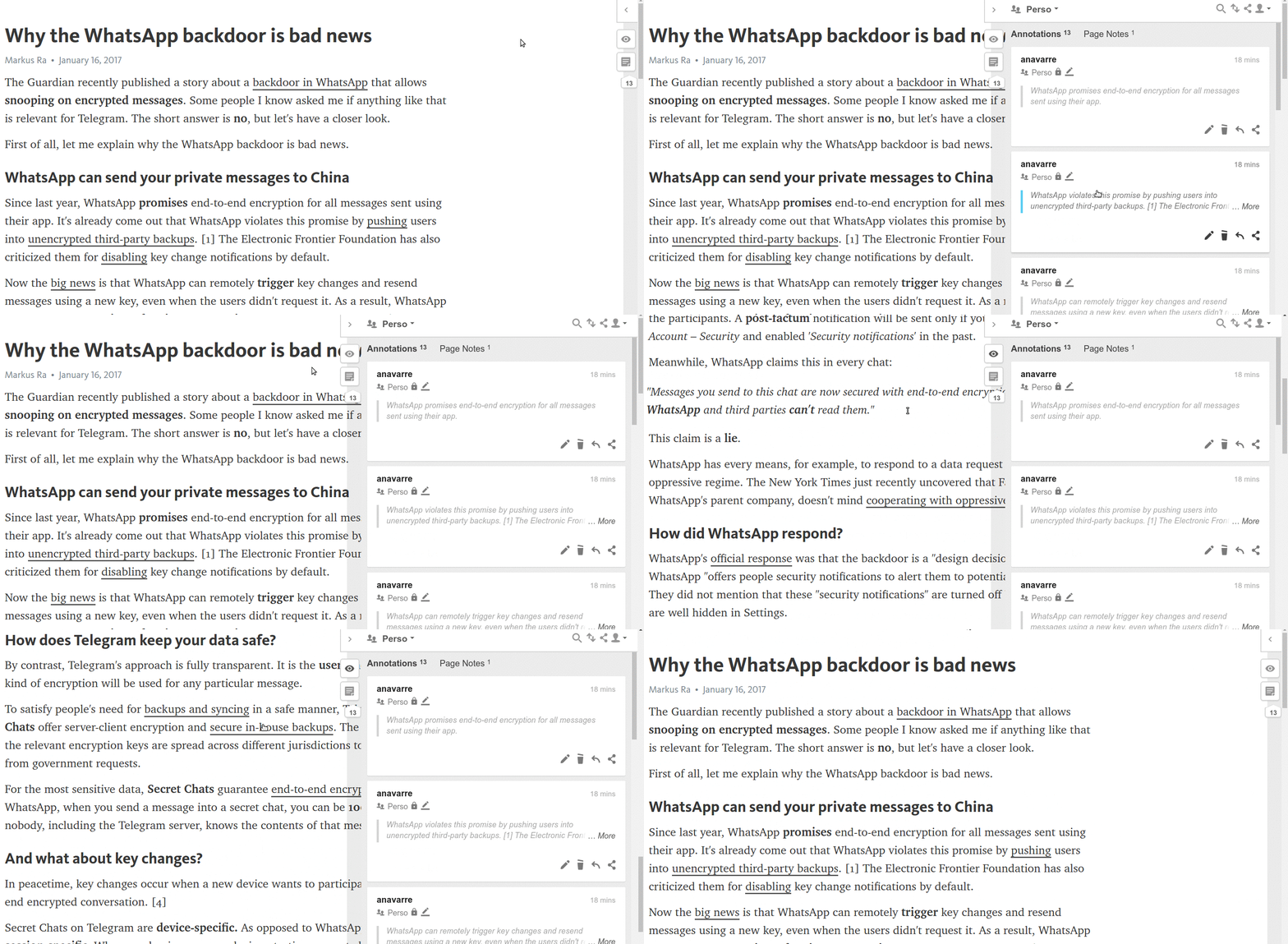
Browser/system information
Ubuntu Xenial with Chrome Version 59.0.3071.115 (Official Build) (64-bit)

Thank-you for the report, I was able to reproduce the problem with v1.28 of the client.
In my testing, I see that when clicking "Annotate" the anchoring and highlight code runs successfully and creates a highlight, but the highlight immediately disappears. Using Chrome dev tools, I tried manually editing parts of the HTML page to wrap text with <hypothesis-highlight> elements or indeed any custom tag and observed that the corresponding section of text was immediately replaced with a pristine copy afterwards. It looks like a file, quill.min.js (possibly the Quill package) watches for changes to the page's DOM and re-renders the corresponding section in response.
We have started to explore highlighting modes which do not actually modify the page but instead overlay a highlight layer on top of the page using SVG. That might help here.


Quick update on this:
We have started to explore highlighting modes which do not actually modify the page but instead overlay a highlight layer on top of the page using SVG. That might help here.
We decided not to do this in the end, at least not by default, because we want annotations to be accessible to assistive technologies. There may however be hope in the form of the CSS Custom Highlight API. If that is implemented then it would potentially allow us to support creating accessible highlights in a page without modifying the DOM.