

 hvdwolf
Install in MacOS 12.3.1 & M1
La instalación de JTG 2.0.1 monta el disco correctamente, pero no abre la carpeta con los archivos de la aplicación
https://user-images.githubusercontent.com/693328/169707581-e041043e-f304-4b45-9e26-be3225f038c6.mp4
Apple M1 Pro MacOS 12.3.1 Monterrey


I updated the dmg and the symbolic link to /Applications is now in. I updated that some 20-23 days ago but forgot to update this issue.
mmm... cuando ejecuto 'jExifToolGUI-x86_64-macos-2.0.1-with_jre.dmg' NO se abre una ventana nueva con el link a Aplicaciones, jExifToolGUI.app y LICENCE, sino que simplemnte se monta el disco. Personalmente no es un 'problema', pero quizá sea poco intuitivo para otros usuarios.
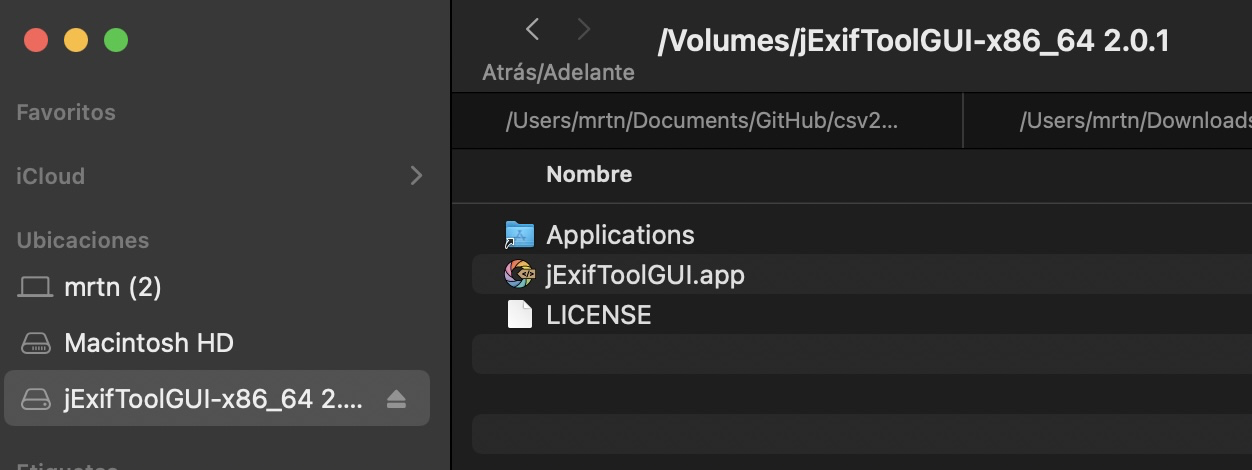
Apple M1 Pro MacOS 12.3.1 Monterrey