

 home-assistant
AirPod Pros no longer seen as active microphone with Monterey
Device model, version and app version
Model Name: MacBook Pro (13-inch, M1, 2020) macOS Version: 12.0.1 App Version: 2021.247 Safari Version: 15.1
Home Assistant Core Version
core-2021.10.7
Describe the bug
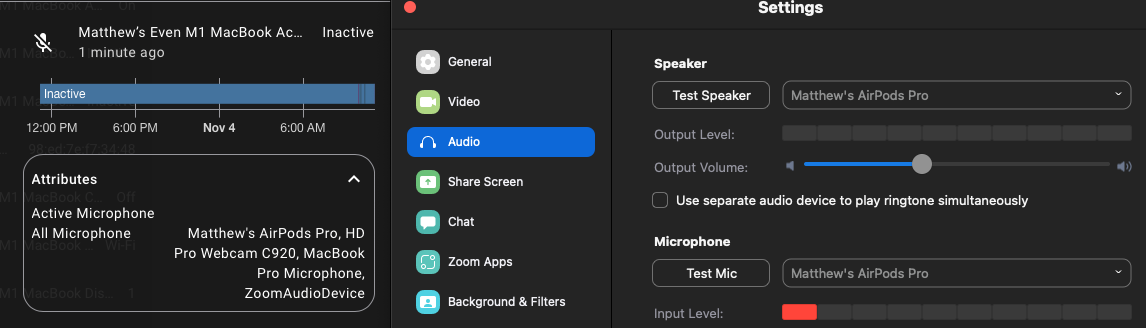
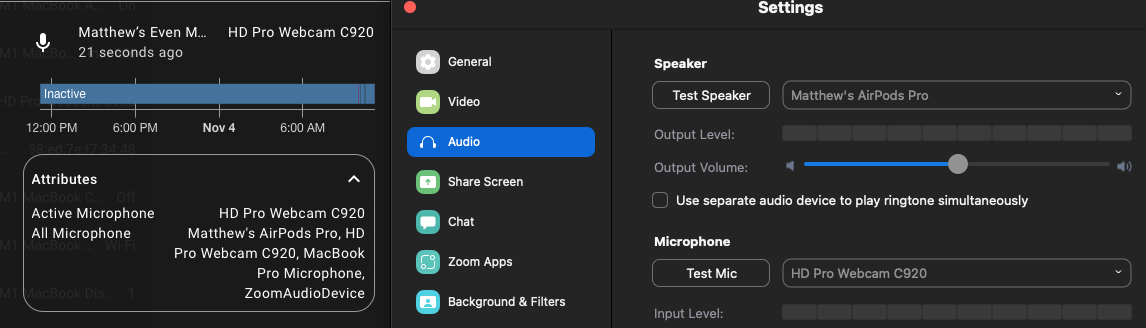
MacOS app no longer sees AirPods Pro as an active microphone. It is listed in the All Microphone attribute on the active microphone sensor, but doesn't show up as active or trigger the binary sensor when it's in use. Tried with Zoom and Google Meet (in Safari) and got the same behavior so doesn't look app specific.
To Reproduce Use AirPod Pros.
Expected behavior AirPods should show up as an active microphone when they're active.
Screenshots
AirPods:
USB WebCam
Additional context

Filed with Apple as FB9745350. I don't believe there's anything the app can do to work around this, sadly.

Sounds about right. Thanks for filing upstream, hopefully it gets fixed in the next point release.
For anyone else following along, tested with 12.1 and still busted on Apple's side.
@zacwest sent me here via Discord. I was experiencing this with the AirPods Pro. I can also confirm this happens with AirPods Max.



Just confirming that I have the same issue. I'll close my duplicate issue (more details from my side there): https://github.com/home-assistant/iOS/issues/2166.

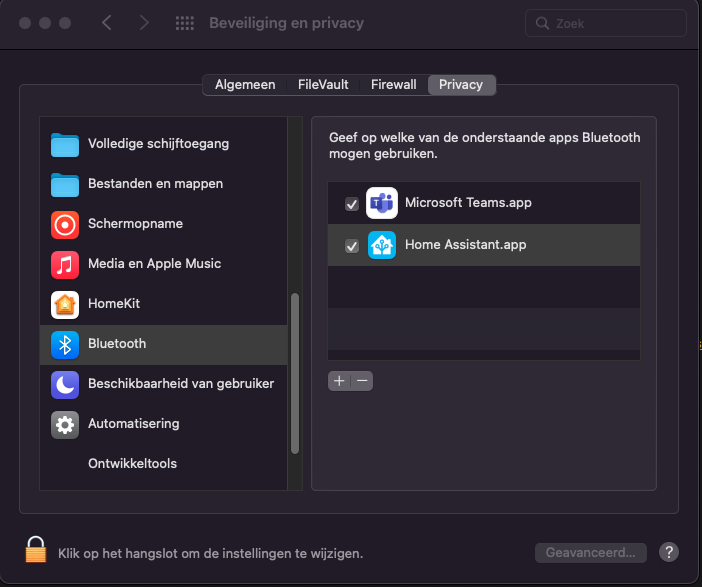
How do we know for sure it's busted on Apple's side? If i'm not mistaking this issue started with the introduction of Monterey. I'm not sure, can't remember if i added it manually to privacy settings, but does the Home Assistant app needs access to bluetooth in privacy settings (does any of you have it in the privacy settings)? Isn't that something that needs to be changed on the app side? Maybe that's the reason. As far as i can tell all my bluetooth devices (Airpods, Airpods Pro, Bose QC35II) have the same issue. They will not go to active as input and/or output. I can select my monitors as output and they change to active if i do so


Also interested in seeing this issue resolved! Hopefully Apple fixes this up.

To overcome this issue, I made a simple-stupid Python script which uses the Accesibility API to look for the orange dot presence in the status bar. Then, when the microphone's status changes, it calls a webhook defined in a Home Assistant automation. Since it looks for that dot, it works with both in-built and Bluetooth mics.
You need requests and atomacos modules for it to work. Because of the way the script works, it might not work correctly if the system's language (on your Mac device) is other than english.

To overcome this issue, I made a simple-stupid Python script which uses the Accesibility API to look for the orange dot presence in the status bar. Then, when the microphone's status changes, it calls a webhook defined in a Home Assistant automation. Since it looks for that dot, it works with both in-built and Bluetooth mics.
You need
requestsandatomacosmodules for it to work. Because of the way the script works, it might not work correctly if the system's language (on your Mac device) is other than english.
Did you have to change any permissions to allow access to the mic's info (under Privacy & Security)?
it might not work correctly if the system's language
Btw, my language is set to English, but it says "Microphone is in use" instead of your version which is "Microphone in use".
Just in case someone else with their language set to English wonders what's going on.
Yeah, forgot to mention that python3 needs to have Accessibility permissions. Would be great to detect the actual presence of the dot view itself instead of looking for the accessibility description, but couldn't figure out a way to do it.
To add on this:
MacOS Version: 13.5.2 (22G91)
My Airpods (normal and pro) don't work and I was just used to it. It was ok because I never used them for meetings.
I have a set of Jabra Evolve 65 connected by Bluetooth and the mic status is always timely reported.
Yesterday, my Jabra headset died and got a new one (sennheiser momentum 4, in case it matters). They won't report the status. They are listed in the list of microphones in HA side.
If the problem is with BT, shouldn't it fail for every device? (asking from a total lack of knowledge, but want to add my experience in case it helps).
I can provide more info if requested, the sound of my Jabra is busted, but good enough for testing.
edit: in the meantime @ov1d1u script works as a charm. Thank you!

Looks like this was sorted out in Sonoma 14.0, can anyone confirm? I got a Bluetooth headset and now I see it detected as an active input when there's an app accessing the microphone:
@ov1d1u Confirmed! After i saw your post i immediately updated my os to Sonoma 14.0. Thanks for the tip! Not sure if Active Audio Input is working but i guess it will because the Output is working.
I can confirm that active audio input in use sensor is working for me (the binary sensor turns on when my AirPods are connected via Bluetooth) after upgrading to Sonoma 14.2.
The active audio input sensor now also nicely picks up the name of the AirPods, so it will vary between inactive, external for my wired headphones or the name of my AirPods.
(Ignore the alt input boolean – that was a workaround hack to set its value via a script and webhook that I've killed now.)