explorer

explorer copied to clipboard
 hirosystems
Can't copy contract source code with the correct formatting
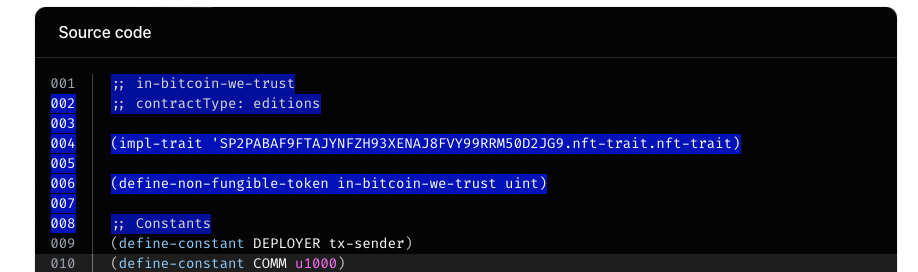
Describe the bug It is impossible to copy contract code or part of the contract code with the correct formatting.
To Reproduce Steps to reproduce the behavior:
- Open any contract call or contract deployment transaction eg. https://explorer.stacks.co/txid/SP2C2YFP12AJZB4MABJBAJ55XECVS7E4PMMZ89YZR.arkadiko-swap-v2-1
- Scroll down to the
Source code - Select whole contract code or just part of it, copy and paste into any editor
- We end up with something like this:
(
define-read-only

(
shutdown-not-activated
)

(
and

(
not

(
unwrap-panic

(
contract-call?
 .arkadiko-dao get-emergency-shutdown-activated
)
)
)

(
not

(
var-get
 swap-shutdown-activated
)
)

)
)
Expected behavior Code should be copied with correct formatting (new lines and indentation)

I'll close this issue since if you copy and paste it as plain text instead of rich format on a notepad or on your code editor (like vscode) it'll respect lines and indentations.

I think the problem returned after the addition of line numbers. There is no way to highlight just the code without also highlighting the line numbers.