
react-drag-sort

react-drag-sort copied to clipboard
 hellosean1025
多个组件实例化后,拖动一个到另一个上会影响另一个组件的排序
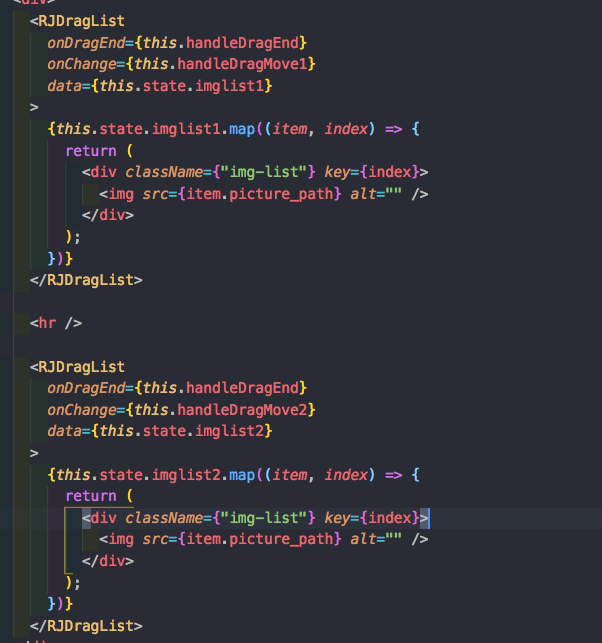 如上图,当我拖动第一个组件的子元素到第二个组件中,会影响第二个组件排序,现在我做了如下调整:
import React, { Component } from "react";


let id = 0;

export default class EasyDragSort extends Component {
  dragCount = ++id;
  curDragIndex = null;
  identify = null;

  onChange = (from, to, _this) => {
    if (from === to) return;
    let curValue = this.props.data;
    let newValue = arrMove(curValue, from, to);
    if (typeof this.props.onChange === "function") {
      return this.props.onChange(newValue, from, to, curValue);
    }
  };

  render() {
    const { children } = this.props;
    const _this = this;

    return (
      <div>
        {children.map((item, index) => {
          if (React.isValidElement(item)) {
            return React.cloneElement(item, {
              draggable: "true",

              "data-identify": _this.dragCount,

              onDragStart: e => {
                console.log("start");
                e.dataTransfer.effectAllowed = "move";
                try {
                  e.dataTransfer.setData("text/plain", "");
                } catch (e) {}

                this.identify = e.target.parentNode.getAttribute(    // 这里可能要一直往上找到有 data-identify 属性的parent
                  "data-identify"
                );
                console.log(this.identify);
                _this.curDragIndex = index;
              },

              onDragEnter: e => {
                console.log(_this.dragCount, _this.identify);

                if (+_this.identify !== _this.dragCount) return;
                _this.onChange(_this.curDragIndex, index);
                _this.curDragIndex = index;
              },

              onDrop: e => {
                e.stopPropagation();
                e.preventDefault();
              },

              onDragEnd: function() {
                console.log("end");
                _this.curDragIndex = null;
                _this.identify = null;
                if (typeof _this.props.onDragEnd === "function") {
                  _this.props.onDragEnd();
                }
              }
            });
          }
          return item;
        })}
      </div>
    );
  }
}

function arrMove(arr, fromIndex, toIndex) {
  arr = [].concat(arr);
  let item = arr.splice(fromIndex, 1)[0];
  arr.splice(toIndex, 0, item);
  return arr;
}
不知是否还有更加简单的方法 ^_^
