

 helloSystem
FreeBSD 13 based experimental image unbootable after installing
gentlemen, good night.
first, congratulations on the project! i'm putting the experimental hellosystem 13 on my production computer, i need the video drive from AMD. but I had to boot in verbose mode, it was stuck on the Splash screen, but my problem here and after installing hellosystem on my HD, after restarting, it shows the following screen:

I tried looking for the problem here in the issues, I couldn't find it. what can I do?

This is unchartered territory. The FreeBSD 13-based experimental build 0G35 is known to have this issue.
what can I do?
Try to find out why it wokrs with the FreeBSD 12.2 based build but not the FreeBSD 13 based build. I don't have more knowledge than anyone on these things, really. So experimentation, time, and debugging is in order :)


Thanks for your attention. I managed to install experimental 13 using motherboard X79 with UEFI and Legacy boot Hello was installed in Legacy mode. No version 0.6.0 of amdgpu_pro driver related error. I will reinstall version 0.6.0 and already post here.
I am getting the same issue in Legacy mode. Any insights into why this is happening would be appreciated.
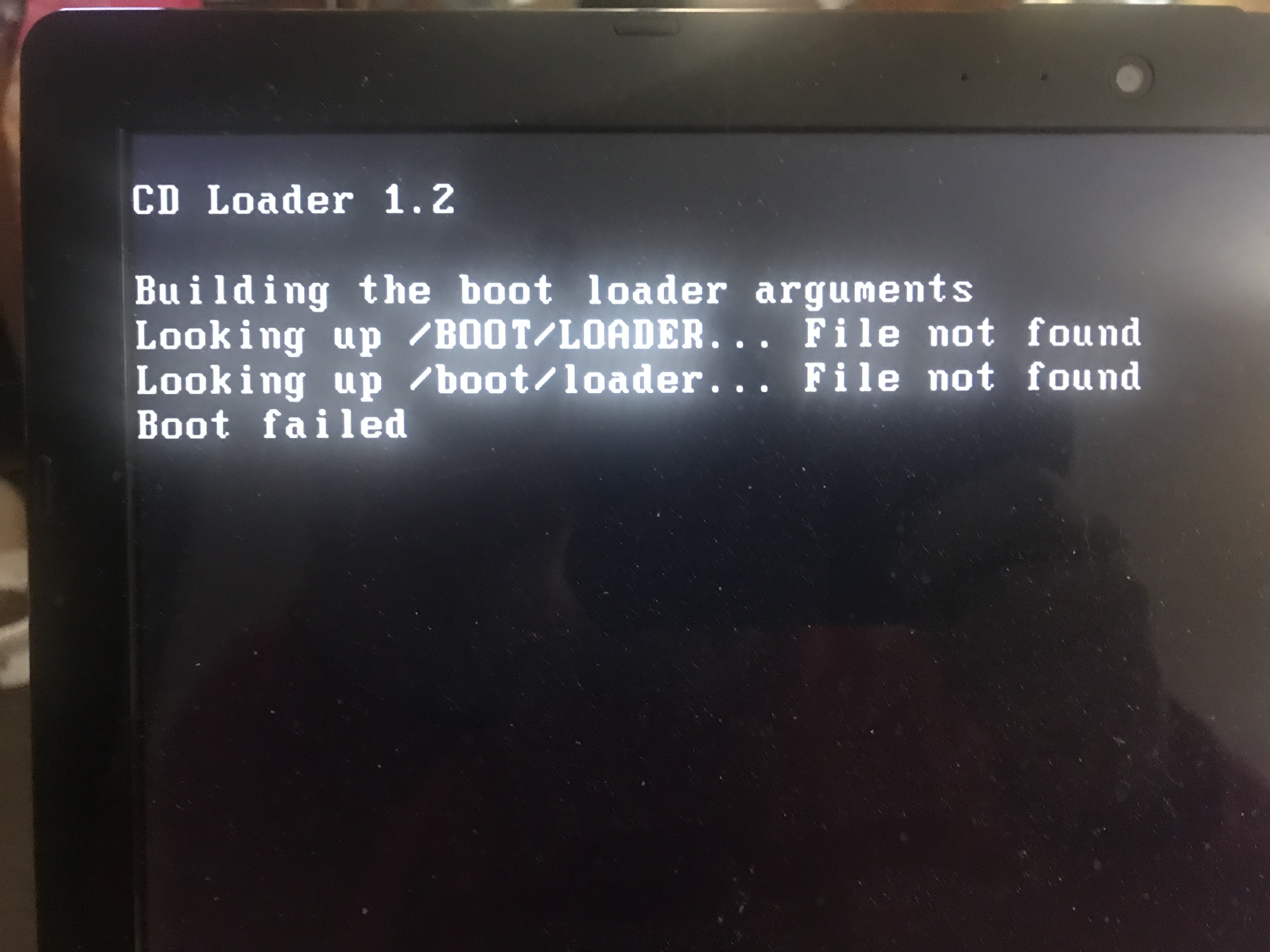
CD Loader 1.2
Bulding the boot loader arguments Looking up /BOOT/LOADER... File not found Looking up /boot/loader... File not found Boot failed
That error message is from the live ISO, it wasn't installed to the hard drive.
@probonopd just to let you know, I did a test using the FreeBSD 13 release and the exact same thing happened, but you can see in the log that it tries to mount the root on usb, that is, this is not a project-only bug.

@mbnunes just to be 100% sure, when you say "using the FreeBSD 13 release" you mean the one from freebsd.org, not helloSystem?
In any case, can you enter ? there, press enter, and post the result?
Thanks.
Yes, but not with the graphical installer. Would need to be done by the user by hand.
Thanks @jsm222 for finding the following out:
Executing the following on hello-0.7.0_0G41-FreeBSD-13.0-amd64.iso after the installation, makes a bootable helloSystem efi system this time tested on qemu/kvm efi.
mount -t msdosfs /dev/ada0p1 /mnt/boot/efi
bsdinstall -D /tmp/somelogfile bootconfig
Thanks @jsm222 for finding the following out:
Executing the following on hello-0.7.0_0G41-FreeBSD-13.0-amd64.iso after the installation, makes a bootable helloSystem efi system this time tested on qemu/kvm efi.
mount -t msdosfs /dev/ada0p1 /mnt/boot/efi
bsdinstall -D /tmp/somelogfile bootconfig
Same erro... After set commands, reboot the system and go to mountroot's console
Now trying with
# Fix unbootable FreeBSD 13
# https://github.com/helloSystem/hello/issues/242#issuecomment-965617810
if [ -n "${INSTALLER_DEVICE}" ] ; then
  mount -t msdosfs /dev/"${INSTALLER_DEVICE}p1" "${FSMNT}"/boot/efi
  bsdinstall -D /tmp/bootconfig.log bootconfig
  umount "${FSMNT}"/boot/efi
fi
in the installer. Fingers crossed...
@probonopd Good afternoon, how are you? hope so!
I used the last ISO from Experimental 13 0G67 everything worked beautifully, the boot didn't need to activate verbose mode, the resolution was correctly identified at boot time. However after the installation (defaults to ZFS), the resolution is not correctly identified, and the mountroot error continues.
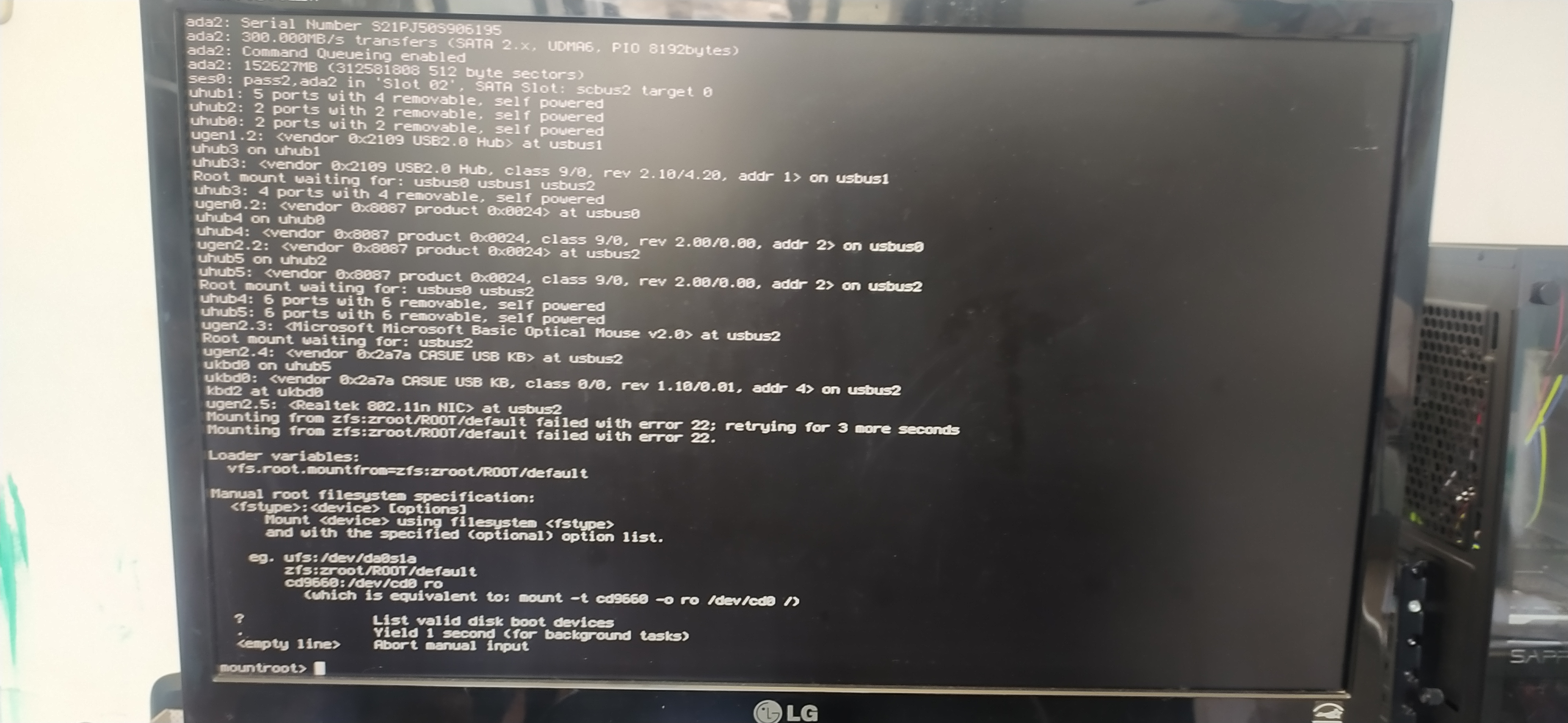
You are not installing to a USB device, are you? Please describe more about your boot device hardware setup.
no, i am installing on my ADA branded 250gb SSD. booting via USB 8gb UEFI. I can film the entire installation process if I want.