

 graphhopper
Turn-by-Turn Voice Navigation in the Browser
This PR adds a turn-by-turn navigation feature to the website and it is also bundled as an app on fdroid store (see other repo).
Basically the only difference is a new "navigate" button for the selected path. Clicking on it will start a simple turn-by-turn navigation in the browser with voice instructions, keeping the screen active and the update the recent GPS location.

Try it out at https://navi.graphhopper.org
This work started a long time ago from the knowledge that something like this should be possible (thanks @fabrik42) or telenav :). And also the belief that this is good for us when we can use our own route results in real world, especially in combination with custom profiles, where no other navigation solution can be used as alternative. And as we won't invest in native app development this seem to be a good solution. And recently I refactored this work, so that is no longer a "hack".
Features:
- live updates to the map and current location
- voice guidance via turn instructions, which can be silenced
- shows current speed, next turn + distance (+ street name), arrival time or duration, current maximum allowed speed
- also show turn (via "Then") after next turn if turns are very close
- re-routing if deviating from original route (re-routing considers heading of the vehicle)
- if route contains via points it can reach them if close enough and automatically picks the next as target
- works online only. If it is offline you still see the route and get the voice guidance (if you follow the route so that no re-routing happens). I.e. we only calculate a new route if really necessary and a tunnel is not a problem except that the location does not update.
- simulation mode via fake=20 (number sets the meters per update) so that it can be tested at home. E.g. try this and click the volume button to hear the instructions. There are two fake modes one of them is that the mouse location is used as fake GPS signal and the other mode uses a predefined route and adds a bit randomness.
- shows current estimated speed, road_class and surface information with click on street name
- zoom in for slower speeds (but don't zoom immediately back when a bit faster again)
Several browser APIs are used:
- Geolocation API for the location updates
- Web Speech API for the voice reading the instructions
- Fullscreen API to get more space and e.g. hide the addressbar (not critical but nice to have)
- Screen Wake Lock API to avoid the screen from sleeping when navigating.
TODOs now:
- [x] switch the map between routing and navigation. Navigation should use vector tiles so that the map can be rotated and the labels are still readable. And when navigating the rendering performance shouldn't be a big issue as the map is heavily zoomed in.
- [x] before merge: make it possible in master to close sidebar and move zoom button to layer button
- [x] go fullscreen only for mobile view
- [x] include custom model in navigation request
- [x] test Safari (tested for Android chrome+firefox) -> for iphone the fullscreen api isn't supported
- [x] rerouting is broken in the most recent commit due to the "avoid frequent rerouting" thing
- [x] avoid frequent rerouting if 50m away and no closer way can be found
- [x] right click start + end -> then navigate fails because SetVehicleProfile wasn't called
- [x] included modified NoSleep.js that adds the video element to the DOM to fix some iOS problems and sets "loop" for Firefox. The underlying problem is that the wake lock API is not supported. Chrome supports this API directly. See this policy if something does not work as expected. And for Safari this API is implemented as preview but for now we rely on nosleep.
- [x] dragging the map will disable synchronized view with location. The location update and rerouting etc continues to work. Clicking on location button will synchronize it again. Zooming currently does not disable synchronizing the view because I couldn't differentiate if the zoom comes from the user event or from an animation (we have the problem that while navigation nearly 100% of the time an animation is going on)
- [x] when starting navigation the method getCurrentBackgroundLayers(map) very rarely returns no layers leading to a location marker that does no move. Fixed by https://github.com/graphhopper/graphhopper-maps/pull/279/commits/59212faf217d6ca1235893256dfacdce820b820a and https://github.com/graphhopper/graphhopper-maps/pull/279/commits/1dda08710f84d88fc8b328f24c2ce32d01d24f1c
- [x] navigating with custom model
- [x] if rerouting and the next junction is too close no turn instruction will be announced
- [x] jitter problem with e.g. this route
- [x] mile + mph support
- [x] smoother arrow movement between location updates because of using maplibre (webGL) for vector tiles. See https://stackoverflow.com/q/75004551/194609 and https://github.com/openlayers/openlayers/blob/main/examples/geolocation-orientation.js#L139
- [ ] remove maplibre once webGL support for vector tiles with labels is in openlayers
TODOs later:
- hide part of the route that is in the past
- dark mode is possible via e.g.
dark-matterfrom mapilion. See https://github.com/graphhopper/graphhopper-maps/pull/308. But this requires a code change to
but somehow this brakes MapTiler - at least our custom map but also the hybrid satellite style. With stadia maps this works, so we could use their satellite maps and remove MapTiler. Stadia Maps also has a dark style.const layer = new VectorTileLayer({ declutter: true }); applyBackground(layer, styleOption.url); applyStyle(layer, styleOption.url); map.addLayer(layer); - many more
related #282

Hey congrats! Cool to see this coming to live. If you need support and/or you would like to exchange about JS-based navigation systems, let me know! :)

WoW @karussell thanks for this huge feature.
I tested it. Work well in many case.
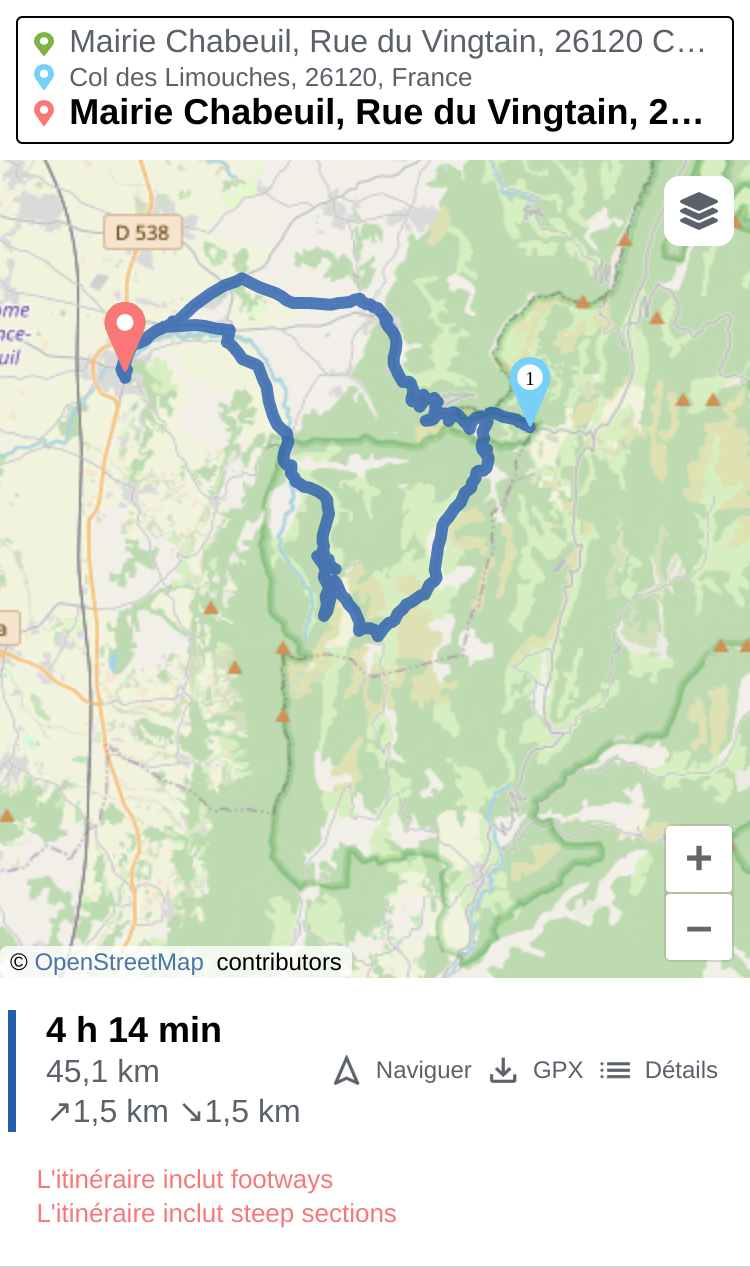
But I think it doesn't handle well round-trips (when going back in the same road used for the forward).
point A (home) -> Waypoint B -> Point (A)
Like this :

Thanks for trying it out :)
Yes, overlapping path segments (e.g. due to via points) makes sometimes problems although basic support for it exists. This will be improved in a new PR.