

 googlesamples
Turn on/off action is no longer supported
Hi @Fleker , I've been using the python sdk implementation on a RPi, but suddenly, it has stopped to work with turn on/off action (turning LEDs on RPi GPIO and printing on console).
Has the implementation changed? The last time that I teste, in last december, my setup was ok. Since last week I'm trying to get this working again, and no success. Every time that I say: turn on or turn off the SDK says that this command it's not supported, even declaring the device with the seven basic traits.
INFO:root:Transcript of user request: "hi Google turn on". INFO:root:Playing assistant response. INFO:root:Finished playing assistant response. Press Enter to send a new request... INFO:root:Recording audio request. INFO:root:Transcript of user request: "ok". INFO:root:Transcript of user request: "OK Google". INFO:root:Transcript of user request: "Okay Goo". INFO:root:Transcript of user request: "OK Google". INFO:root:Transcript of user request: "OK Google". INFO:root:Transcript of user request: "OK Google turn". INFO:root:Transcript of user request: "OK Google turn the". INFO:root:Transcript of user request: "OK Google turn the light". INFO:root:Transcript of user request: "OK Google turn the lights". INFO:root:Transcript of user request: "OK Google turn the lights on". INFO:root:Transcript of user request: "OK Google turn the lights on". INFO:root:End of audio request detected. INFO:root:Stopping recording. INFO:root:Transcript of user request: "OK Google turn the lights on". INFO:root:Playing assistant response. INFO:root:Finished playing assistant response. Press Enter to send a new request... INFO:root:Recording audio request. INFO:root:Transcript of user request: "hey". INFO:root:Transcript of user request: "hey goo". INFO:root:Transcript of user request: "hey Google". INFO:root:Transcript of user request: "hey Google turn". INFO:root:Transcript of user request: "hey Google turn off". INFO:root:Transcript of user request: "hey Google turn off". INFO:root:Transcript of user request: "hey Google turn off". INFO:root:Transcript of user request: "hey Google turn off". INFO:root:Transcript of user request: "hey Google turn off". INFO:root:End of audio request detected. INFO:root:Stopping recording. INFO:root:Transcript of user request: "hey Google turn off". INFO:root:Playing assistant response.

Same problem here with RPi 4. I follow this instruction. But "Turn on/off" command doesn't work. I get the replay "Sorry, power control is not yet supported".

Is it working for you already?
I have another problem:
(env) pi@raspberrypi:~/assistant-sdk-python/google-assistant-sdk/googlesamples/assistant/grpc $ python pushtotalk.py Traceback (most recent call last): File "pushtotalk.py", line 423, in <module> device_handler = device_helpers.DeviceRequestHandler(device_id) NameError: name 'device_id' is not defined
but when I add the device_id = 'id' line to pushtotalk.py, no error occurs, but nothing else happens.
Can someone help me?

Same problem here with RPi 4. I follow this instruction. But "Turn on/off" command doesn't work. I get the replay "Sorry, power control is not yet supported".
I have the same issue. When i get to this step and when i say "Turn on", google assistant replies with "Sorry, power control is not yet supported".
my device is a raspberry pi 3 and it was setup according to the instructions (as of yesterday) from, https://developers.google.com/assistant/sdk/guides/service/python/embed/install-sample
below is what I see in my terminal window,
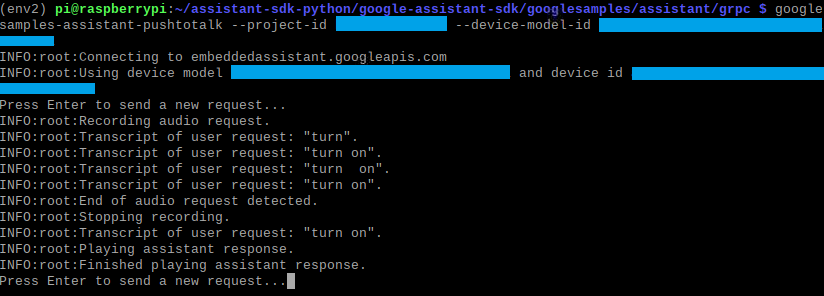
- I have the on/ off trait added to the model as instructed in the step before this ("Register Traits").
- The project ID, model ID and the device ID are correct.
- Regular commands seems to work fine. Examples: whats the weather?, What's in my calendar...etc.
- python version: 3.7.3
@Fleker - can you please help me with this? Thank you!
Additional info:
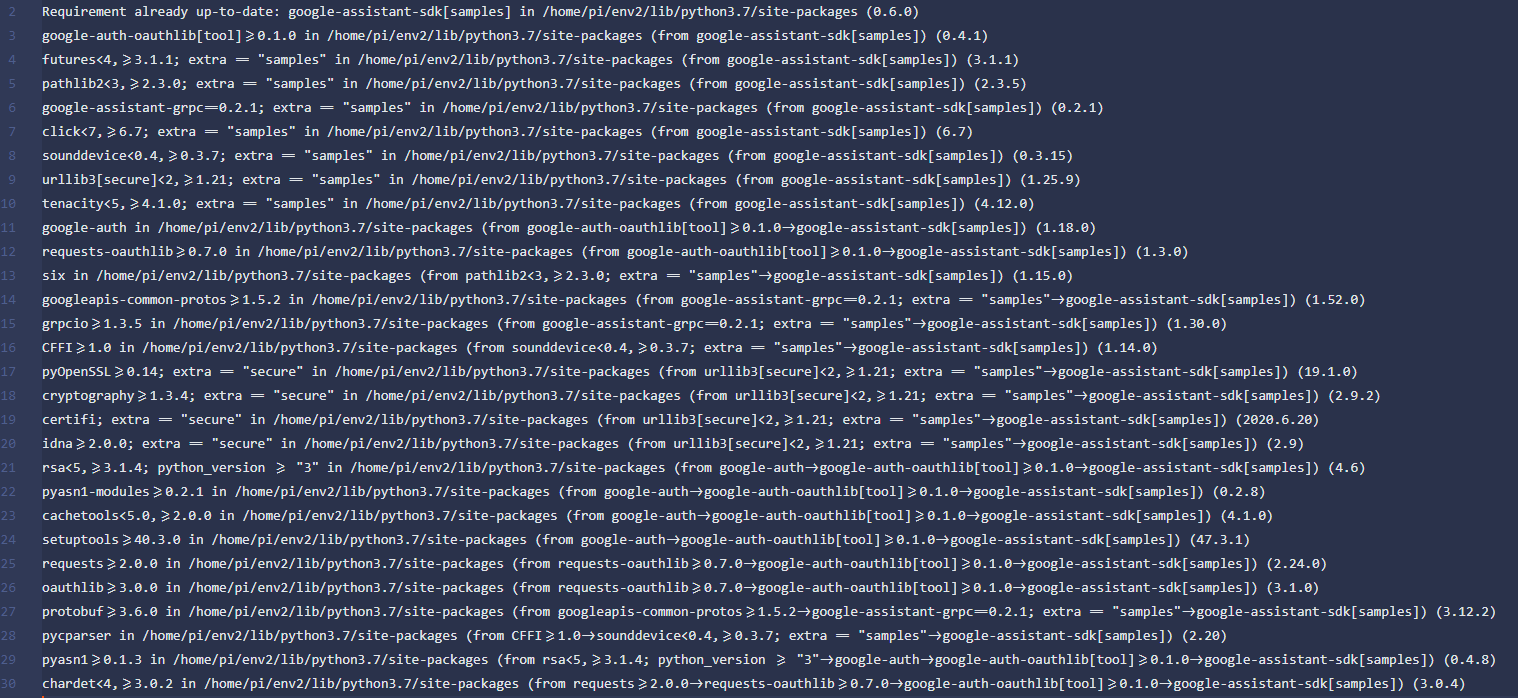

@Fleker
Ok, i figured this out.
Just skip this step. Looks like there's something going on with the Turn On/ off command. I moved to Register custom traits, deployed the new action package and added a new handler to handle the custom trait. Everything seems to work fine now.
Hi @Fleker; Same problem around here.
From https://console.actions.google.com/ register my project, then I have;
projectid, project name, model id, device id (obtained by executing sample)
It seems as I read out there that not only do you have to register the model, but also the device, with a sentence similar to this ..
googlesamples-assistant-devicetool --project-id uplifted-name -.... register-device --client-type SERVICE --model uplifted-name-28 --- aiyourself-productname --device b423764-b44747-nv7737. .....
but I keep getting the same message from the wizard;
sorry, power control is not yet supported
Please, is this very frustrating, can you help us? Thank you

Hi kishanW;
How are you? I'm not a technician, is it possible that you can guide me on how you made it work for you? What does it consist of?...
I moved to Register custom traits, deployed the new action package and added a new handler to handle the custom trait. Everything seems to work fine now.
Of all the above, what is necessary to do from the actions.google and what from pushtalk.py?
Can you help me? Thank you very much! Max.
@maximiliano2018 - sorry, I just saw the message. Basically, this is what I did,
- Make the necessary updates to the action.json file and push it out using the script
- used the command below
-
./gactions update --action_package actions.json --project project_id
- open up
pushtotalk.pyfile and added a new handler method to handle the new incoming device execution command- this new handler method name MUST match the name that is mentioned in the
actions.jsonfile. - the example provided is using the command name
com.example.commands.BlinkLight. If you open uppushtotalk.py, you should see a handler with this name. - follow the same pattern and create your own handler method.
- this new handler method name MUST match the name that is mentioned in the
- after this, i have my custom handler executes my code.
- log the incoming message
- execute another piece of code
I don't think you need to do anything at this stage other than those things. @Fleker can probably pitch in here regarding this.
Hi kishanW;
Excellent, I will follow these recommendations and return to the post to share the result. Thank you very much for taking the time to answer me. Greetings!
Max

@kishanW Hello, can you tell me where is the action.json file??? Thanks!
@Tatuck I'm sorry, I just saw your comment. This is what i followed to create and then upload the actions.json file.
Good luck!
@kishanW Hello, can you tell me where is the action.json file??? Thanks!
@Tatuck I'm sorry, I just saw your comment. This is what i followed to create and then upload the
actions.jsonfile. Good luck!
So I have to create a actions.json to make it possible to for example, saying: turn on, and it should print something in console? Thanks
@kishanW Hello, can you tell me where is the action.json file??? Thanks!
@Tatuck I'm sorry, I just saw your comment. This is what i followed to create and then upload the
actions.jsonfile. Good luck!So I have to create a actions.json to make it possible to for example, saying: turn on, and it should print something in console? Thanks
Whoops, I forgot to give you the url. This guides you thru creating the actions.json and updating the python handler
https://developers.google.com/assistant/sdk/guides/service/python/extend/custom-actions