

 googlecreativelab
[BUG]: Cannot access webcam in desktop browsers (Firefox, Chrome)
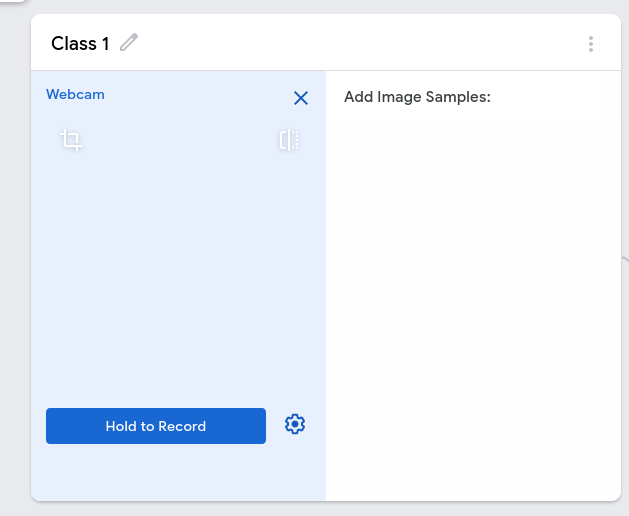
Describe the bug When trying to access the webcam for image or pose projects, I get this error in Firefox's console:
Uncaught (in promise) DOMException: The fetching process for the media resource was aborted by the user agent at the user's request.
In Chrome, a similar error:
Uncaught (in promise) DOMException: The play() request was interrupted by a call to pause(). https://goo.gl/LdLk22
To Reproduce Steps to reproduce the behavior:
- Go to https://teachablemachine.withgoogle.com/train/image
- Click on webcam (any class).
- Allow camera permissions (reload if necessary).
- Open console, see error.
Relevant Links Apparently caused by this: https://goo.gl/LdLk22
Expected behavior I should be able to see my webcam appear in the window.
Screenshots
Desktop (please complete the following information):
- OS: Manjaro Linux
- Browser: Firefox, Chrome
- Version: 87, 90

Hi @ahob85 i have the same issue with both Chrome and Firefox. I'm on Ubuntu 20.04.
@ahob85 under Chrome i solved disabling all the extensions, or you can run Chrome in incognito mode.
I can not use my Macbook air with the internal webcam in Chrome and Safari. :(
