

 google-pay
Google Pay window getting cropped when using Google Chrome + Windows
Describe the bug
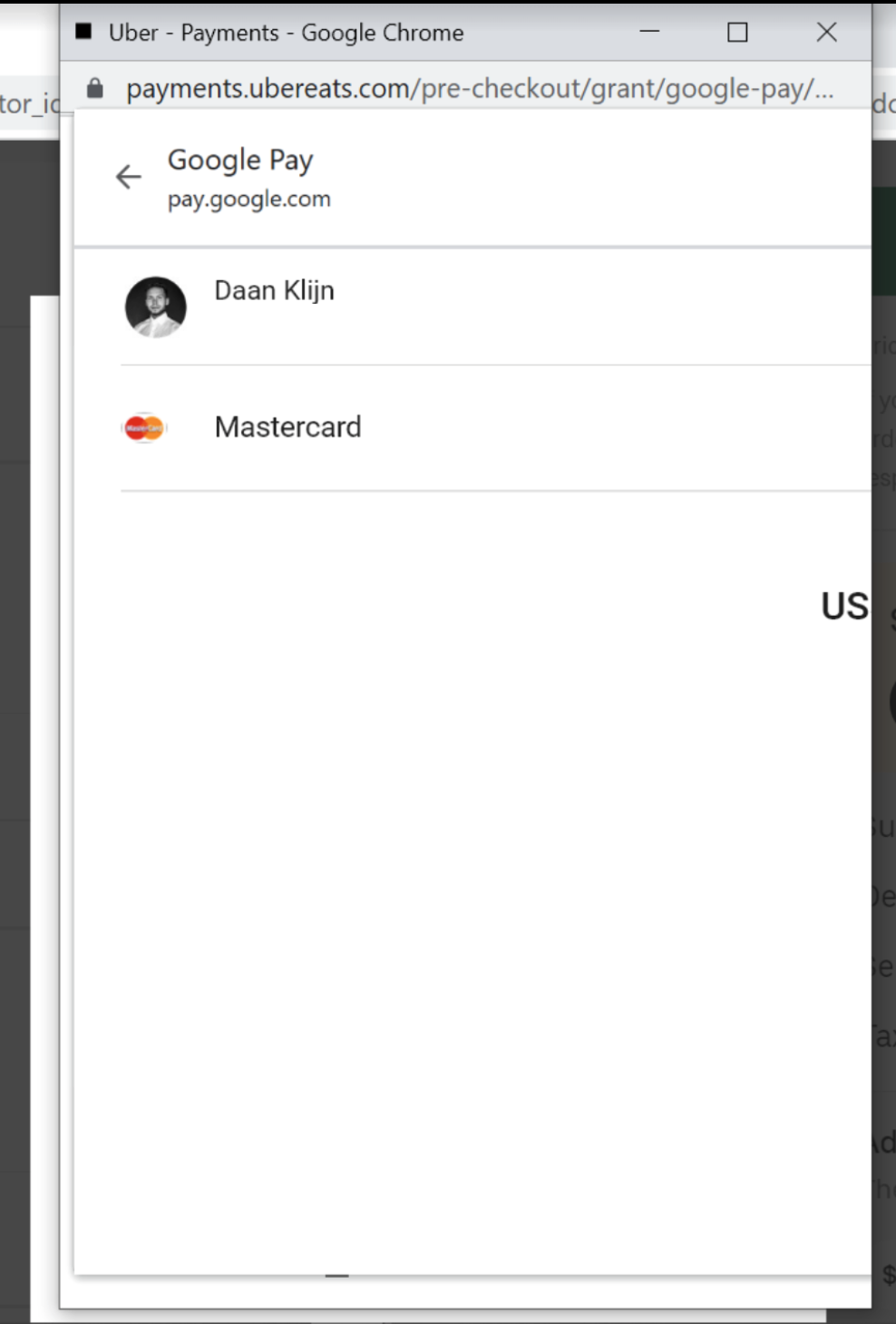
Hey folks! 👋 In our setup we have incorporated the React GP button inside a relatively small (width = ~400px) popup. Unfortunately this setup is causing cropping problems for some of our users that are using Google Chrome + Windows. When the user clicks the GP Button inside our popup the GP Payment window that pops up is being cropped. Due to this the user cannot see the 'Pay' button and is therefore not able to pay until they resize the window. We can solve this on our side by changing the width of our popup, but in my opinion GP should also work inside these smaller browser windows.
To Reproduce
- Setup a GooglePay button (react) inside a window having a width smaller than 600px.
- Open the app using Google Chrome on Windows.
- Click the button.
- See that the opened payment window is cropped.
Screenshots
Expected behavior
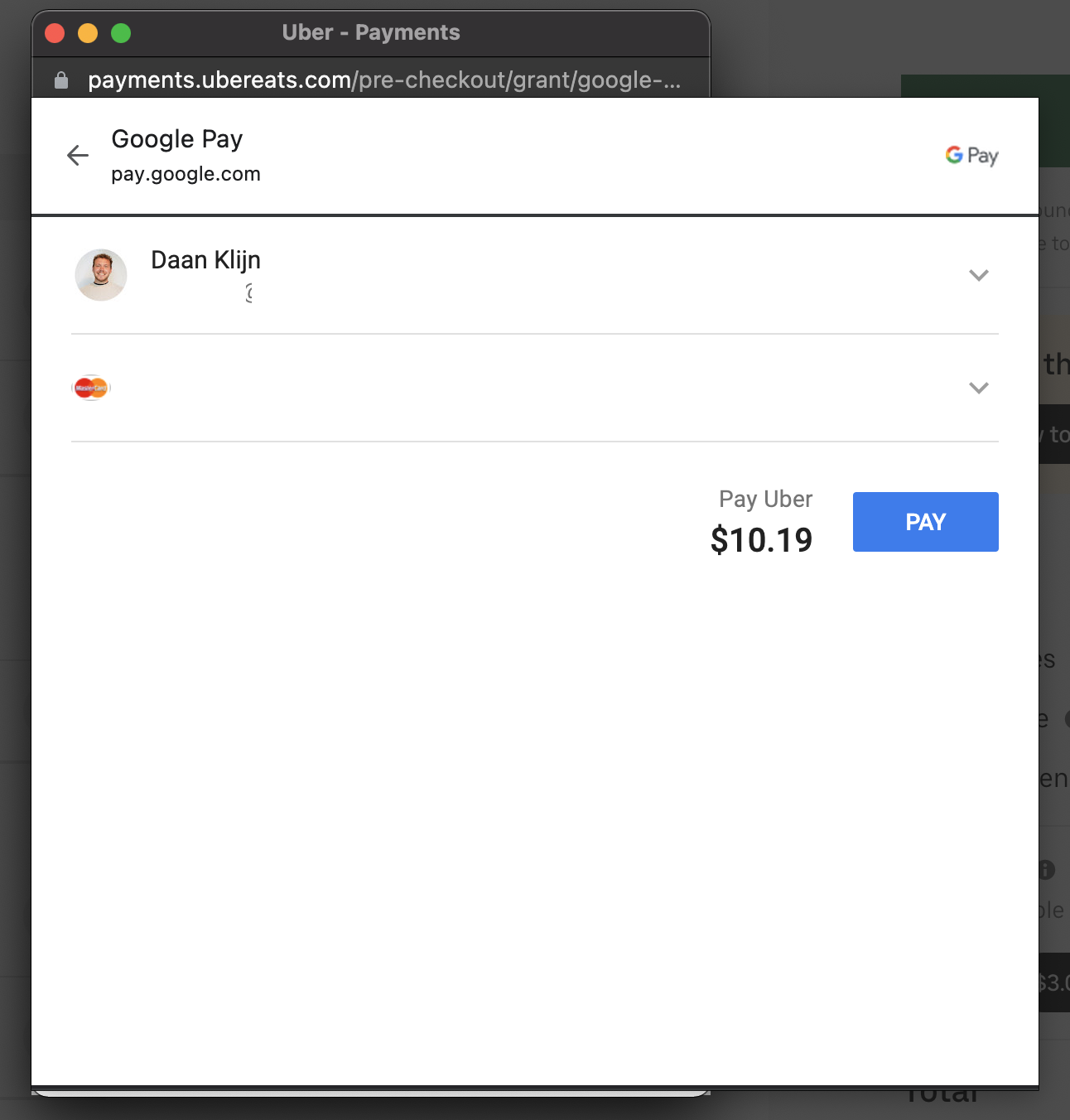
Obviously this window should not be cropped. For example, on Google Chrome + MacOS the window is not being cropped:
Component information:
-
Component
- [x] React component (
@google-pay/button-react) - [ ] Custom element (
@google-pay/button-element) - [ ] Angular component (
@google-pay/button-angular)
- [x] React component (
-
Component version (e.g. 1.0.0): 2.6.0
Environment:
- OS (e.g. iOS8.1): Windows 10
- Browser (e.g. stock browser, safari): Chrome 96.0.4664.110
- Country/region: US

I believe Mac's behaviour is not expected. Filed crbug.com/1283234 for the content area partially living out of the window on Mac.
It has been brought to GPay team's attention as well.
Have you tried it on Mac's Chrome Canary? Is it reproducible there?

