

 glushchenko
Automatic Git backup not working
Description
I have set FSN preferences to Automatic Snapshots at Every 1 hour (at 22 minutes). No git backups are happening in the repo-location I set, or in the default location. Notes that I edit regularly still have their History menu option greyed out.
My which git is /usr/local/bin/git.
Is there some log I can look at to try & debug?
To Reproduce
- Set git repo location & preference to Auto / Every n minutes or hours.
- Edit some notes
- Check if git is working in repo folder, check History option on notes
Expected behavior
- Edited notes should have history menu enabled.
- Git repo folder should show git at work
FSNotes version
5.3.5 (514)
macOS/iOS version
11.6.8
Additional context
No response

Hi there! I am facing the exact same issue. I would also be happy to help debugging it.

Hi, guys! Sorry for delayed response. FSNotes uses embedded git binary. Honestly i don't know how to reproduce this error. Can you show git status in repo folder? Maybe git repo corrupted?

No worries, thanks for replying!

I've repeated multiple times, doubt it is corrupted. Could the spaces in folder name be an issue?
Hello! I investigated a bit more and finally got it working!
My initial problem was:
- I activated git backups
- No git repo was created in the directory I had chosen
- After manually creating a git repo, it was also not used by the app
- No error messages whatsoever, neither in the app, not on the command line
How I fixed it: Using git on a daily basis, I intuitively assumed the app would just init a git repo in the folder with the notes files.
So I chose the same directory as default storage and for the git repo.
For some reason, I never saw this error message before:
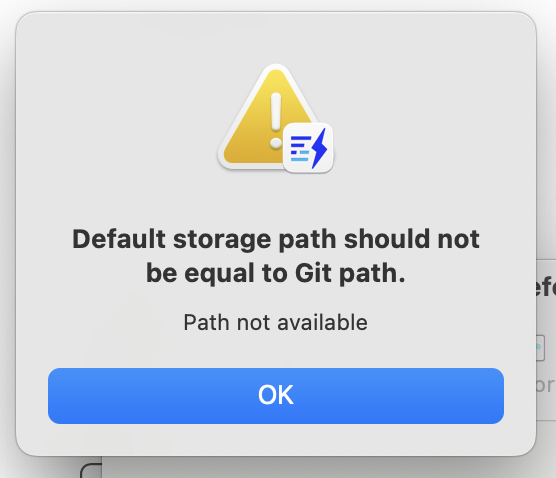
Now that I saw it, after disabling git backups, deleting the repo, re-creating a new folder in my home directory and re-enabling git backups finally fixed it!

@desmond-dsouza please open project in repo dir and call git status.
@fabrik42 👍
I followed @fabrik42 and it seems to be working now.
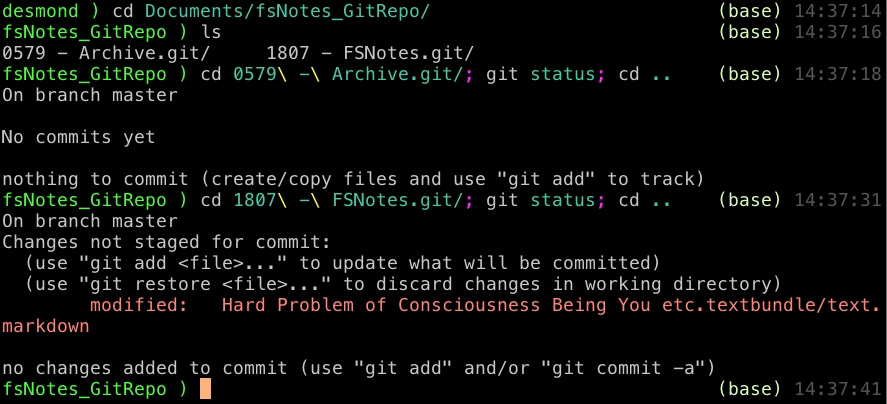
Many thanks, @glushchenko !!