

 gitpod-io
[content-service] cannot restart stopped workspace
Bug description
The full error on start is:
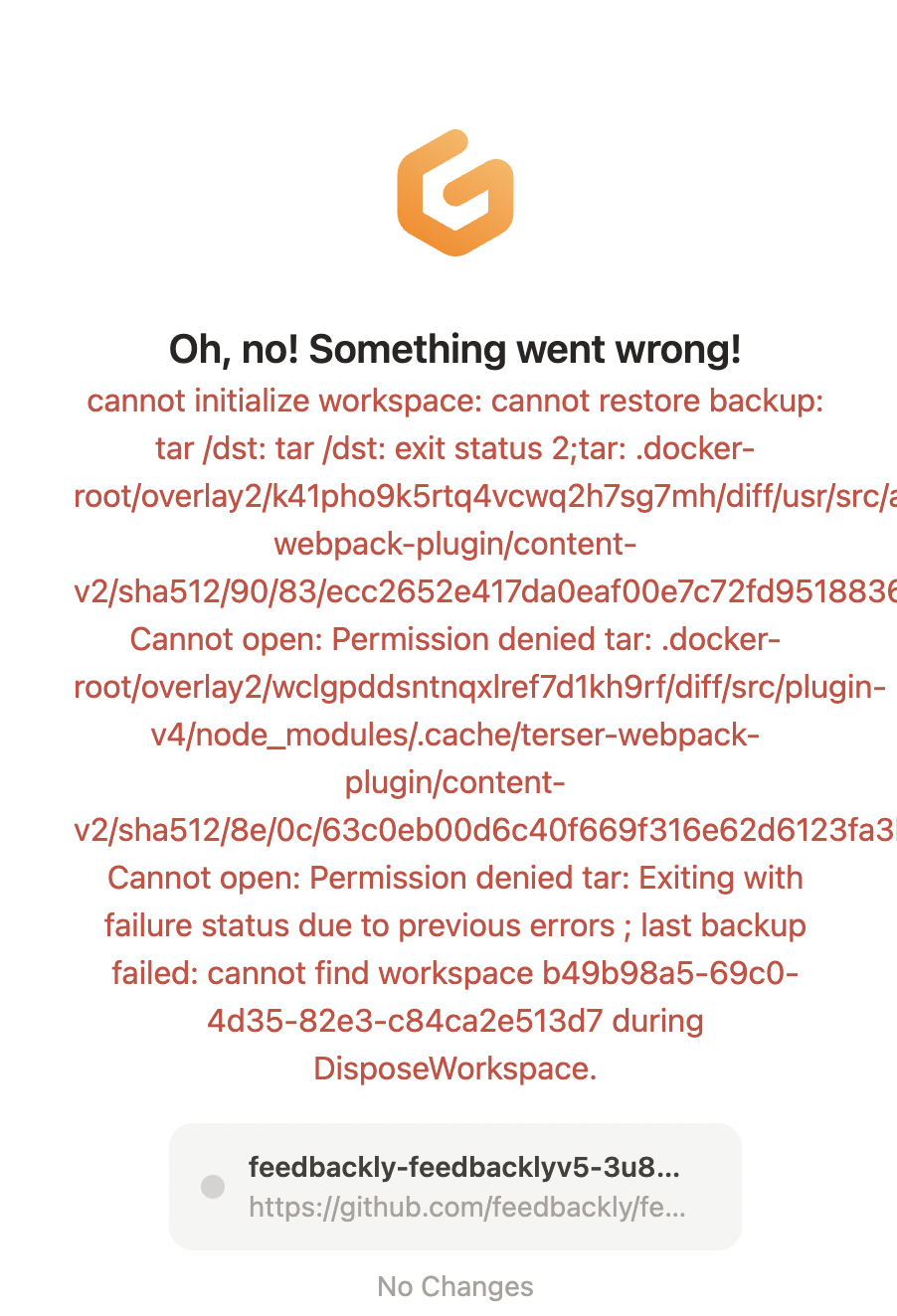
cannot initialize workspace: cannot restore backup: tar /dst: tar /dst: exit status 2;tar: .docker-root/overlay2/dedcf720e850fe485571223ecd9959f159eb8eef5250e7ee42ac96f010a3e369/diff/root/.npm/_cacache/content-v2/sha512/2c/49/1e6cfe1a91b8ccb4030ecac14cfe4d1d4e557aaf369a254fd344a9a7e864c7f4cab9edb19e21e7313357cb8eaacc48e19d7fc2b1d2ed294af55846548846: Cannot open: Permission denied tar: .docker-root/overlay2/dedcf720e850fe485571223ecd9959f159eb8eef5250e7ee42ac96f010a3e369/diff/root/.npm/_cacache/content-v2/sha512/74/de/010104b1dac999964663a5780e77912dd860c4bf1089dabe1f9b8175af2aaed3b5e5cba0f24fe31bfc38f19bcc40ffd609a6d2ab6ea02561055f96ba53a6: Cannot open: Permission denied tar: Exiting with failure status due to previous errors
Logs: https://cloudlogging.app.goo.gl/82CpwrNzW9oJWX1Q8
Log entry for the error: https://console.cloud.google.com/logs/query;cursorTimestamp=2022-07-06T11:31:39Z;query=resource.labels.cluster_name%20:%20%2528%22eu51%22%2529%0A%22eb595f2b-7de4-4248-800d-7dfe0280f802%22%0Atimestamp%3D%222022-07-06T11:31:39Z%22%0AinsertId%3D%227hkbcwop4k5qd0t4%22;summaryFields=:false:32:beginning:false;timeRange=P1D?project=workspace-clusters
Trend over last 7 days: https://cloudlogging.app.goo.gl/qdGdJ7CrD1zmLyrQ8

Steps to reproduce
n.a
Workspace affected
https://prlct-shipapp-5830i5ovwcb.ws-eu51.gitpod.io/
Expected behavior
The ability to restart a stopped workspace
Example repository
No response
Anything else?
No response


@utam0k is this something you could look at next, once you are free? :pray: It appears to be impacting many users.
This is probably related to other similar issues of accessing .docker-root folder: https://github.com/gitpod-io/gitpod/issues/10569 https://github.com/gitpod-io/gitpod/issues/10108

There really seem to be a few more users with the same error.
https://cloudlogging.app.goo.gl/owK8qukCGMcpkKQk7


I removed the assignee by myself because I'll go into the vacation next week.
I have tried everything and could not reproduce it with only this information in its current state. Someone else encountered the same error in our repository below, but I was able to reproduce it. https://github.com/gitpod-io/template-docker-compose
Maybe some manipulation is needed in the container.
I encounter the same issue. I cannot start/restart a workspace, so I need to create a new one everytime. Work not pushed is work lost.

Decided to try it out again today. Worked fine for an hour until the container stopped while working. Afterwards, cannot start the workspace. All my hour worth of work is gone - so annoying. Come one GitPod, get it together and fix it.
cannot initialize workspace: cannot restore backup: tar /dst: tar /dst: exit status 2;tar: .docker-root/overlay2/0ad5fb59a0da61c61bef0492772e450b29c3afb2c36d058fb30501d3fff86ac0/diff/usr/lib/supertokens/jre/legal/java.base/ADDITIONAL_LICENSE_INFO: Cannot open: Permission denied tar: .docker-root/overlay2/0ad5fb59a0da61c61bef0492772e450b29c3afb2c36d058fb30501d3fff86ac0/diff/usr/lib/supertokens/jre/legal/java.base/ASSEMBLY_EXCEPTION:
…
Hi, @filipjnc. Thanks for your report. This issue is already scheduled but has not yet been worked on due to priorities. Can I ask you to share the repository or how to reproduce it?
Hi @utam0k, Workspace ID: filipjnc-dtlearnhunt-l2swncfwtr7 Cluster: ws-eu54.gitpod.io
I can reproduce it as follows:
- Start new workspace from GitHub repo
- Shut down workspace or wait for timeout
- Can't restart it again, the error above keeps coming up. As if the container has been permanently corrupted.
@filipjnc Thanks for your information. It helps us to resolve it. Is the reproduction rate 100%?
@filipjnc Thanks for your information. It helps us to resolve it. Is the reproduction rate 100%?
Yes. Can reproduce it every time on my end. All old (damaged) workspaces could never be started again.

Unfortunately this is about the fourth workspace I've lost. I'm becoming obsessive about git commit before I switch off as trust in Gitpod is minimal at the moment.

Hi, @filipjnc. Thanks for your report. This issue is already scheduled but has not yet been worked on due to priorities. Can I ask you to share the repository or how to reproduce it?
As way of possibly testing, I'm using a skeleton of this project: https://github.com/sprintcube/docker-compose-lamp
And again...

I forgot to push one of my commits, fortunately it's a small change. But annoying as because now I have to recreate the whole damn docker image.

Hi, @filipjnc. Thanks for your report. This issue is already scheduled but has not yet been worked on due to priorities. Can I ask you to share the repository or how to reproduce it?
As way of possibly testing, I'm using a skeleton of this project: https://github.com/sprintcube/docker-compose-lamp
@semiautomatix Sorry for the late reply 🙏
I tried to use the repo https://github.com/sprintcube/docker-compose-lamp you provided
- Open workspace
- Run
docker-compose run - Write some files under the path
/workspace/docker-compose-lamp - Manually stop the workspace
However, I can't reproduce it. Would you please provide more detailed steps? Thank you.

Hi @utam0k, Workspace ID: filipjnc-dtlearnhunt-l2swncfwtr7 Cluster: ws-eu54.gitpod.io
I can reproduce it as follows:
- Start new workspace from GitHub repo
- Shut down workspace or wait for timeout
- Can't restart it again, the error above keeps coming up. As if the container has been permanently corrupted.
@filipjnc Thanks for providing the information. I tried to access your repo to reproduce it, however since it's private so I can't do any further testing and reproduce it.
Hi, @filipjnc. Thanks for your report. This issue is already scheduled but has not yet been worked on due to priorities. Can I ask you to share the repository or how to reproduce it?
As way of possibly testing, I'm using a skeleton of this project: https://github.com/sprintcube/docker-compose-lamp
@semiautomatix Sorry for the late reply 🙏
I tried to use the repo https://github.com/sprintcube/docker-compose-lamp you provided
- Open workspace
- Run
docker-compose run- Write some files under the path
/workspace/docker-compose-lamp- Manually stop the workspace
However, I can't reproduce it. Would you please provide more detailed steps? Thank you.
Thanks for the update. I was hoping a clean pull would recreated the error.
Additionally, I've cloned the project, added code to the www folder, started docker-compose, imported an SQL file into the database.
I'll attempt to recreate the error, and provide access to the repo.
I encountered this issue as well.

cannot initialize workspace: cannot restore backup: tar /dst: tar /dst: exit status 2;tar: buildkit/runc-overlayfs/snapshots/snapshots/28/fs/etc/sudoers.bkp: Cannot open: Permission denied tar: Exiting with failure status due to previous errors
WS ID: gitpodio-workspaceimage-5wke6grm46l

I encountered this issue twice for today.
 I am suspecting this occurs because I left some docker containers(with compose) running and manually stopped the workspace.


@Furisto to follow-up on our conversation from earlier today:
- PVC may solve this, but self-hosted may not have PVC for a while.
- We should see if we can do a tactical solution here. For example, gracefully stop containers long before dispose starts, really close to after either (1) a workspace times out or (2) a user stops a workspace.
@kylos101 I am not convinced that 2. will help because containers that do not handle SIGTERM will be killed either way, regardless of the mechanism. I have found a way to reproduce this and it looks like it is related to us restoring the extended attributes of files. I do not get the error message in my workspace if I do not specify --xattrs during untar. Trying to find a way now how I can solve this error without reintroducing what caused us to restore extended attributes in the first place.

I have found a way to reproduce this and it looks like it is related to us restoring the extended attributes of files.
Interesting @Furisto ! How come that permission denied message generally pertains to .docker-root/overlay2?
I do not get the error message in my workspace if I do not specify --xattrs during untar. Trying to find a way now how I can solve this error without reintroducing what caused us to restore extended attributes in the first place.
Okay, this further confirms that going to PVC will resolve the issue. Can you share a reference issue or PR Re: what caused us to restore extended attributes in the first place.? I recommend setting a timebox for this issue, where you draw a line in the sand, sharing that if we cannot resolve confidently, then, we'll need to wait for PVC.
We have identified a solution for this problem but it will take some time testing this until we can roll it out to all customers. Current estimate is ~1 month.
Decided to try it out again today. Worked fine for an hour until the container stopped while working. Afterwards, cannot start the workspace. All my hour worth of work is gone - so annoying. Come one GitPod, get it together and fix it.
cannot initialize workspace: cannot restore backup: tar /dst: tar /dst: exit status 2;tar: .docker-root/overlay2/0ad5fb59a0da61c61bef0492772e450b29c3afb2c36d058fb30501d3fff86ac0/diff/usr/lib/supertokens/jre/legal/java.base/ADDITIONAL_LICENSE_INFO: Cannot open: Permission denied tar: .docker-root/overlay2/0ad5fb59a0da61c61bef0492772e450b29c3afb2c36d058fb30501d3fff86ac0/diff/usr/lib/supertokens/jre/legal/java.base/ASSEMBLY_EXCEPTION:
…
We have exactly the same problem and we are also using Supertokens as a Docker container. I think it's related to these files under .docker-root/overlay2/(...)/diff/usr/lib/supertokens/jre/legal, they have 444 permissions which means no one has write access to these files. Maybe this is the root cause of the permission denied error.

I've created a simple repository where this bug can be reproduced in a stable way, I hope this will help to test the bugfix and resolve the bug.
Steps to reproduce
- Open this repository on Gitpod: https://gitlab.com/6uliver/gitpod-workspace-restart-error-repro
- Wait for the workspace and Supertokens to be started, you should see this message in the console: "Started SuperTokens on 0.0.0.0:3567"
- Stop the workspace and wait for it to be stopped
- Open and start workspace
Expected result
The workspace can be started successfully and Supertokens is running.
Actual result
You can see a Gitpod error page with the text "Oh, no! Something went wrong!" and the following long error message:
initializeWorkspaceContent failed: cannot initialize workspace: cannot restore backup: tar /dst: tar /dst: exit status 2;
tar: .docker-root/overlay2/a061703a1735ce483b1f0d56341fe6943e2adf755b31b20a3f8ed82ee8f38e9e/diff/usr/lib/supertokens/jre/legal/java.base/ADDITIONAL_LICENSE_INFO: Cannot open: Permission denied
tar: .docker-root/overlay2/a061703a1735ce483b1f0d56341fe6943e2adf755b31b20a3f8ed82ee8f38e9e/diff/usr/lib/supertokens/jre/legal/java.base/ASSEMBLY_EXCEPTION: Cannot open: Permission denied
...
@Furisto I noticed that this problem is for all upper-layer files. Perhaps it is a change that occurred within a container. This file is supposed to be deleted when dockerd stops. In other words, I thought I was receiving a SIGKILL, so I made this change. What do you think? I just couldn't figure out how to reproduce it and would love to hear what you know how to do. https://github.com/gitpod-io/gitpod/pull/14498
@Furisto I noticed that this problem is for all upper-layer files. Perhaps it is a change that occurred within a container. This file is supposed to be deleted when dockerd stops. In other words, I thought I was receiving a SIGKILL, so I made this change. What do you think? I just couldn't figure out how to reproduce it and would love to hear what you know how to do. #14498
@utam0k are you able to recreate this issue when using PVC (like with Gitpod project and repo)? Or, are you only able to recreate when using backup powered by object storage? If the problem is isolated to object storage, we should wait, PVC may solve. If you can recreate the problem with PVC too, let us know?