

 gitify-app
Access Token Login not working with On-Prem GitHub Enterprise Servers
Hello,
My company uses a non standard Github Enterprise API : https://github.company.com/api/v3 instead of standard api.github.company.com which Gitify seems to refer to when connecting. Is there a way for me to modify configuration use actual api instead of the one created by Gitify ?

Can confirm this at my company too. @pbsureja I think you should update your Issue title though. It's not a non-standard api. In fact it IS standard for On-Prem Hosted GitHub Enterprise servers. See: https://docs.github.com/en/[email protected]/rest/reference/oauth-authorizations
Maybe call the PR "Access Token Login not working with On-Prem GitHub Enterprise Servers"
When very closely reading the setup dialog we see "GitHub for Enterprise" which I'm guessing is a GitHub Cloud Service...


A way which works is if you use Oauth App Method. @pbsureja let me know if this works for you.
- Create new OauthApp:

- Doesn't really matter what you configure here, but this is what I put:

- Create new ClientSecret
- Configure the Login with Github Enterprise
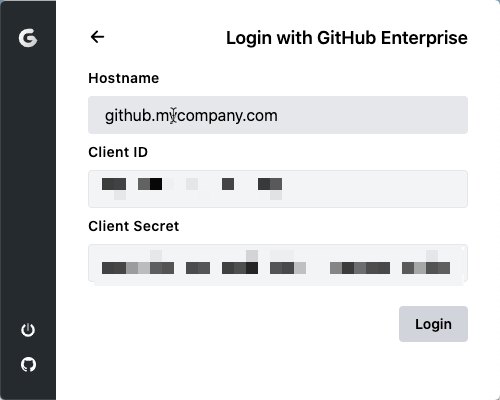
- Sign In using the Oauth Sequence:

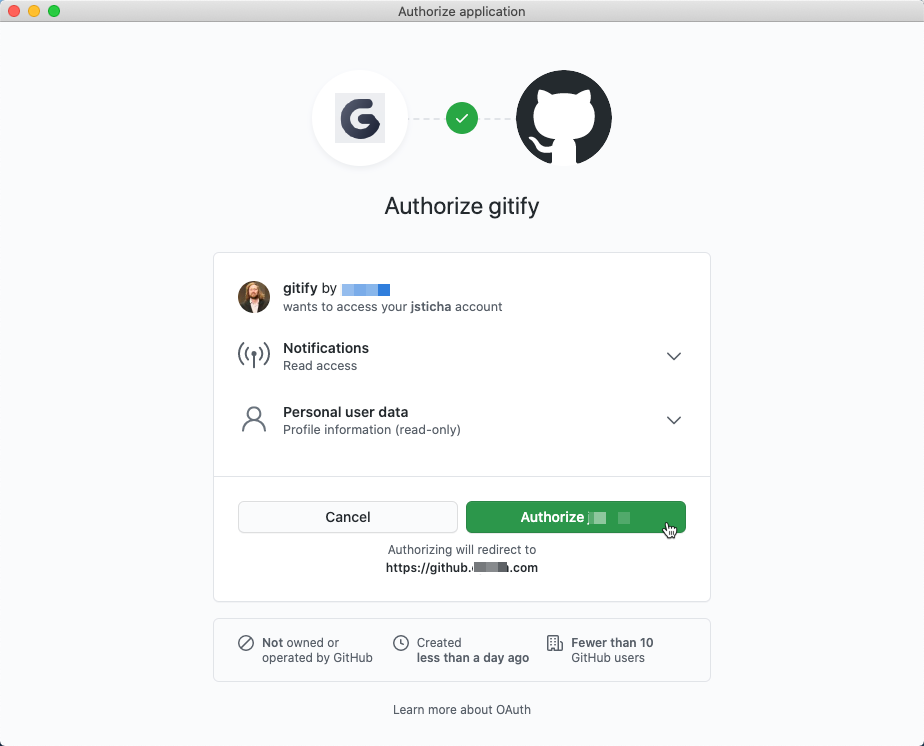
- Complete the Authorize Application Dialog:
I believe this was working previously as I have some machines which are still logged in using an Access Token, but on my main machine, I logged out and was unable to authenticate. Appears to be a regression.
I cannot use the Oauth app method for my case.
E: Maybe fixed by #524 once released?

Has not been any more traction on this? I experience the same issue. Github Enterprise is not usable
