github
VSCode CodeQL update breaks the CodeQL CLI installation either in Windows or WSL (Linux on Windows)
Describe the bug
VSCode allows opening WSL folders and working with them from Windows. VSCode has native support for running extensions in this scenario and allows to select which extensions installed in Windows should also be installed in WSL:
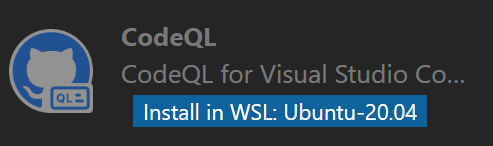 However VSCode CodeQL extension shares some global state, because installing the extension in WSL breaks the installation on Windows and reinstallation of it in Windows breaks it in WSL.
Version All of them, it bugs me already for a while.
To reproduce
- Install VSCode CodeQL extension in VSCode in Windows. Make sure the CodeQL CLI is downloaded and installed (I usually click on the QL toolbar button to trigger it.). See it succeeded. Close the VSCode window.
- Open your WSL Linux terminal and run
code .It opens VSCode with the current WSL folder opened. - Go to extensions, search for the CodeQL extension and click
Install in WSL. Click QL button in the toolbar to trigger CodeQL CLI download. See it succeeded. - Close VSCode. Open the VSCode in Windows (Note that you need to open a folder in Windows, otherwise it opens the last known session, i.e. the WSL one.). Click on QL button in toolbar and see that VSCode fails to find CodeQL CLI path.
Expected behavior Updating CodeQL in WSL doesn't break it in Windows. It is completely independent from the version in Windows or updated together.
Additional context
It looks like CodeQL extension generates incremental folder names for the CLI installation. So when my Windows installation is put to c:\Users\name\AppData\Roaming\Code\User\globalStorage\github.vscode-codeql\distribution30\ folder, the WSL installation is put into ~/.vscode-server/data/User/globalStorage/github.vscode-codeql/distribution31/. When I open VSCode in Windows it fails to find CodeQL CLI with a message WARNING: Expected to find a CodeQL CLI executable at c:\Users\name\AppData\Roaming\Code\User\globalStorage\github.vscode-codeql\distribution31\codeql\codeql.exe but one was not found. Will try PATH.. Note the distribution31 in the path.
Related to https://github.com/github/vscode-codeql/issues/1380

Thanks for logging this issue. Yes, the path where the latest downloaded codeql CLI is located is placed into global storage. It looks like that path is not accessible in both WSL and windows.
A workaround is to download the CLI in both windows and WSL, and add that location to the path both in windows and WSL. If the CLI is located on the path, then the extension uses that install instead of trying to download a different one.