

 gitalk
gitalk更新到1.6.2之后,点击使用github登录报错问题
version: 1.5.0--> 1.6.2 问题描述:更新到1.6.2之后,点击使用github登录按钮获取access_token时报400。
request url:https://cors-anywhere.herokuapp.com/https://github.com/login/oauth/access_token request method:post response:Missing required request header. Must specify one of: origin,x-requested-with

直接访问 https://cors-anywhere.herokuapp.com/https://github.com/login/oauth/access_token 是会报错的呀。
把网站或者配置发出来?

直接访问
https://cors-anywhere.herokuapp.com/https://github.com/login/oauth/access_token是会报错的呀。把网站或者配置发出来?
https://xzh97.github.io/ 任意一篇文章,在使用github登录的时候,就会报这个错误
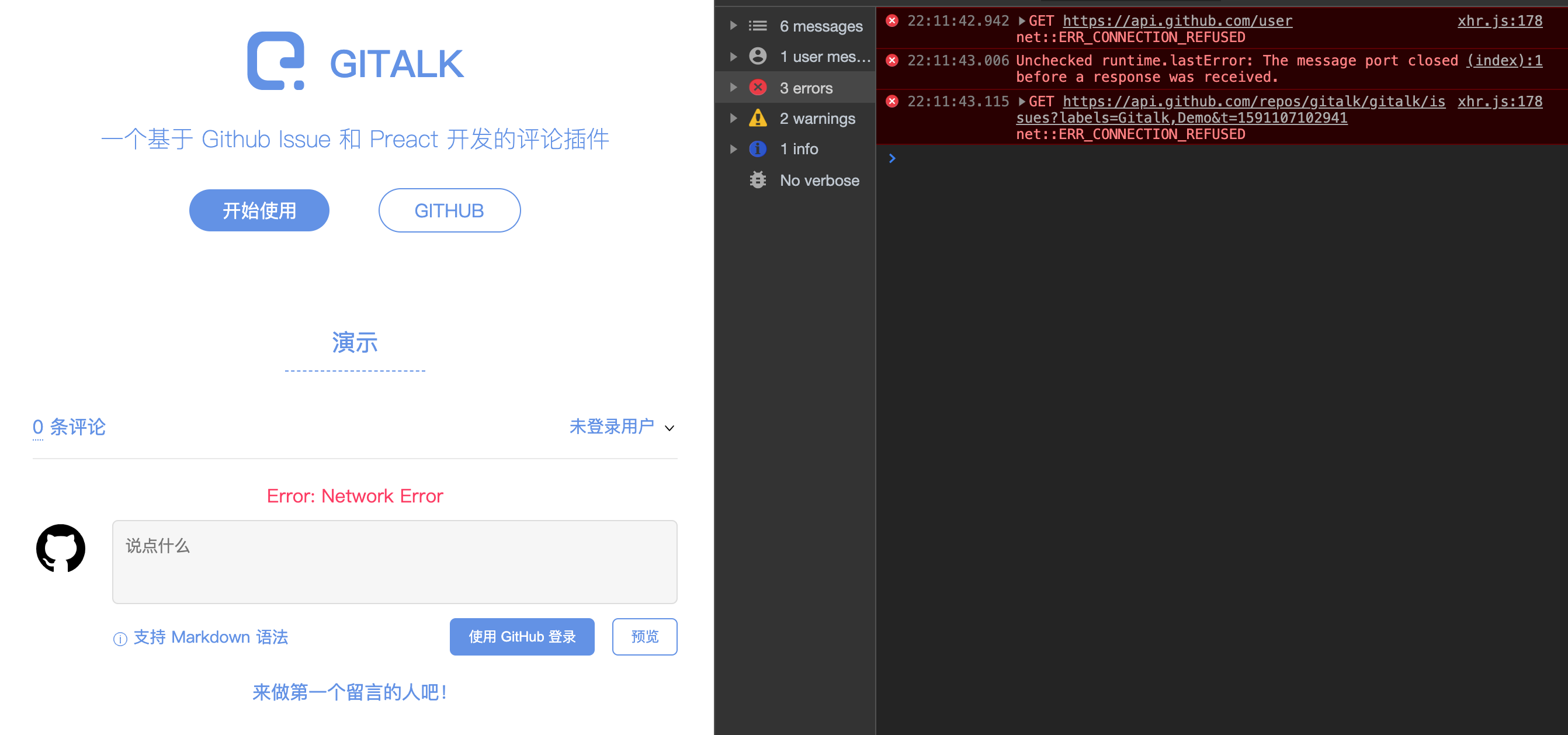
https://gitalk.github.io/ 登录也是报错, 好像是网络问题:
curl 'https://api.github.com/user' \
  -H 'Accept: application/json' \
  -H 'Referer: https://gitalk.github.io/' \
  -H 'User-Agent: Mozilla/5.0 (Macintosh; Intel Mac OS X 10_15_4) AppleWebKit/537.36 (KHTML, like Gecko) Chrome/81.0.4044.138 Safari/537.36' \
  -H 'Authorization: token bc91b9c429cad9437afe80187dcf618cd14e3887' \
  --compressed
curl: (7) Failed to connect to api.github.com port 443: Connection refused



https://cors-anywhere.herokuapp.com 这个地址出现在cdn.jsdelivr.net/npm/gitalk@1/dist/gitalk.min.js中, 可以修改一下\themes\next\layout_third-party\comments\gitalk.swig中的链接 改成https://unpkg.com/gitalk/dist/gitalk.min.js https://unpkg.com/gitalk/dist/gitalk.css

https://cors-anywhere.herokuapp.com 这个地址出现在cdn.jsdelivr.net/npm/gitalk@1/dist/gitalk.min.js中, 可以修改一下\themes\next\layout_third-party\comments\gitalk.swig中的链接 改成https://unpkg.com/gitalk/dist/gitalk.min.js https://unpkg.com/gitalk/dist/gitalk.css
兄弟,你说的啥啊,看不懂
