

 getsentry
SENTRY_RELEASE and SENTRY_ENVIRONMENT undefined
Environment
React app with Netlify deployments
Steps to Reproduce
- While setting up
Sentry.initwith the following params,SENTRY_RELEASEandSENTRY_ENVIRONMENTis undefined.
Sentry.init({
    dsn: 'dsn-value',
    integrations: [new BrowserTracing()],
    tracesSampleRate: 1.0,
    release: process.env.SENTRY_RELEASE,
    environment: process.env.SENTRY_ENVIRONMENT,
  });
In webpack.config.js
plugins: [
      new SentryWebpackPlugin({
        org: 'some-org',
        project: 'some-project',
        include: './build',
        ignoreFile: '.sentrycliignore',
        ignore: ['node_modules', 'webpack.config.js'],
        authToken: process.env.SENTRY_AUTH_TOKEN,
        release: process.env.SENTRY_RELEASE,
      }),
    ],
The Releases tab in sentry is showing the release and no related issue. Also the environment is available.

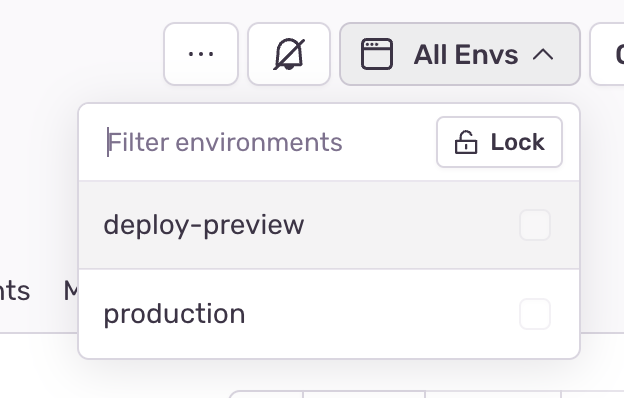
But the issue/errors has no release or environment data.
I also looked at the previous resolved issues
- https://github.com/getsentry/sentry-netlify-build-plugin/issues/11
- https://cra.mr/instrumenting-gatsbyjs-with-sentry/
and tried by setting
release: process.env.COMMIT_REFbut still undefined.
I also tried using netlify.toml file to set env variables but I specifically need the release which Netlify is sending to sentry (the default value) and it is dynamic every time based on the build, so I am not sure how to set dynamic env vars in netlify.toml
Expected Result
process.env.SENTRY_RELEASE should not be undefined
process.env.SENTRY_ENVIRONMENT should not be undefined
Actual Result
What actually happened. Maybe a screenshot/recording? Maybe some logs?
process.env.SENTRY_RELEASE is undefined/ N/a
process.env.SENTRY_ENVIRONMENT is undefined/ N/a
Please let me know if I have missed anything. Thanks in advance.

Hi @nidhi-tandon Have you followed the steps in here? https://github.com/getsentry/sentry-netlify-build-plugin#installation
In the official documentation I read this:
Register the package as a plugin in gatsby-config.js. Options will be passed directly to Sentry.init.
It makes me think that configuration via webpack.config.js is not the preferred way.
You may also want to pass debug: true, to the initializer while investigating.
How are you deploying your app to Netlify? Are using Github Actions as part of it? Are you using Docker as part of the build and release process?

The application is using react, so I checked sentry's react guide and webpack guide. And it is being directly deployed via Netlify without docker or Github actions.
I will check with passing debug: true
You may also want to pass debug: true, to the initializer while investigating.