

 getsentry
No Organizations list
In my Github organization, I created an application for sentry and installed it my organization. When I try to link Configure the Github integration in sentry, I'm asked to select my organization, but no organizations show on the list.

I know this is kinda old, but I had the same issue.
To fix this, make sure to actually install your application on your Organization.

@Techbot121 Can you please explain more detailed what you mean by "make sure to actually install your application on your Organization."?
I have a fresh install of Sentry 9.1.1 on-premises with a custom-build Docker image that has sentry-auth-github as SSO provider installed. I go to https://sentry.${mydomain.com}/settings/${my.org}/auth/ and click on the "Configure" button at the GitHub SSO provider.
Please note: For this to work I had to change the "User authorization callback URL" to
https://sentry.${mydomain.com}/auth/sso/or I would get redirect_uri mismatch errors from GitHub.
After clicking the button I get redirected to my Sentry installation and see a form
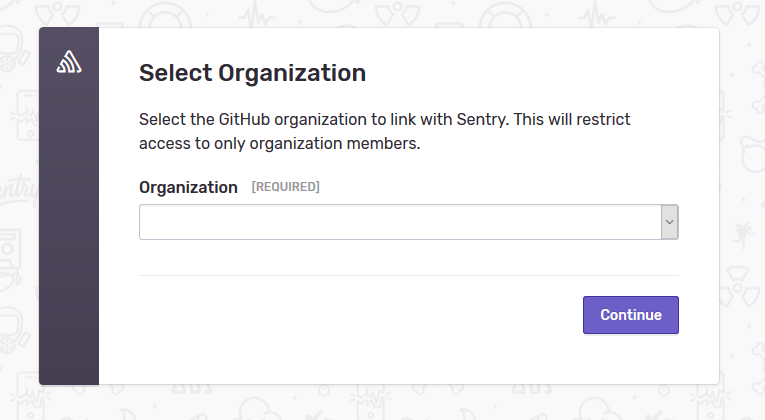
But the drop down is empty. And clicking next or putting a value inside via Development extensions did not work.

After I added "Organization administration" and "Organization members" permission to my GitHub App a colleague received an email about that incident "clicked ok". Along the way he added the App to our GitHub organization which I believe was missing before.