getblocklab
Add instructions on how to use template tags in a template
I feel like a first time user would have to go searching for the block_field() and block_value() functions. Let's try to make this easier. Any suggestions, @RobStino ?

It's a good point. The easier we can make it for the user, then better. The bigger solution is our in-admin template builder we have planned, but that's a little way off yet. For the short term...
- Only display the help after "Publish"? As this is when it becomes relevant.
- Is it possible to something inline with each field?
- Do we need it on a per field basis? Or is a general help guide all we need?
- What about a quick generated template based on the most simple implementations of each field type? This could be cool, and possibly not too difficult to implement. A "here's something to get you started" thing. Could appear below the fields table and be auto-scrolled to after "Publish".

We also had that auto file generation idea, with a button that, when clicks, adds a folder/file to the active theme.
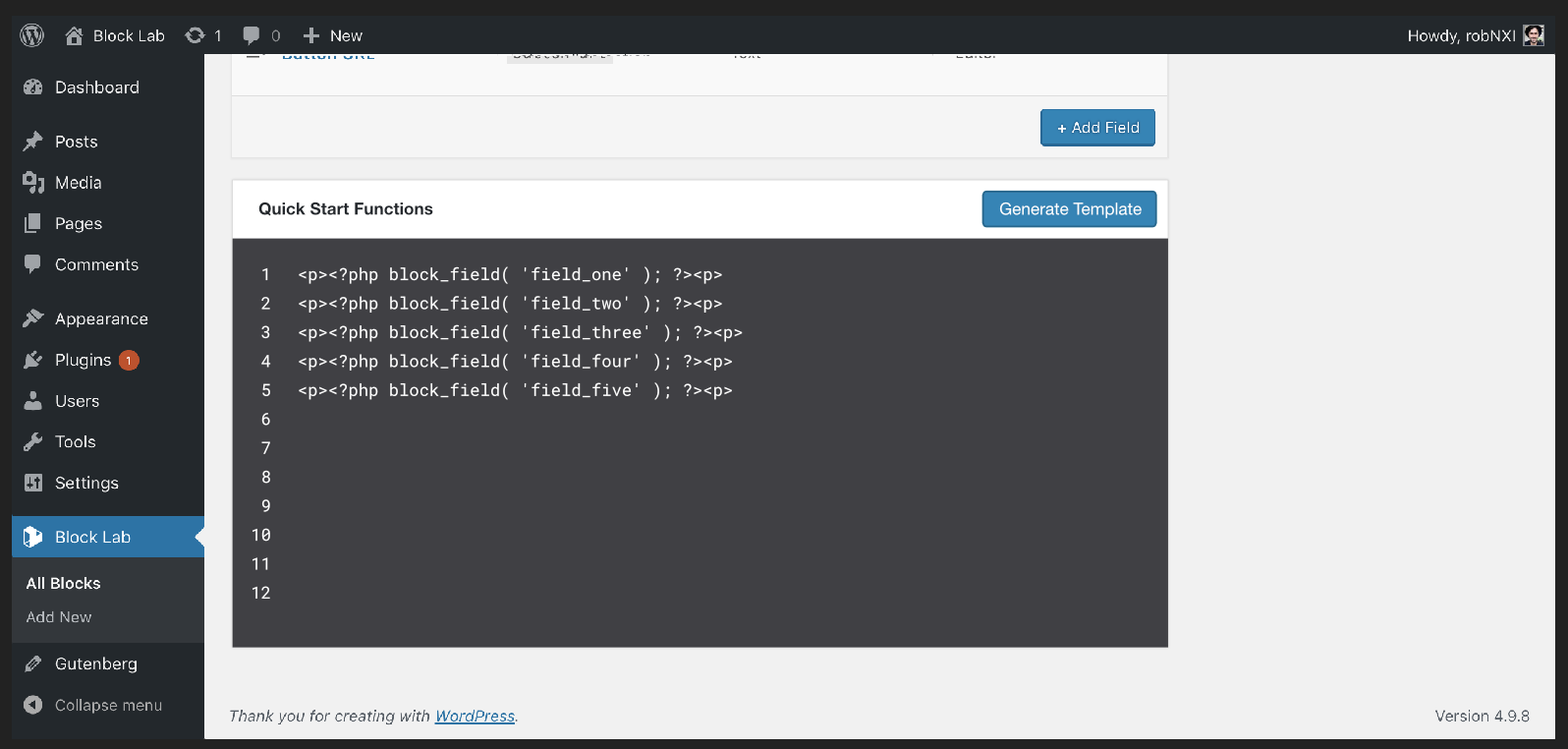
May as well build out template support properly. What could that look like? HTML + tags (instead of PHP functions)? Do we worry about CSS?
I would step it out. Full template support I think requires a bunch more effort. Justified, but we could deliver some value in the short term.
The above code would just be copy-paste-able. Rather than editable.
The above + a link to help docs & video walkthrough could be super helpful.
It's a small step from what you've got there to just saving it in the database. What would it look like if we added tabs for:
- Frontend template
- Editor template (optional)
- Frontend css (optional)
- Editor css (optional)
In addition, we could use moustache style tags instead of PHP (e.g. {{field_one}}) or just add a button to insert a field, and it would be displayed slightly differently, maybe inside a pill shape.
Maybe something like Regex101, but nicer looking: