

 geosolutions-it
Save button no longer present when saving a map from a context
Description
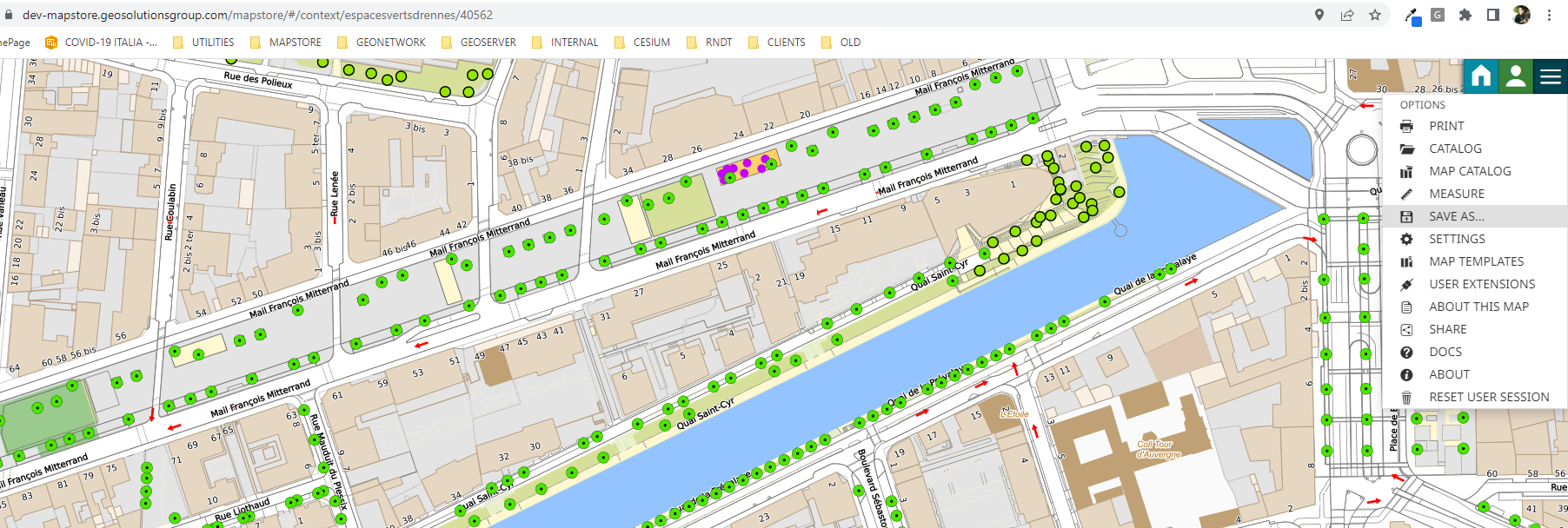
The 'Save' button is missing from the viewer option menu for maps saved from a context.
How to reproduce
- Login to MS
- Open this context
- Click on "Save as" and save a map from that context
- Open the saved map
Expected Result
Both "Save" and "Save as" buttons should be visible in the option menu (or Sidebar if configured)
Current Result
only "Save as" is present see for example the map https://dev-mapstore.geosolutionsgroup.com/mapstore/#/context/espacesvertsdrennes/40562
- [x] Not browser related
Browser info
(use this site: https://www.whatsmybrowser.org/ for non expert users)| Browser Affected | Version |
|---|---|
| Internet Explorer | |
| Edge | |
| Chrome | |
| Firefox | |
| Safari |
Other useful information
This issue is affecting also QA (2022.02.xx). This issue is not affecting 2022.01.02 and probably also 2022.01.xx (to verify)

this issue has another problem which can be a regression from #8488
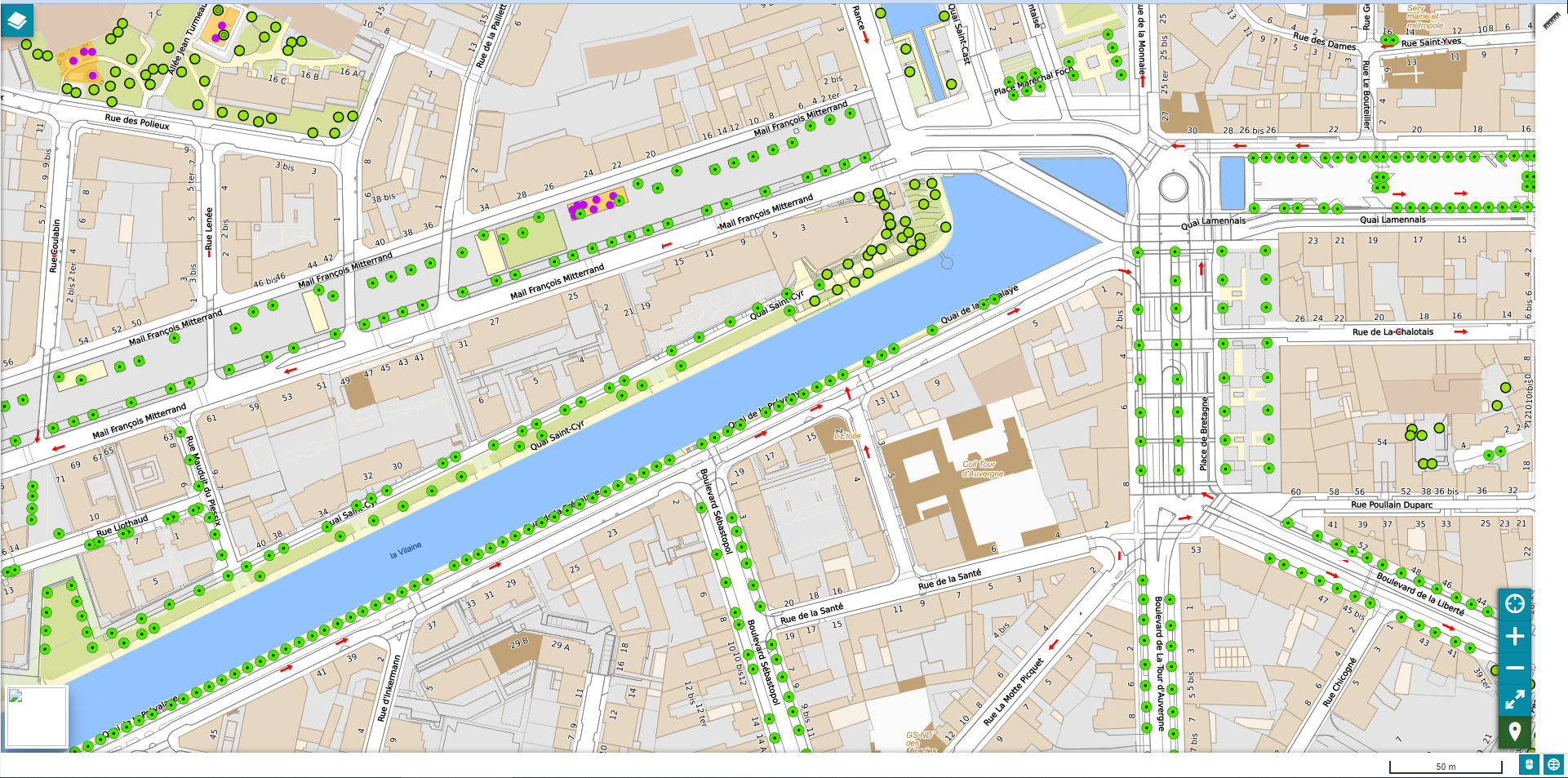
the measurement is inserted into SideBarMenu overriding BurgerMenu one
anyway i can workaround it by disabling burgermenu entry by default

The reason why this is not rendered is that the check made on selector of plugin is done too early and the map has not yet being loaded. In particular that context uses the sidebar and this happens only when using a context that has a sidebar inside
Also this problem with the sidebar is there since 5 may 2022 I've checked it by testing it locally
I noticed that using a new context this is issue not happening, especially if the context does not include burger menu like 8463complete https://dev-mapstore.geosolutionsgroup.com/mapstore/#/context/8463complete/40562
but it happens with old contexts like espacesvertsdrennes that includes burger menu as optional
https://dev-mapstore.geosolutionsgroup.com/mapstore/#/context/espacesvertsdrennes/40562

We probably have to rethink how elements are used inside SidebarMenu
investigation continues
@tdipisa I've tried to reproduce desired behavior and get "Save" button available for the map saved from context in last 4 or 5 releases, but I'm getting the same result regardless of the version - only "save as" is available.
@MV88 As for the empty sidebar & with only measure displayed - this is due to removed priorities of the containers in https://github.com/geosolutions-it/MapStore2/pull/8489 I see that changes from #8489 adds new container for Measure plugin and at the same time, priorities for BurgerMenu and SidebarMenu containers are removed. This change forces all containers to render plugin. Right now SidebarMenu logic makes it displayed on the page whenever it has at least one item to render.
@tdipisa This requires minor fix to the sidebar visibility logic. In addition to check if there are items to be rendered, SidebarMenu will also check if BurgerMenu is rendered on the page and will be hidden in such case.

@alexander-fedorenko
@tdipisa I've tried to reproduce desired behavior and get "Save" button available for the map saved from context in last 4 or 5 releases, but I'm getting the same result regardless of the version - only "save as" is available.
If you want we can have a quick call to see it together. I saw it is working as expected here for the last release.
@MV88 As for the empty sidebar & with only measure displayed - this is due to removed priorities of the containers in https://github.com/geosolutions-it/MapStore2/pull/8489 I see that changes from https://github.com/geosolutions-it/MapStore2/pull/8489 adds new container for Measure plugin and at the same time, priorities for BurgerMenu and SidebarMenu containers are removed. This change forces all containers to render plugin. Right now SidebarMenu logic makes it displayed on the page whenever it has at least one item to render.
I've created #8523 for this. Please do that before this issue, then we will have the call.
@tdipisa
A few points about the issue from description:
- It's not affecting newly created context as we saw during our tests in the call.
- It does not affect another existing contexts (at least the one we've tested)
- It is affecting 2022.01.02 & older versions as I stated after my local tests with mentioned context on a previous versions.
Reason why save button is misbehaving:
This particular context has "Save" plugin configured to be deactivated by default. User can activate it via "User Extensions" panel:
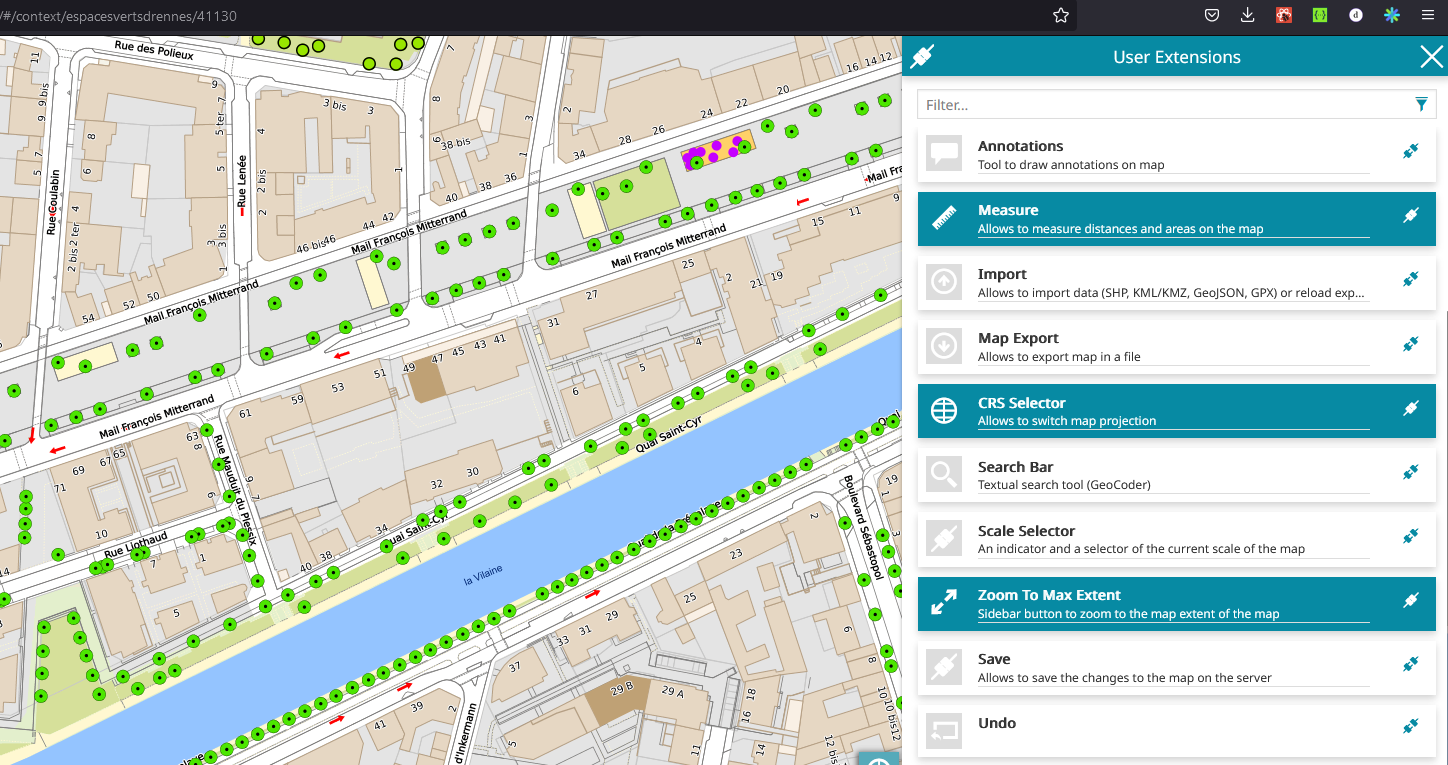 Current version of configuration (pluginsConfig.json) disallow to add "Save" plugin to list of optional plugins upon context creation/edit, but it was possible to do it when context was just created back in 2019.
Here is the commit that deactivated ability to make save button optional: https://github.com/geosolutions-it/MapStore2/commit/b34a776baf50f0fab817cbf769f3cee9521c7806#diff-b39876a1cd73a8e129998fc74c85db04952284f75db82570171d2cdf45616bffR438
Current version of configuration (pluginsConfig.json) disallow to add "Save" plugin to list of optional plugins upon context creation/edit, but it was possible to do it when context was just created back in 2019.
Here is the commit that deactivated ability to make save button optional: https://github.com/geosolutions-it/MapStore2/commit/b34a776baf50f0fab817cbf769f3cee9521c7806#diff-b39876a1cd73a8e129998fc74c85db04952284f75db82570171d2cdf45616bffR438
@alexander-fedorenko So the easy fix would be to remove this denyUserSelection: true, I wonder why this has been set to true in the first place.
@offtherailz do you remember?
I have no clue without an investigation. Several things changed (sidebar / modularization) so maybe one of these is the cause of the issue
