
fredizzimo
fredizzimo
I think this could actually be related to https://github.com/neovide/neovide/issues/1198 If you look carefully at the two images, you can see that the Neovide floating Window is higher than the terminal...
Ah, yes, I see, and I do have the same issue. But I also tried the Windows Terminal, Windows Notepad and Alacritty and all of them renders the line spacing....
Are you sure that you use the same font in the terminal? I tried with `FiraCode NF` using that char, and I get this in Neovide 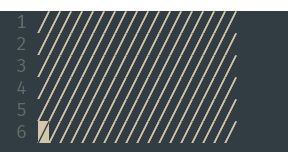 It's not perfect,...
JetBrainsMono should have it, or at least mine version does (the left is FiraCode and the right JetBrains Mono) 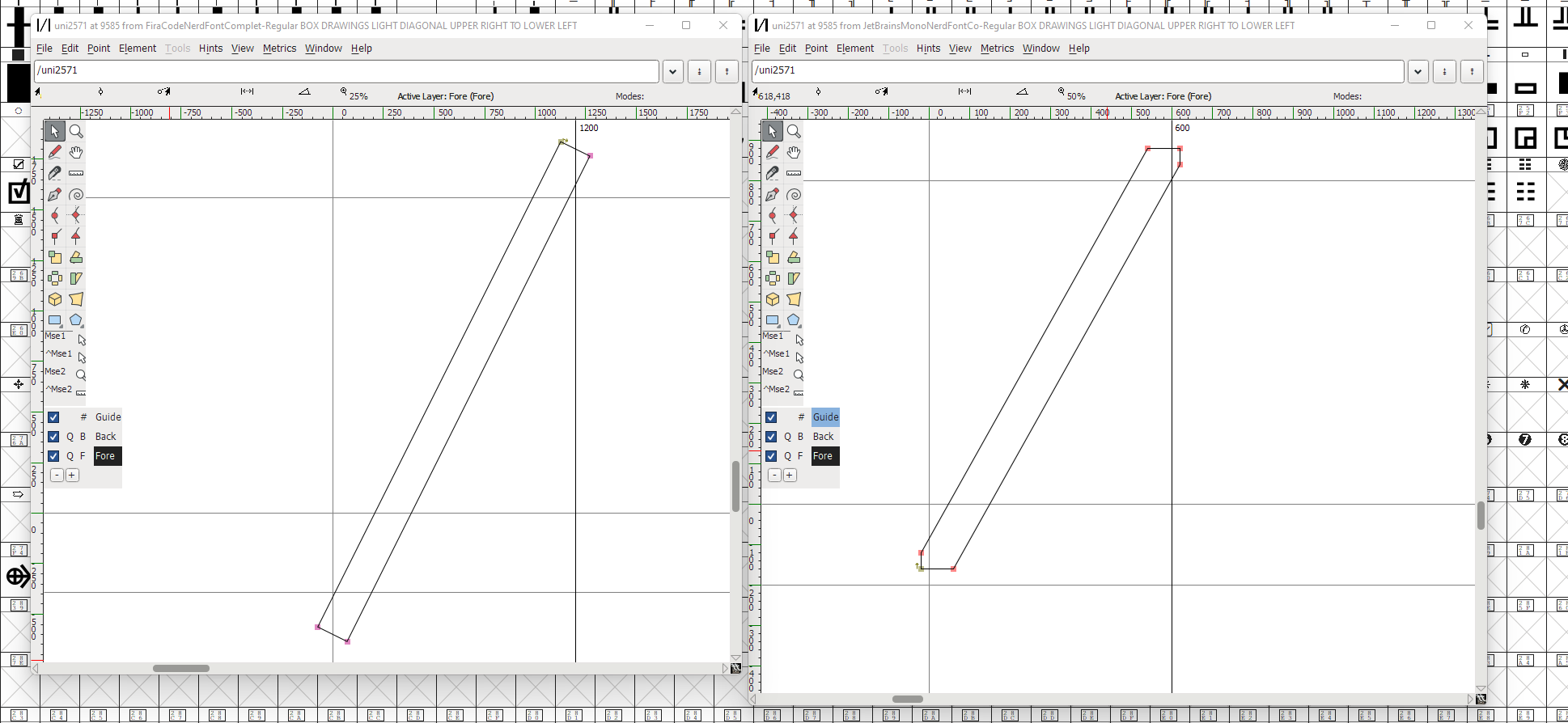 But if you look carefully, the version I have does...
One interesting thing in the Jetbrains Mono version I have is that g extends further down than ╱ 
I'm not sure either. But it seems like the Jetbrains Mono should render without gaps, since it sticks up on the top part. But I think Neovide does not take...
Also, see this * https://github.com/neovide/neovide/issues/1774 There has to be something strange with Jetbrains, I haven't seen these issues with other fonts Edit: Another, Jetbrains character height issue * https://github.com/neovide/neovide/issues/1453
I don't think it's a bug. `kEnter` is the correct keycode to send for a numpad enter and specified in the help https://neovim.io/doc/user/intro.html#keypad-enter. This is useful if you actually have...
Which laptop do you have?
Yes, I'll leave this open until we have added an faq entry. Very few terminal emulators support numpad enter, but at least kitty does, and have the same bug *...