
syntax
 syntax copied to clipboard
 framer
A VSCode dark theme inspired by Framer’s popular code editor.

Changing the UI to look more like Framer X would give VSCode a bit more polish. Here is what it could look like. I am happy to share any assets...

I would love an updated version of this syntax theme to match the new theme found on the [API website](https://www.framer.com/api) and in [Framer Playground](https://www.framer.com/blog/posts/introducing-framer-playground)! Side-by-side for example:

Love the theme! Would love to be able to see GIT status colors too. Default theme: Framer syntax theme:

Hello, I was wondering what font you used in the demo image in the readme.

There is some funny behaviour when writing inline CSS. This happens in both double quotes and single quotes.

HI I like this theme alot but one thing that is missing is that there is no highlight line when browsing the menus (like top menu bar dropdowns etc) This...

Seems like the text color for validation errors is the default color. against the color used for errors it is hard to read the message. 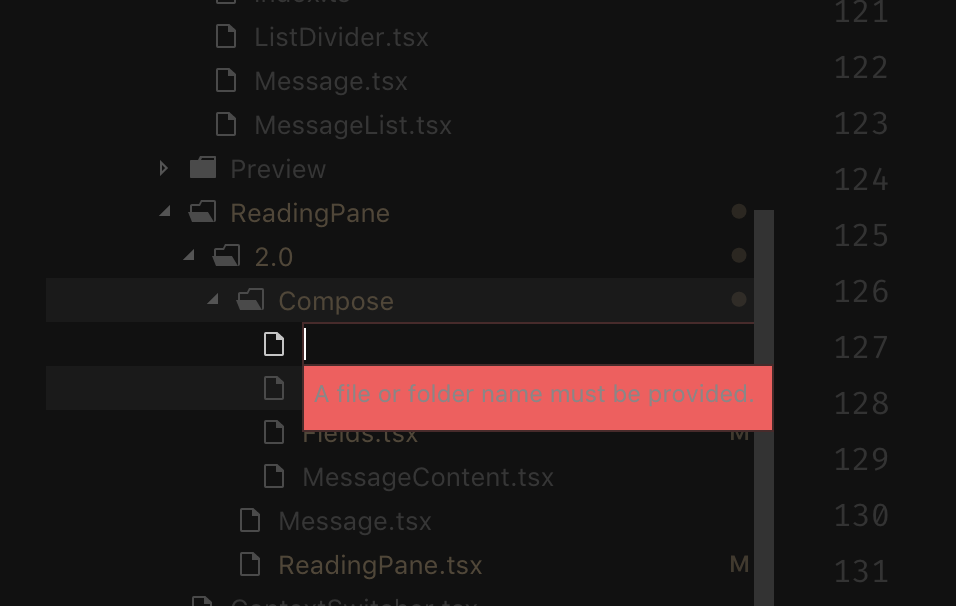

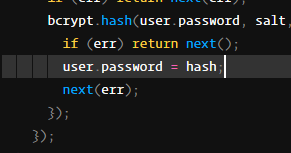

Add setting: ``` "editor.rulers": [ 80, 100, 120 ], ``` I'd expect the same color as the whitespace indicators
