

 formio
[BUG / UNEXPECTED BEHAVIOR] The error-message does not reflect the cause of the error.
Environment
- React-formio version: "^4.2.4"
- Formio.js version: "4.11.0"
- Frontend framework: React "^16.8.6"
- Browser: many browsers.
- Browser version: many browser versions.
Steps to Reproduce
- Create a form, add the "Text Field" component to it. (The edit window opens immediately after that)
- Enter non-Latin characters in the "Label" field.
- Try to save.
- Pay attention - An area with an error description appears
Expected behavior
It is expected that the user to be notified that non-Latin characters are not allowed. I have some suggestions:
- Add an additional notification to the user that non-Latin characters are forbidden in the "Properties Name" field of the "API" tab.
- Disable the ability to automatically fill in the "Property Name" field of the "API" tab when filling in the "Label" field of the "Diaplay" tab.
Observed behavior
Error message:
Please fix the following errors before submitting. Property Name: The property name must only contain alphanumeric characters, underscores, dots and dashes and should not be ended by dash or dot.
Example:
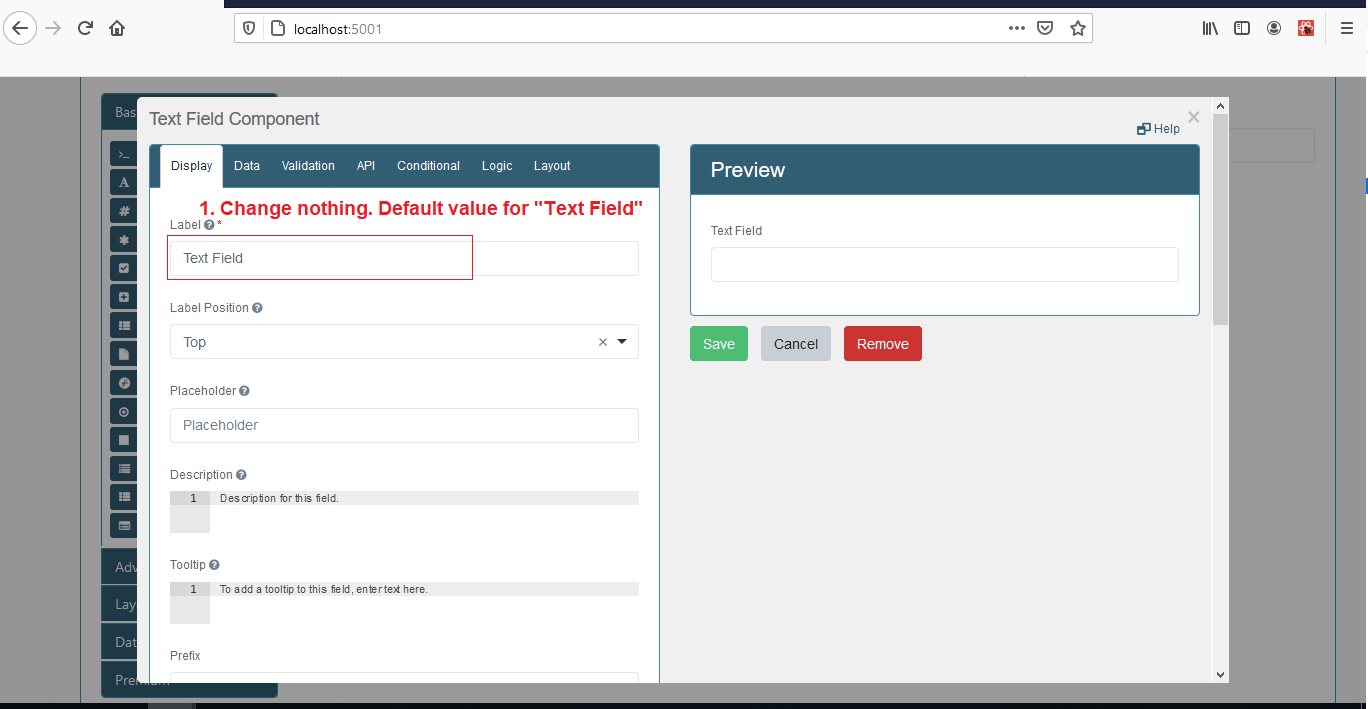
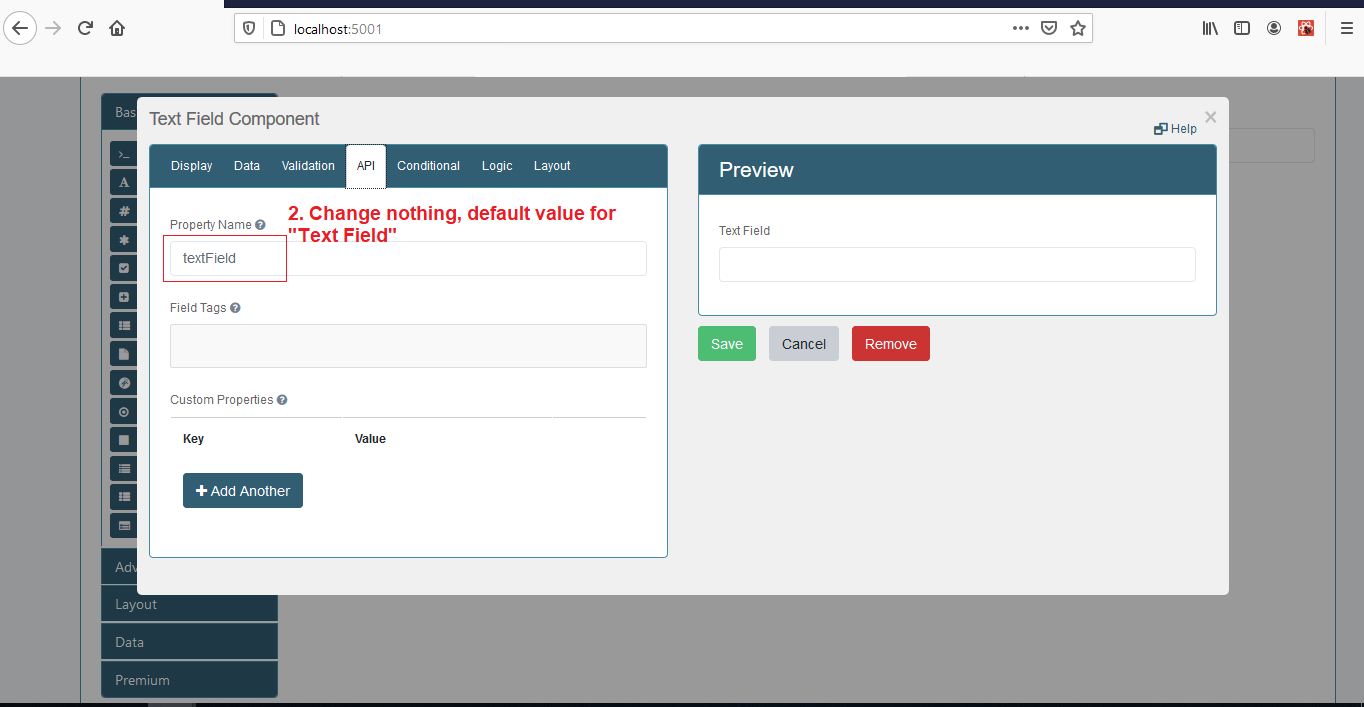

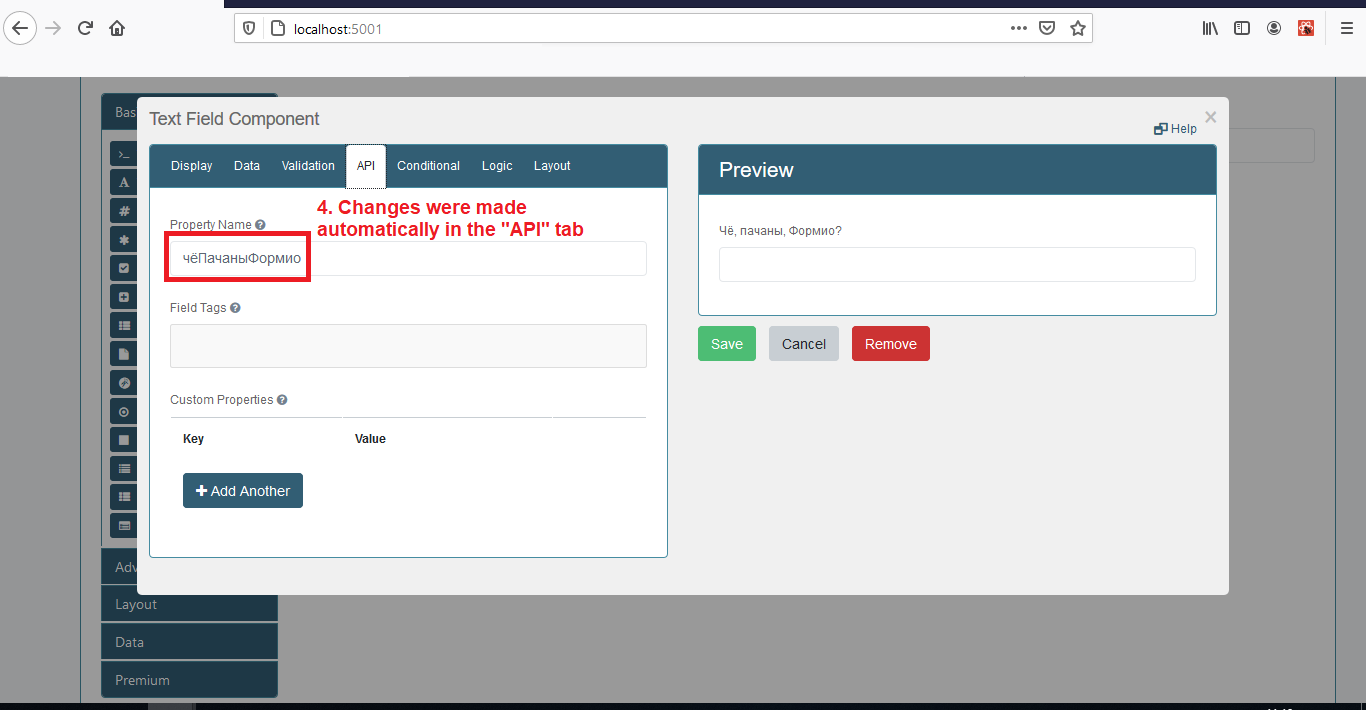


Hello @vaspaul,
Thanks for reaching out! This error means that the API that you have added to the API key section is not valid, so you will need to change it. You can change the Label back after the initial save and it will not impact the API key.
I hope that this helps.

Hi, @wag110894 , Will developers add this information to the error message explicitly in the next release?
I am closing the issue as it was created too long ago and there is no new comments here. If the issue is not resolved, please reopen it. Thanks!
