

 formio
[BUG] Wizard. The set default value is not visible.
Environment
- React-formio version: "^4.2.4"
- Formio.js version: "4.11.0"
- Frontend framework: React "^16.8.6"
- Browser: many browsers.
- Browser version: many browser versions.
Steps to Reproduce
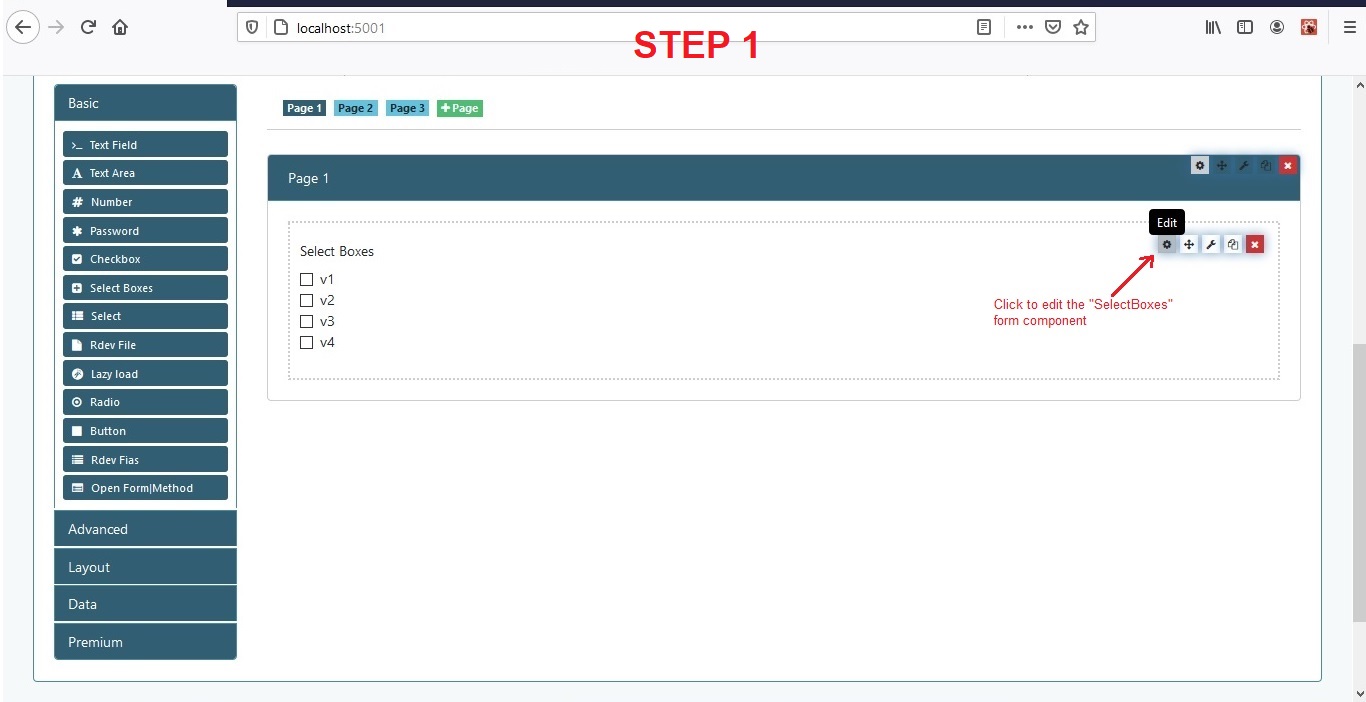
- Create a wizard form, add the input component to it, and save.
- Click "Edit" on the added input form component.
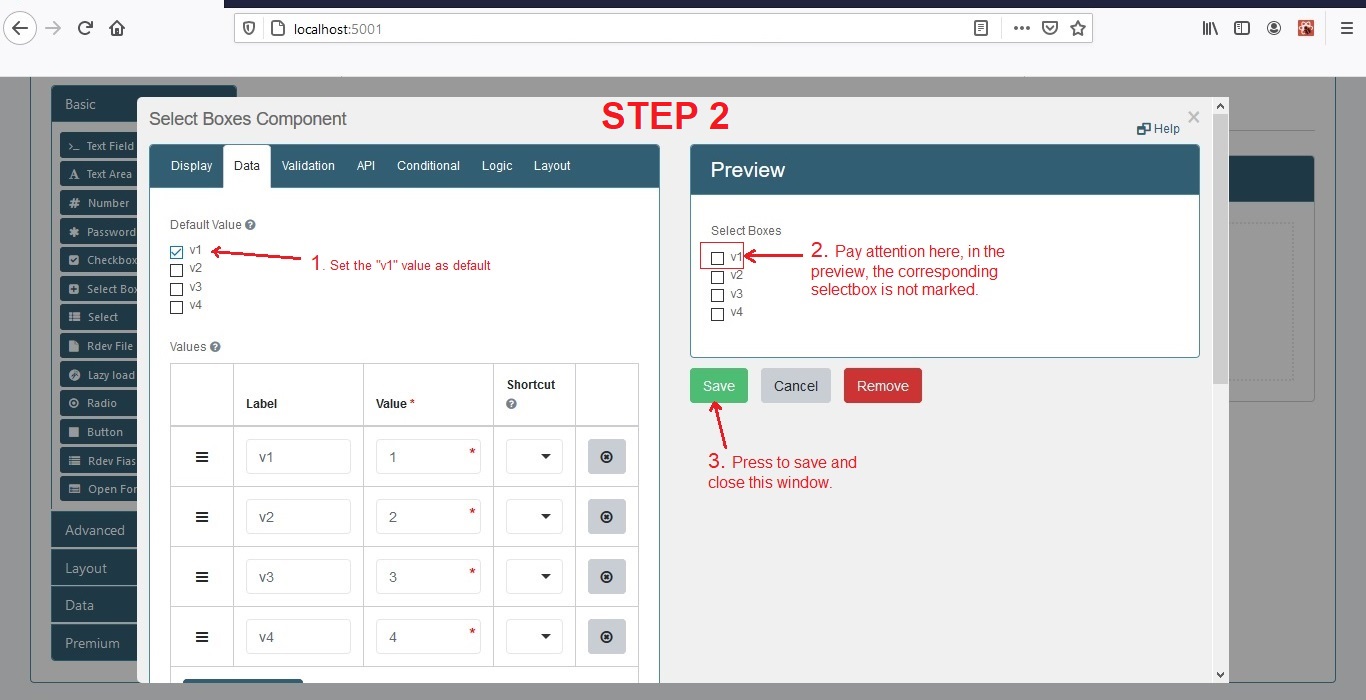
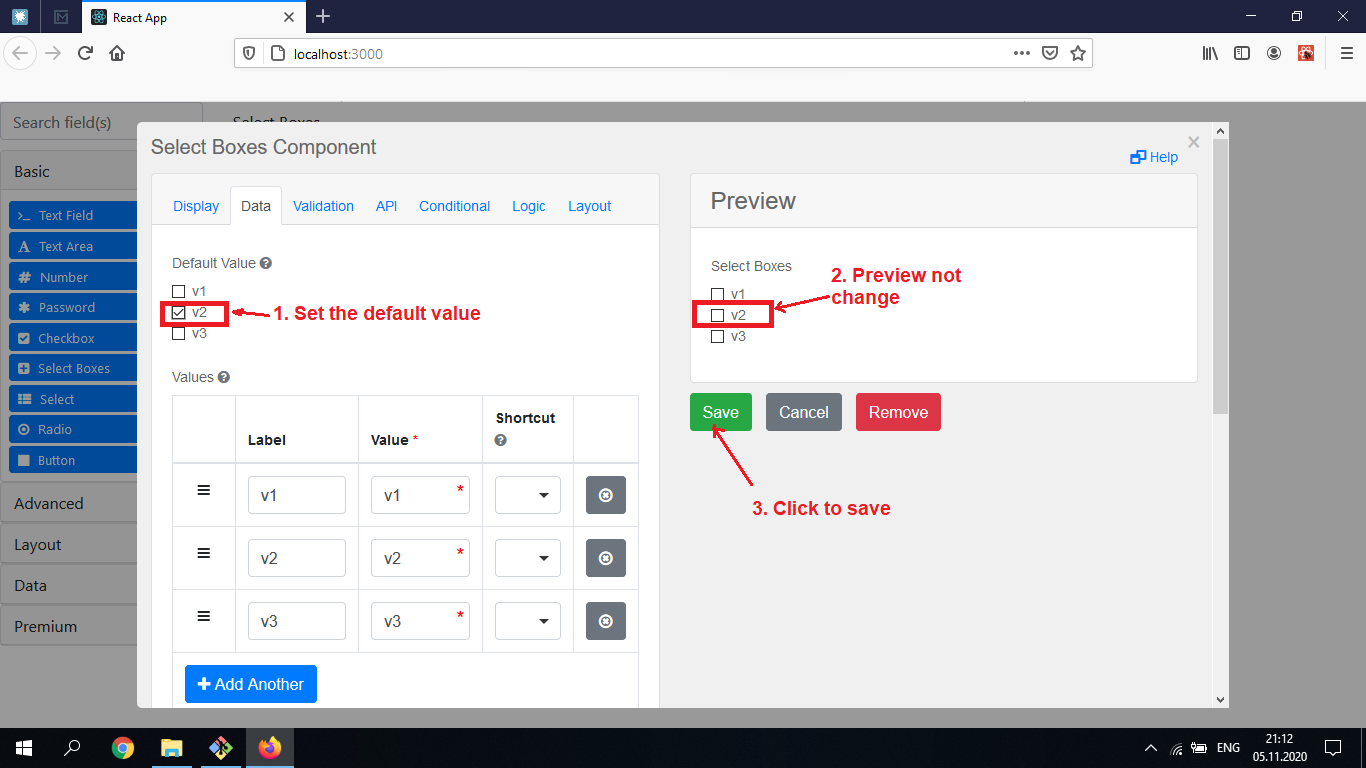
- Set default value. 2.1. Mark some value as default. 2.2. Pay attention to the "Preview" section: the corresponding value is not change. 2.3. Press "Save" button for save changes and close this window.
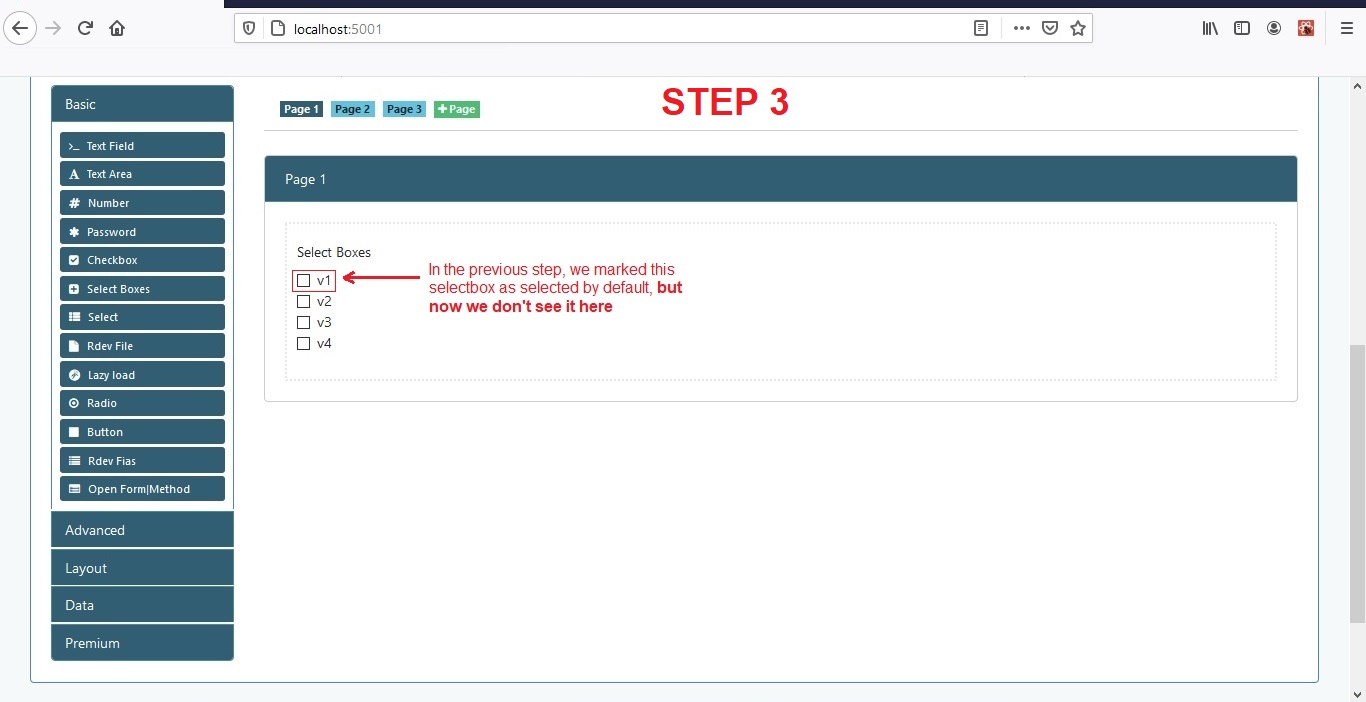
- In the previous step we change default value, but now we don't see it here.
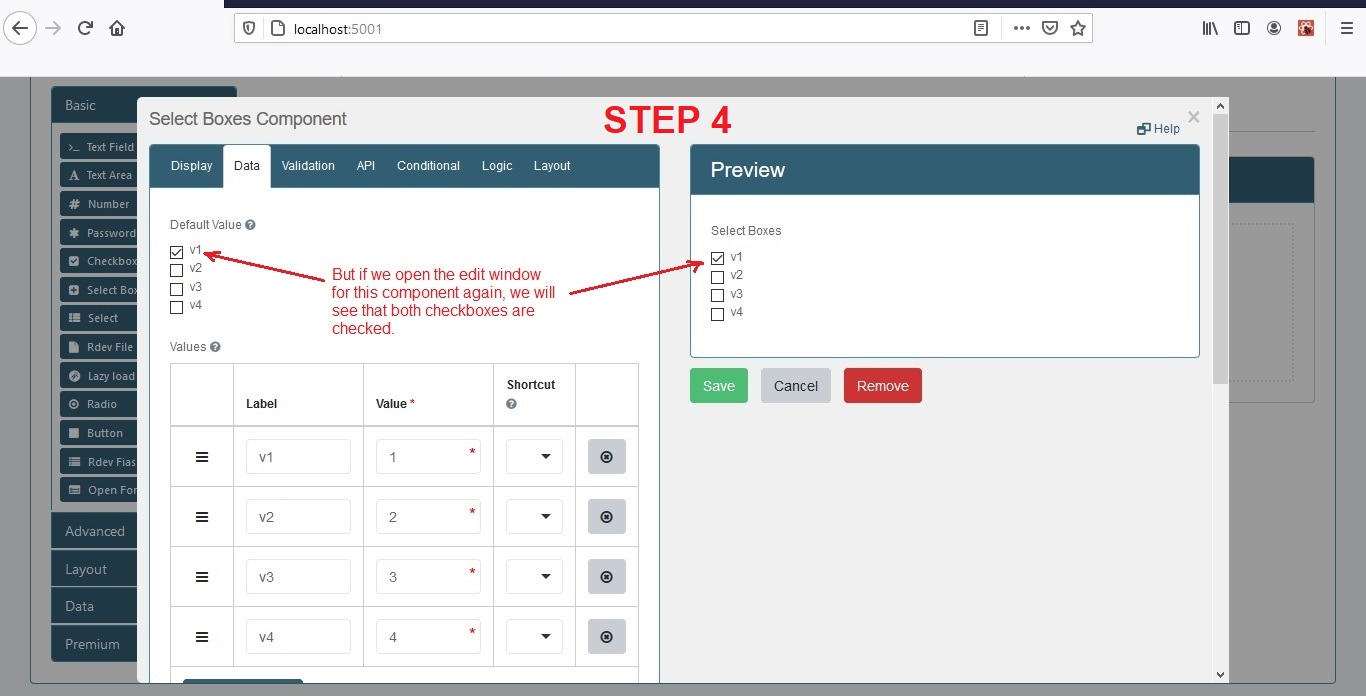
- Open the input component editing window again. Now we see that the corresponding value in the "Preview" changed.
P.S.: This bug occurs with the "Select Boxes", "Radio", "Text Field" and etc form componens.
Expected behavior
- It is expected that when the default value is changed, the corresponding SelectBoxes in the "Preview" section will automatically change.
- When you click on the "Save" button, the "Select boxes" form component will be updated with the new default value.
Observed behavior
- If you change the default value, the corresponding selection fields in the preview section do not change automatically.
- When you click on the "Save" button, the "Select boxes" form component do not update with the new default value.
Example
Some code with "FormBuilder" component:
...
import { Formio, FormBuilder } from 'react-formio';
...
render() {
    ...
    <FormBuilder
        form={my_var_with_form_schema}
        ...
    />
    ...
}
...
Screens with error reproducing:

Hello @vaspaul,
Thanks for reaching out!
We are aware of this issue and have resolved it in formio.js version 4.12.1-rc1. I hope that this helps.
Have a great weekend.

Hi, @wag110894 , Thank you for responding!
You know, I tried to change the formio.js versions to the following:
- 4.12.1-rc.1
- 4.12.1-rc.12
- 5.0.0-m.1
- 5.0.0-m.3
I saw the same thing with all of them - the bug is still reproduces. Can you check it on your PC?
@vaspaul, Can you provide what version of the formio app you are running on? You may need to upgrade that in order to see the difference.
@wag110894 I created a very simple react-app, just a demo:
...
import { FormBuilder } from 'react-formio';
ReactDOM.render(
  <FormBuilder />,
  document.getElementById('root')
);
At the console you can see the versions that are being used:
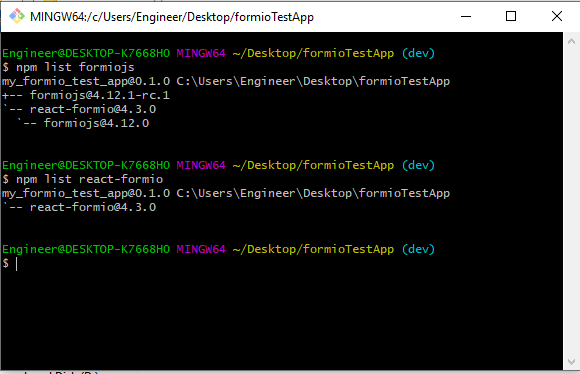 With this versions, the bug still reproduces:

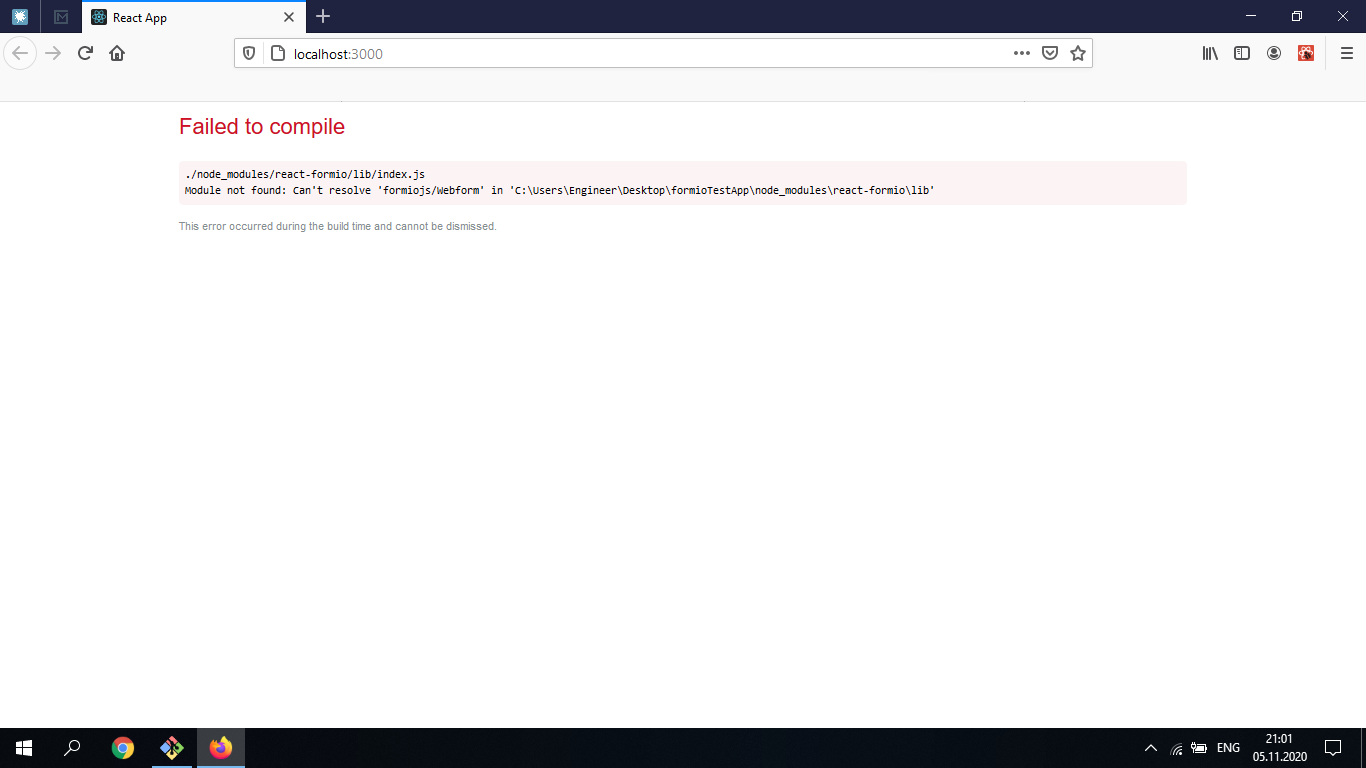
When I try to upgrade "formio.js" and "react-formio" versions to 5.0.0-m.1, an error appears:

I am closing the issue as it was created too long ago and there is no new comments here. If the issue is not resolved, please reopen it. Thanks!
