

 flyinghead
Mac Vulkan Vsync Stutter, Ikaruga Explosion Stutter, De La Jet Set Radio Flicker
Platform / OS : macOS Monterey
Hardware: 16" M1 Pro (10CPU/16GPU)
Description:
Vsync ON stutters on Vulkan, gameplay is not smooth. Tested on Power Stone. Issue does not occur on OpenGL with Vsync ON, but OpenGL does not have per-pixel for accurate emulation.
Also, Ikaruga boss explosions stutter on Vulkan. Lowering per-pixels maximum layers from default of 32 downwards does help, but it ruins accuracy and looks bad. Similiar to the stutter issue above, this issue does not occur on OpenGL.
Lastly, De La Jet Set Radio has screen flicker on Vulkan per-pixel. Tested on first level Shibuya-Cho, just moving around the beginning on the level shows grey chunks flickering from top and bottom on screen. Can't seem to figure out where it's coming from. OpenGL is worse with the entire game slowing down, but I'm not expecting much there due to lack of per-pixel.
Steps Tested:
- Verified running latest commit 76bf574 of flycast.
- Changed per-triangle, per-strip, per-pixel. No difference.
- Vsync OFF does not help.
Expected Result:
Smooth performance on Vulkan with Vsync ON. No per-pixel stutter on Ikaruga using stock layer count of 32. No screen flicker on De La Jet Set Radio.


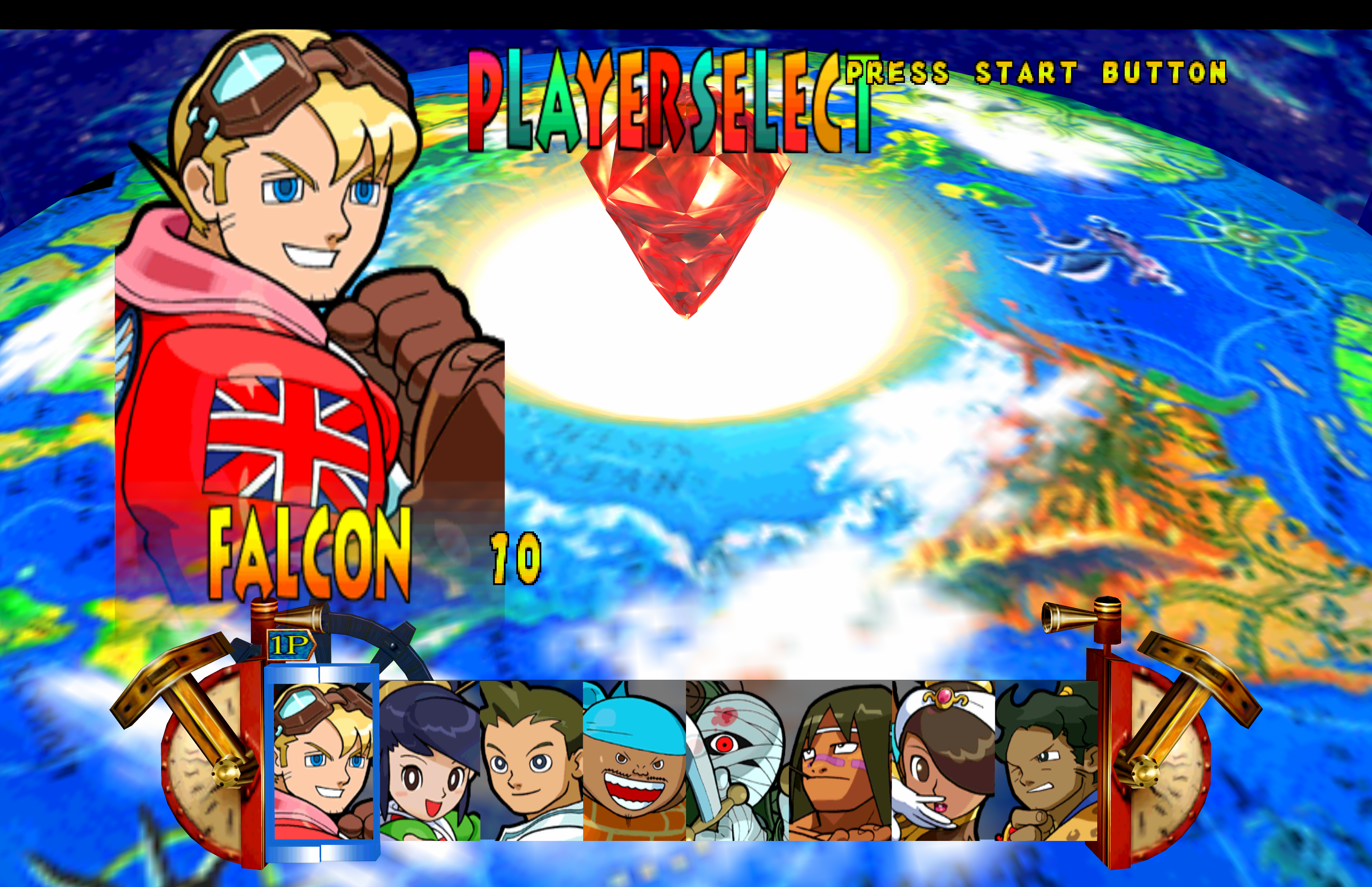
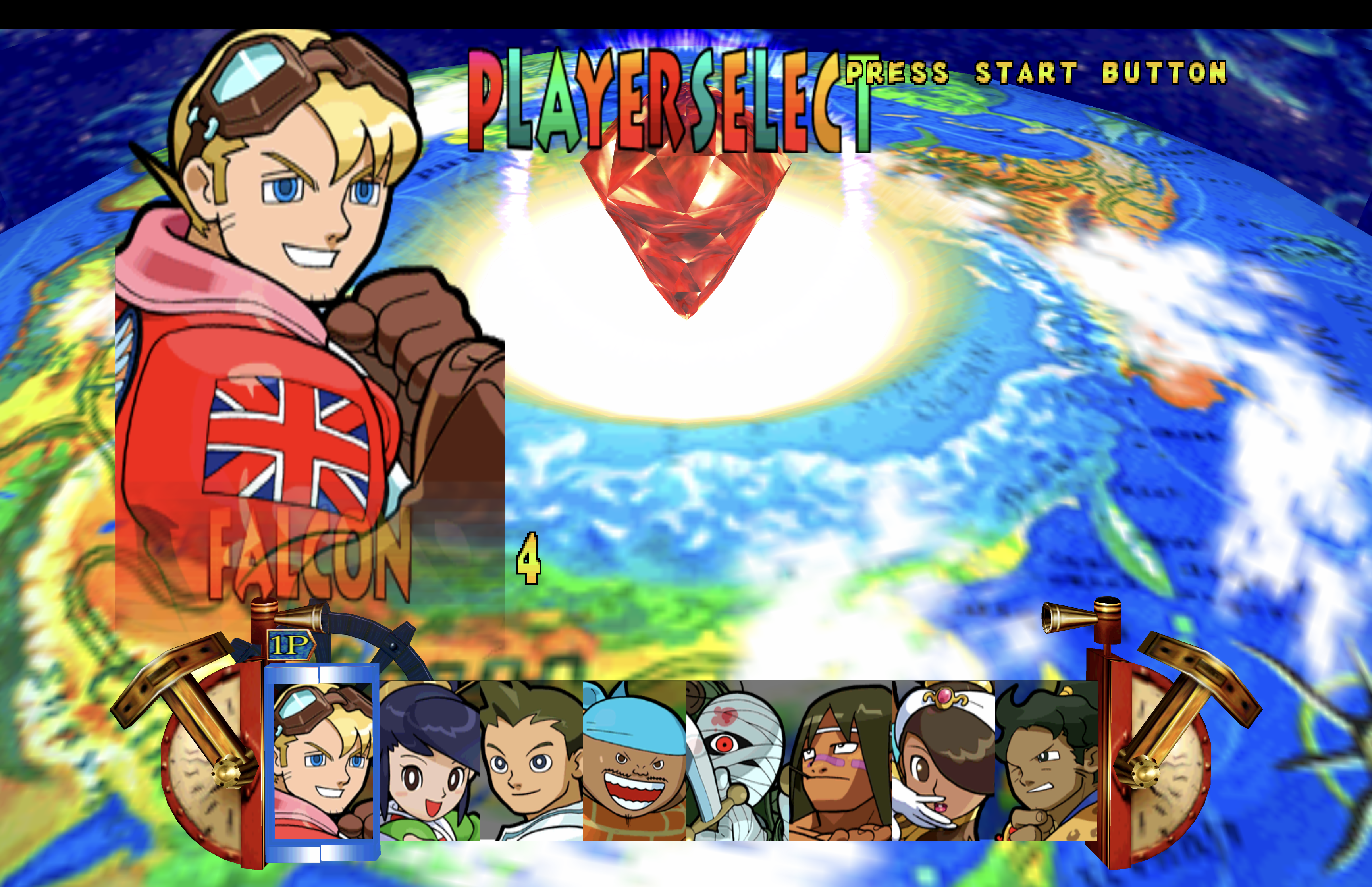
Native on Vulkan "feels" a bit better. It's still not as smooth as OpenGL. For comparison, I can run Power Stone at 7680x4320 (x9) on OpenGL without stutter. Speaking of Power Stone, I just noticed the player name on the player select screen is transparent on Vulkan whereas it looks correct on OpenGL. Vulkan does have the correct palette on the actual characters though. See attached.

You cannot compare per-triangle (Open GL) and per-pixel( Vulkan). Per-pixel is much more complex and more demanding. Also don't expect be able to run per-pixel with x9 internal resolution on a Mac.
I understand per-pixel is more demanding, but It's not a FPS issue. Counter shows 60FPS in the game and my GPU is not even pinned when playing these games. Even upscaling by 4x, it's still noticeable. I think the Vsync implementation is flawed in Vulkan. I also tried per triangle in Vulkan and the game plays the same whether Vsync is ON or OFF. Vsync only seems to makes a difference in OpenGL.
Looking at my original post, I should have been more clear. The Vsync issue is more like a judder rather than a stutter. It's like watching a 24FPS movie on a 60Hz screen without content matching, if that makes sense.
Not sure if Vsync works properly with the 24Hz ~ 120Hz ProMotion display tech, I will find a Mac to test later
p.s. "later" could be when I buy the new MBP with M2 Max

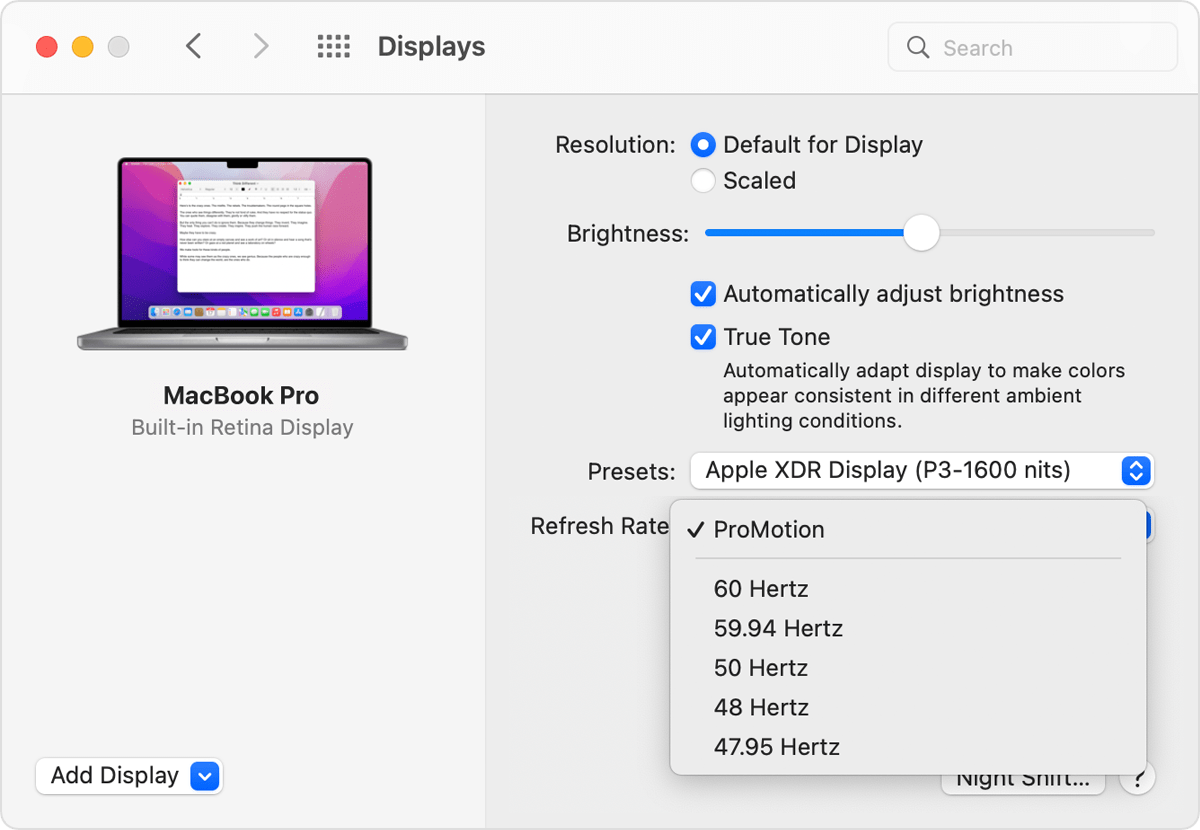
Is there any difference if you manually select 60Hz or 59.94Hz in System Preferences?
Thanks for the suggestion. In fact, I already make it a habit to drop it to 60Hz when retro gaming. I have to do the same thing on RetroArch anyway because ProMotion tech does not play nice with these older games. 59.94 or 60 doesn't matter with this Vsync judder issue on Vulkan. Also, I connect the laptop to a 65" OLED on 60Hz via HDMI and the judder persists. Only OpenGL with Vsync has no judder.
@flyinghead I have uploaded a couple of videos to show the difference. I had to split the file to upload it here (please rename zip to rar if it doesn't work). If you can take the time to check, you will see the camera pans are not as smooth on Vulkan. Cloud movement on the main screen, character portraits, etc. are also not as smooth as OpenGL.
Player name on the player select screen is transparent on Vulkan, which is incorrect. It should be solid as shown on OpenGL.
Unrelated issue: At 1:08 on the OpenGL vid, you can see the keyboard popup activate on the top-left corner of the screen. This happens when using the keyboard to play. I don't normally use the keyboard (only did the video to show the motion issue), but it's a separate issue.
DC_Motion.part1.zip DC_Motion.part2.zip DC_Motion.part3.zip DC_Motion.part4.zip DC_Motion.part5.zip DC_Motion.part6.zip DC_Motion.part7.zip