

 flood-io
Howto needed to debug an Element script using Visual Studio Code on Mac
I am trying to debug an Element script using Visual Studio Code on my Mac.
I'd like a tutorial on how to set up VS Code so that I can put a breakpoint inside a 'step' in VS Code, so that when my code like
let button = By.css('#wpProQuiz_3 input[name="next"]')
await browser.wait(Until.elementIsVisible(button))
fails .. I can work out what's gone wrong. Otherwise it feels just like I am fumbling around in the dark. I can see the button I want to click in the headless browser but it won't find it.
It feels like element run is a wrapper around my typescript file, but I can't work out what is it doing.

Hi @peterwake , you just need to add the keyword debugger likes the following
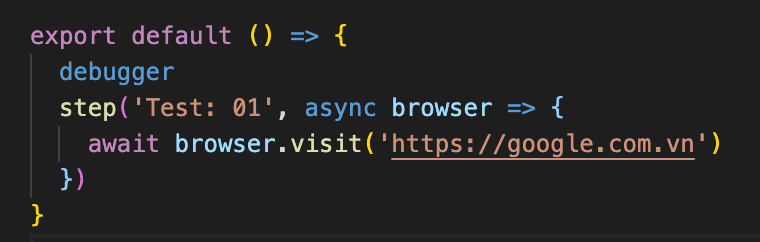 Then it should work
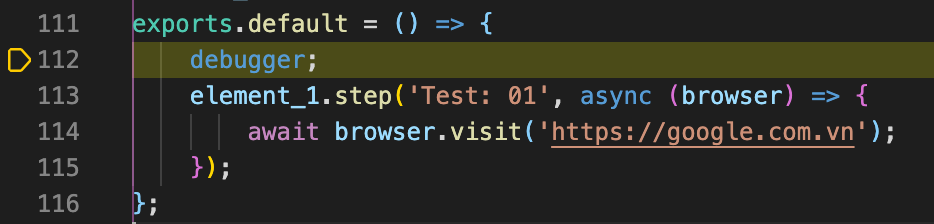


Are you using a launch.json in vscode to make this work?
That's correct @DanHamlin-LifeTime . Please add these configurations to the launch.json file in VSCode:
{
  "version": "1.3.8",
  "configurations": [
    {
      "name": "debug",
      "type": "node",
      "request": "launch",
      "args": [
        "/usr/local/bin/element",
        "run",
        "./test.ts",
        "--devtools",
        "--debug"
      ],
    }
  ]
}
