
fleet

fleet copied to clipboard
 fleetdm
Use new `display_name` property provided by `GET /hosts` and `GET /hosts/{id}` endpoints
Goal
As a Fleet UI user, I want to see a default display name for hosts that makes the Fleet UI and Fleet product easy to understand and use.
Figma
https://www.figma.com/file/hdALBDsrti77QuDNSzLdkx/?node-id=5930%3A255765
Related
- #4931 (epic)
- #7135 (backend)
Tasks
1
- [ ] On the Hosts page, update the "Hostname" column title to "Host" and update the value displayed in this column to
display_nameinstead ofhostname.
2
- [ ] On the Hosts page, add the ability to search hosts by
display_name - Add "name" to the empty state text in the hosts search bar.

3
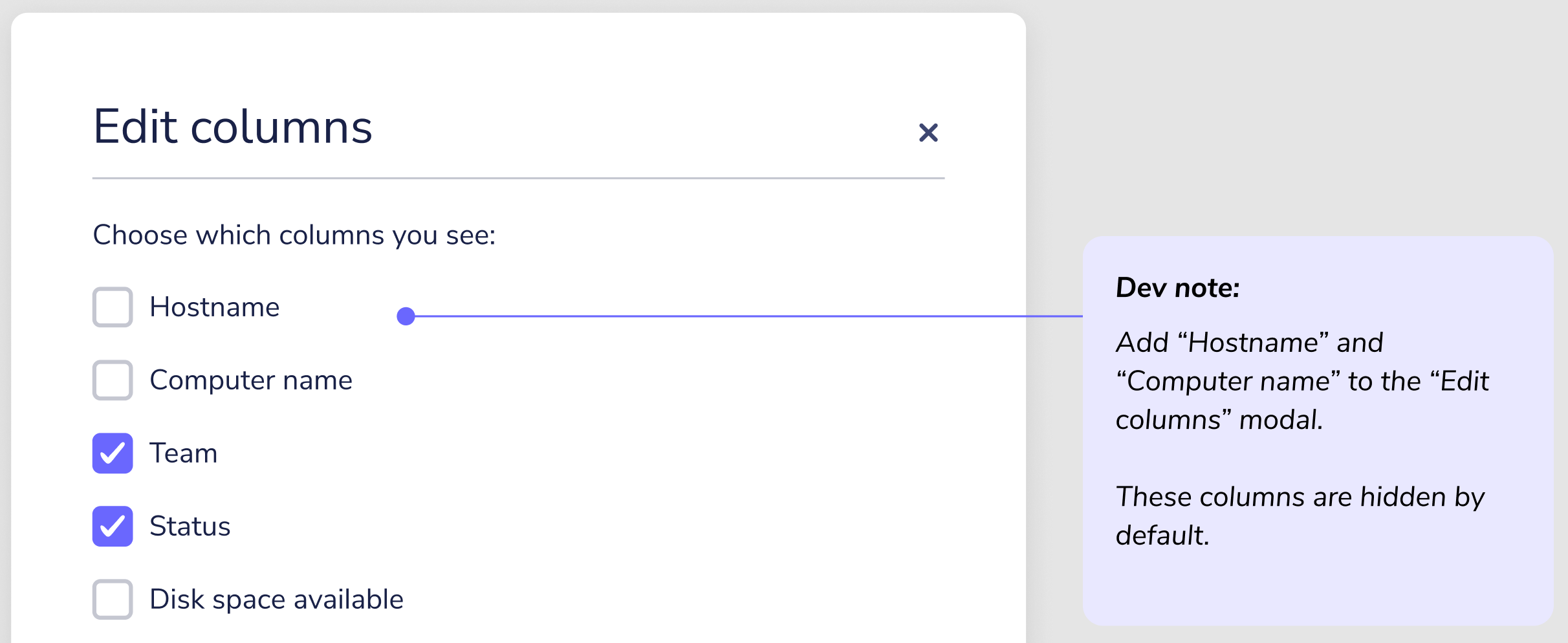
- [ ] On the Hosts > Edit columns modal, add "Hostname" and "Computer name" to the "Edit columns" modal.
4
- [ ] Use
display_namefor the title on the Host details page.
5
- [ ] On the Query > Select targets and Policy > Select targets pages, in the Target specific hosts element, update the "Hostname" column title to "Hosts," update the value displayed to
display_nameinstead ofhostname.
6
- [ ] On the Query > Select targets and Policy > Select targets pages, add the ability to search by
display_name.
7
- [ ] On the Query > Query finished and Policy > Query finished pages, update the "Hostname" column title to "Host," update the value displayed in this column to
display_nameinstead ofhostname. - QUESTION: What are the "Query finished" pages?
8
- [ ] Add the
display_nameproperty to the policies webhook payload example in addition tohostname.
9
- [ ] Use the
display_nameproperty in the policies Jira ticket example instead ofhostname. - Pull example from Figma.
10
- [ ] Use the
display_nameproperty in the policies Zendesk ticket example instead ofhostname. - Pull example from Figma.
11
- [ ] Add the
display_nameproperty to the vulnerabilities webhook payload example in addition tohostname.
12
- [ ] On the Software > Manage automations > Ticket modal, add a “Preview ticket” button. Selecting this button opens the “Example ticket” modal. In the “Example ticket” modal a screenshot of a Zendesk ticket is shown if the user selected a Zendesk integration. A screenshot of a Jira ticket is shown if the user selected a Jira integration.
- Pull screenshots from Figma.
13
- [ ] Use the
display_nameproperty in the vulnerabilities Jira ticket example instead ofhostname. - Pull example from Figma.
14
- [ ] Use the
display_nameproperty in the vulnerabilities Zendesk ticket example instead ofhostname. - Pull example from Figma.
