

 flameshot-org
Crosshair pointer is ivisible in GNOME 40 on Wayland
Flameshot version 0.9.0
Describe the bug Pointer (cursor?) is invisible in GNOME 40 on Wayland. All functions are working properly if You are lucky to point and click right button.
To Reproduce
- Install fresh default Fedora 34 Workstation edition
- Install Flameshot from Fusion repo
- Run 'flameshot gui'
Expected behavior Cursor is visible to make accurate selection
Actual behavior Cursor is invisible so one makes selection like blind man
System Information Fedora 34 (Workstation Edition) Graphic AMD® Turks Wayland

I think this issue has something to do with AMD GPU, Mouse pointer is not visible even for youtube full screen.

Hi!
I'm refreshing this as I'm getting the same error on gnome 41 running on X11 (I've tried in wayland too and same result). Also, I'm not running on AMD GPU but Nvidia (not really a new card, it may have... 6-7 years?).
Any idea on how to solve this?
Thanks!

I still got the issue in my system.
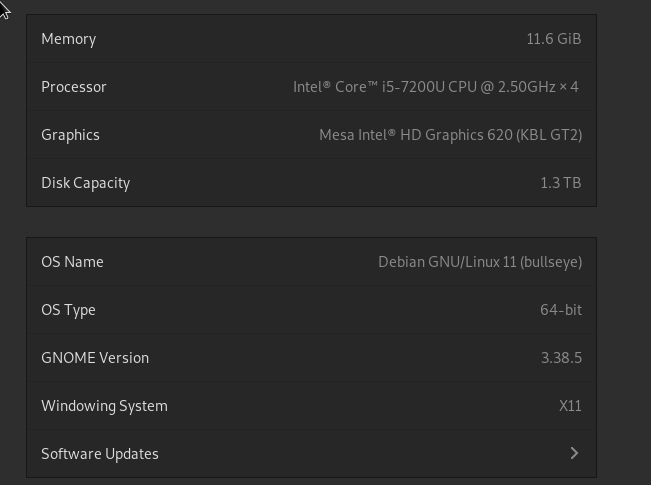
OS: Debian GNU/Linux 11 (bullseye)
Kernel: Linux 5.10.0-15-amd64
CPU: Intel(R) Core(TM) i5-7200U CPU @ 2.50GHz
Memory: 12162644 kB
Emacs version: GNU Emacs 29.0.50 (build 4, x86_64-pc-linux-gnu, GTK+ Version 3.24.24, cairo version 1.16.0) of 2022-01-06
~
❯ flameshot --version
Flameshot v12.0.0 ()
Compiled with Qt 5.15.2
Any solution for this?

Based on this issue https://github.com/flameshot-org/flameshot/issues/1557, I have changed my login session manager from gdm to lightdm. It works at the first try, but the issue pops up again at the next screenshot.
I encountered the missing cursor problem after upgrading to Ubuntu 23.10. Recently I found that the cursor is also missing in fullscreen electron apps. Turns out that it might be relating to the GNOME issue: https://gitlab.gnome.org/GNOME/mutter/-/issues/1939
After enabling this extension, flameshot works normally and the cursor comes back.
