

 firebase
Dark Mode not showing correctly on FUIPhoneAuth
Seen issue #723 but still persists on phone authentication.
Swift 5 iOS 14 Firebase SDK Swift Package Manager version: 8.7.0 FirebaseUI Swift Package Manager version: 12.0.2
Steps to reproduce:
Authentication views of phone sign in from the prebuilt UI (FUIPhoneAuth)
Observed Results:
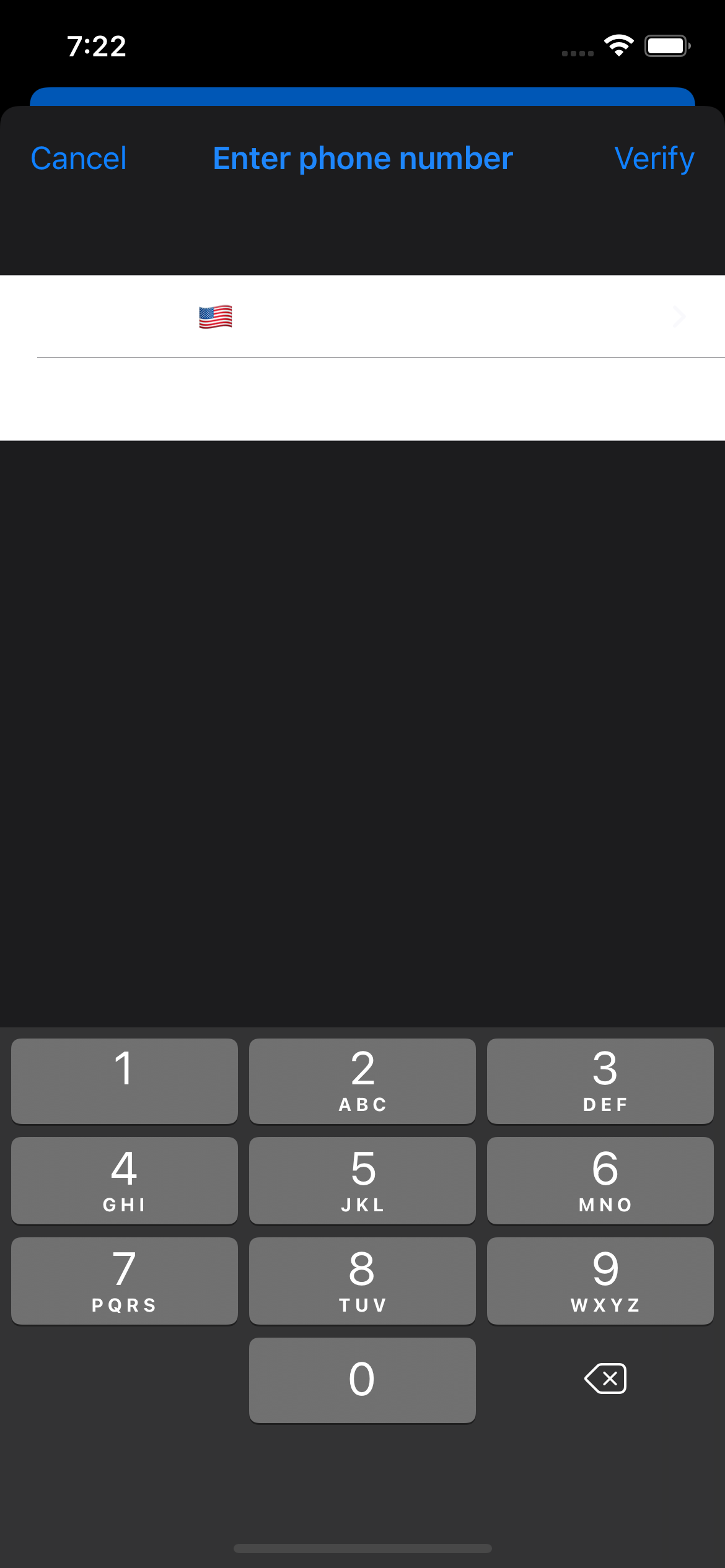
Color of the label texts (“country code”, “phone number”) and background in sign-in/sign-up view do not change based on user’s dark mode setting.
Both text color and background of label are white and it's not possible to see what the user is writing, making the authentication process almost impossible since the user has to input the digits "blind"
Expected Results:
Adaptation to the system-wide dark mode feature of the iOS 13 and later releases.
Thanks in advance
.
