FirebaseUI-Android

FirebaseUI-Android copied to clipboard
 firebase
Invisible Edit text Field on Oppo Vivo and some samsung phones
Welcome to FirebaseUI and thanks for submitting an issue!
Please take a look at open issues, as well as resolved issues, to see if your issue is either already being addressed, or has been solved by someone else.
If not, please feel free to fill in the following info so we can help faster!
Step 1: Are you in the right place?
- For issues or feature requests related to the code in this repository file a GitHub issue.
- For general technical questions, post a question on StackOverflow tagged appropriately.
- For general Firebase discussion, use the firebase-talk google group
- For help troubleshooting your application that does not fall under one of the above categories, reach out to the personalized Firebase support channel
Step 2: Describe your environment
- Android device: ___Samsung __
- Android OS version: _____ 9
- Google Play Services version: _____11.4.2
- Firebase/Play Services SDK version: _____11.4.2
- FirebaseUI version: ____6.0.2
Step 3: Describe the problem:
In some phones the text and edit text fields are invisible. Works fine on most phones
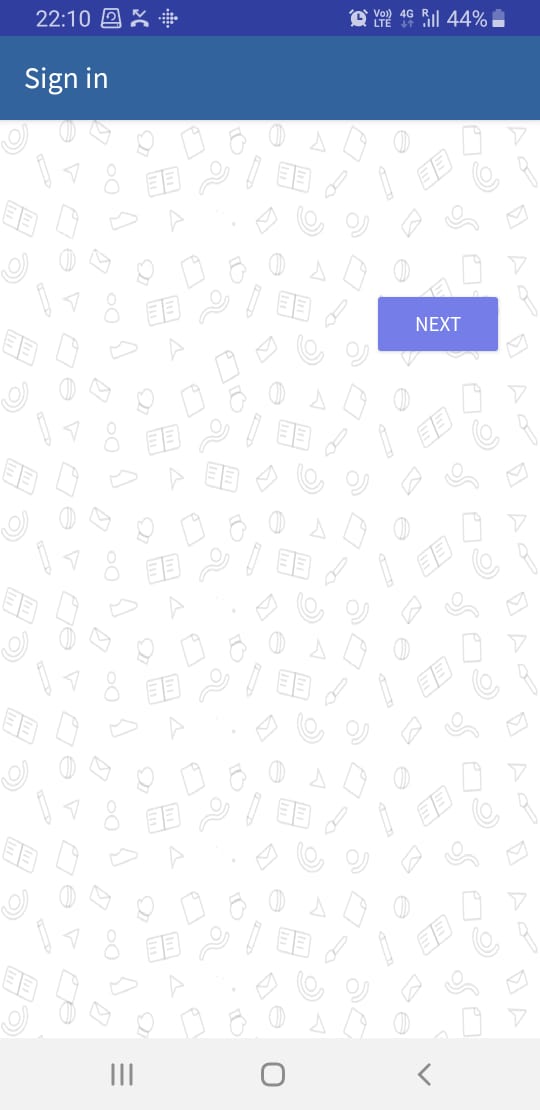
Steps to reproduce:
-
_____Click on phone or email login to see this
-
-
Observed Results:
- What happened? This could be a description,
logcatoutput, etc.
Expected Results:
- What did you expect to happen?
Relevant Code:
// TODO(you): code here to reproduce the problem