fengari-lua
How to change the working directory of fengari-web to make requires work?
I have a webserver that has a path structure like this:
www
www/client
www/client/AI
www/client/AI/AI.lua
www/client/AI/Const.lua
www/client/AI/Util.lua
AI.lua is the main LUA file that is called through JavaScript (that is located in www) and AI.lua has 2 requires in it:
require "AI\\Const"
require "AI\\Util"
The LUAs can't be changed, because they are part of a desktop app which I want to emulate on the web using JS, so it is not an option to change the files.
How can I set the working directory to www/client, so the requires would work? Also the require shouldn't change the working directory to the script's directory, because Util.lua also references Const.lua and it has the same require "AI\\Const" in it, so the working directory has to remain the www/client during the whole execution, just like how the desktop app remains in the program root (where the exe file is that loads the luas).
I tried to look through the whole documentation end every source on the net, but I couldn't find a solution only mentions to LUA_PATH, LUA_PATH_DEFAULT and LUA_EXEC_DIR. Do I have to set these? And how can that be done in JavaScript? The JS Module only does the following:
var code = 'dofile ("./client/AI/AI.lua")';
fengari.load(code);
(the "code" var also has some function definitions that connect the JS functions with the LUA functions, but those are not important right now only that the requires work)

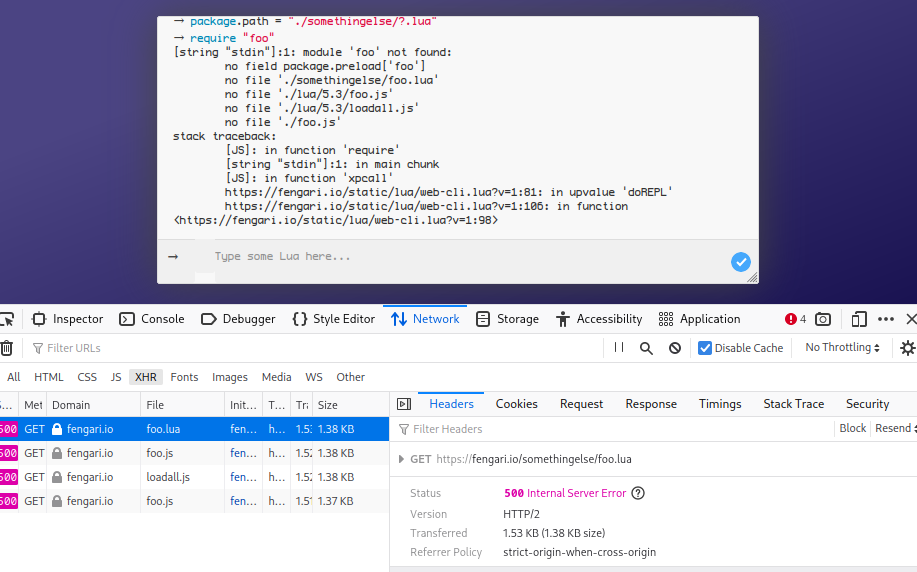
You can set package.path.
However, note that lua's require is synchronous, which is looked down upon by browsers.
You can use package.preload to fetch them asyncly/in parallel before your code starts.
Integrating that with the webpack ecosystem is explored in https://github.com/fengari-lua/fengari-loader

What is package.path? Where do I set it? I only have a pre-compiled fengari-web.js ( see: https://github.com/MrAntares/Ragna.roBrowser/blob/master/src/Vendors/fengari-web.js ) and I require it in JS as "fengari", then call fengari.load(...); ( see: https://github.com/MrAntares/Ragna.roBrowser/blob/master/src/Core/AIDriver.js ) there are no other files other than fengari-web.js Please provide some more details. Thanks!
What is package.path? Where do I set it?
A variable. In your lua state.