
EmojiTextView
 EmojiTextView copied to clipboard
 fastred
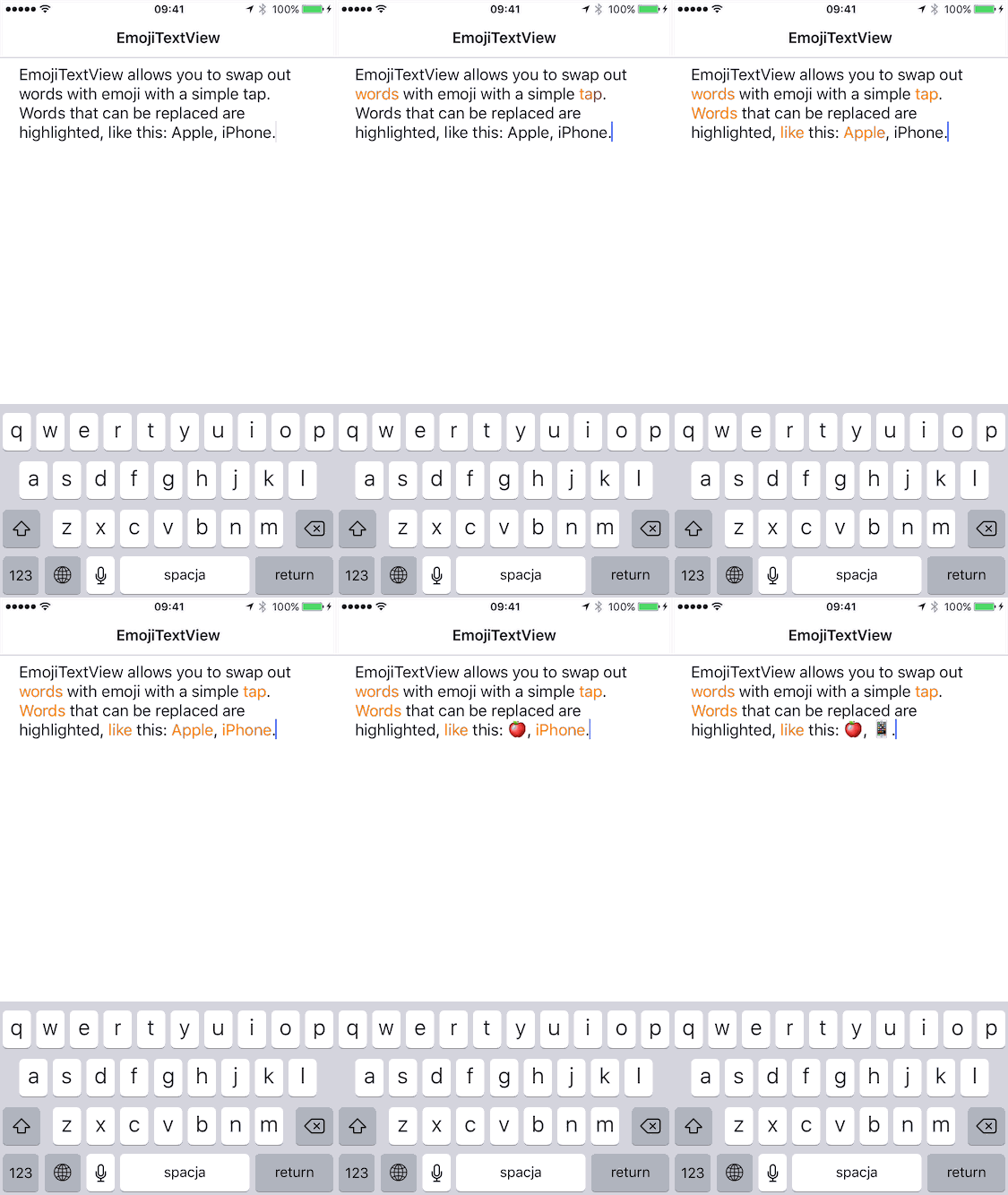
Tap to swap out words with emojis. Inspired by Messages.app on iOS 10.
EmojiTextView
Tap to swap out words with emojis. Works with any UITextView. Heavily inspired by Messages.app on iOS 10.
Created by Arkadiusz Holko (@arekholko).
Usage
Add a property of EmojiController type to a class that holds your UITextView instance, e.g. a view controller:
var emojiController: EmojiController?
Then, initialize EmojiController by passing it your text view (e.g. in viewDidLoad()):
emojiController = EmojiController(textView: textView)
That's it! 🎉
Customization
EmojiController provides three points of customization through properties:
mapping– contains a mapping from words to an array of emojistextHighlightingFactory– creates a new instance of an object conforming toTextHighlightingprotocol; each instance of that object is responsible for highlighting a single worddefaultAttributes- attributes (as inNSAttributedString) of a text that's not replaceable with emoji
Installation
EmojiTextView is available through CocoaPods. To install it simply add the following line to your Podfile:
pod "EmojiTextView", "0.0.1"
Then you can import it with:
import EmojiTextView
Requirements
iOS 9 and above.
Future Improvements
- Should the emoji replacement be enabled only when the emoji keyboard is selected? It probably requires the use of the private API as
UITextInputModedoesn't help here. - If there's more than one emoji match for a given word there should be an ability to choose which one we want to use.
- (EASY) There should be an option to switch back from an emoji to the full word. Hint: add an attribute with the original word to the part of the string replaced by an emoji.
Credits
- Emoji keyword library is based on emojilib.
 fastred