

 facebook
Horizontal Flatlist working on android but not working on iOS
Description
Two Flatlist in page <View> <FlatList bounces={false} scrollEnabled={true} automaticallyAdjustContentInsets={true} data={this.props.accountData} horizontal={true} keyExtractor={(item, index) => index.toString()} pagingEnabled={true} ref={r => this.accountDetailsListRef = r} renderItem={({item, index}) => this._renderItem(item, index)} showsHorizontalScrollIndicator={false} onViewableItemsChanged={this.onViewChanged} viewabilityConfig={{ itemVisiblePercentThreshold: 100, }} /> </View> <View> <FlatList bounces={false} scrollEnabled={true} automaticallyAdjustContentInsets={true} data={this.state.transactions} renderItem={({item}) => this.renderList(item)} keyExtractor={(item, index) => index.toString()} /> </View>
here second flatlist working fine as per android but in first flatlist not scrollable
Version
0.70.1
Output of npx react-native info
npx react-native run-ios
Steps to reproduce
create app with two view and add two flatlist
Snack, code example, screenshot, or link to a repository
Two Flatlist in page <View> <FlatList bounces={false} scrollEnabled={true} automaticallyAdjustContentInsets={true} data={this.props.accountData} horizontal={true} keyExtractor={(item, index) => index.toString()} pagingEnabled={true} ref={r => this.accountDetailsListRef = r} renderItem={({item, index}) => this._renderItem(item, index)} showsHorizontalScrollIndicator={false} onViewableItemsChanged={this.onViewChanged} viewabilityConfig={{ itemVisiblePercentThreshold: 100, }} /> </View> <View> <FlatList bounces={false} scrollEnabled={true} automaticallyAdjustContentInsets={true} data={this.state.transactions} renderItem={({item}) => this.renderList(item)} keyExtractor={(item, index) => index.toString()} /> </View>

i faced such problem i can't find any solution at first it worked on ios but now it doesn't work if you found a solution please share))

Added scroll view and added horizontal flat list added verticle flat list added scroll view with horizontal={true} property. @bael4 try it in your side
Works on iOS, does not work on android and on my device (expo go)
<ScrollView style={{ backgroundColor: "green"}}>
<FlatList
horizontal={true}
showsHorizontalScrollIndicator={false}
data={categories}
renderItem={({ item }) => (
<CategoryCard
item={item}
onTap={() => {
alert("Category tapped");
}}
/>
)}
keyExtractor={(item) => ${item.id}}
/>
</ScrollView>
@bael4
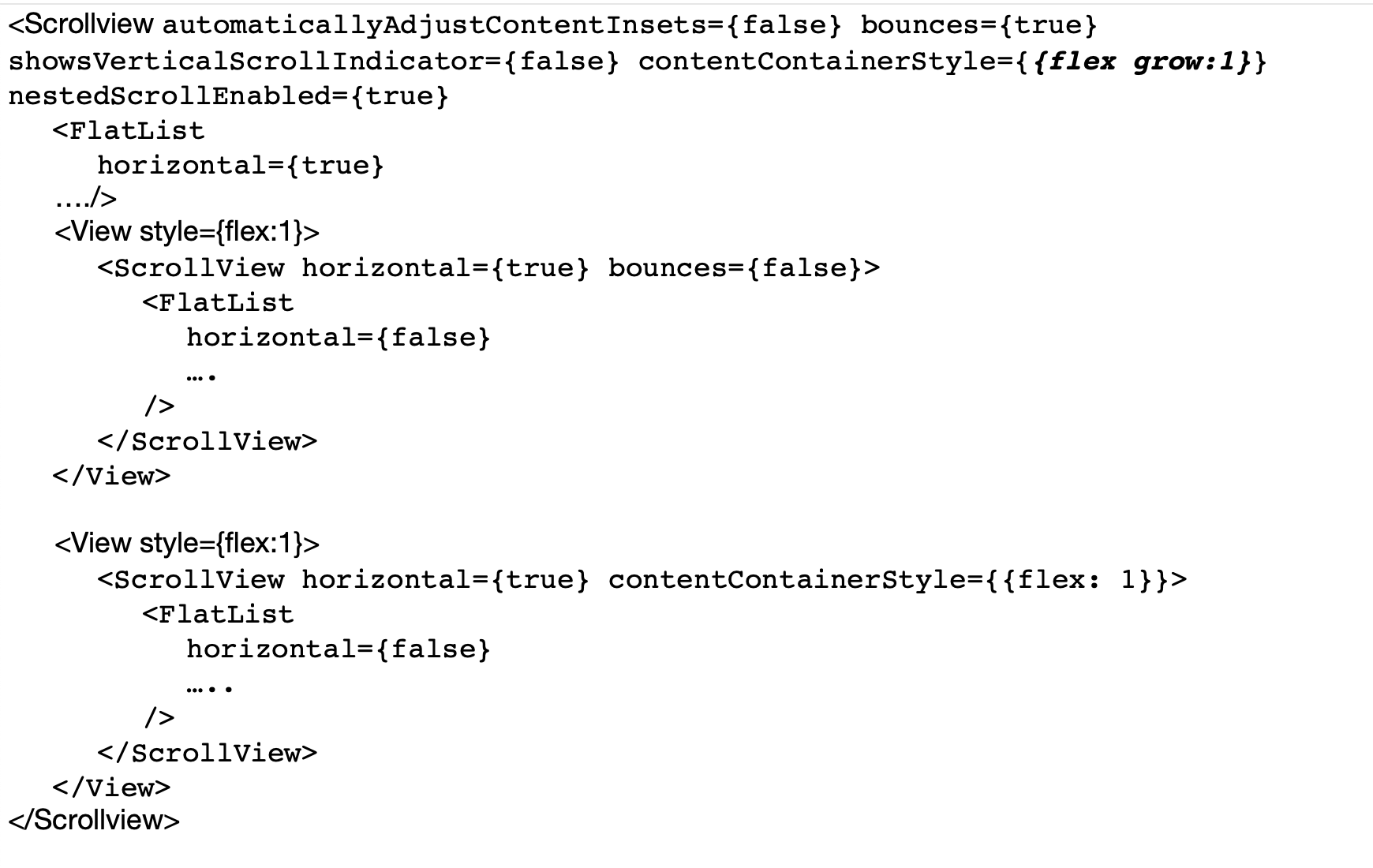
My structure is something like this and it's working in both iOS and Android
This issue is stale because it has been open 180 days with no activity. Remove stale label or comment or this will be closed in 7 days.
![github-actions[bot] avatar](https://avatars.githubusercontent.com/in/15368?v=4 "Published by a pub.dev verified publisher")
This issue was closed because it has been stalled for 7 days with no activity.