

 facebook
The background rendered out of the border corner edge when use with radius
Description
I'd like to draw a round view with a border. but it seems that the bg color of the view renders out of the border.
Version
0.70.0
Output of npx react-native info
System: OS: macOS 13.0 CPU: (4) x64 Intel(R) Core(TM) i5-7360U CPU @ 2.30GHz Memory: 24.12 MB / 8.00 GB Shell: 5.8.1 - /bin/zsh Binaries: Node: 14.17.6 - ~/.nvm/versions/node/v14.17.6/bin/node Yarn: 1.22.11 - ~/.nvm/versions/node/v14.17.6/bin/yarn npm: 6.14.15 - ~/.nvm/versions/node/v14.17.6/bin/npm Watchman: Not Found Managers: CocoaPods: 1.11.0 - /usr/local/bin/pod SDKs: iOS SDK: Platforms: DriverKit 21.4, iOS 16.0, macOS 12.3, tvOS 16.0, watchOS 9.0 Android SDK: Not Found IDEs: Android Studio: 2021.3 AI-213.7172.25.2113.9123335 Xcode: 14.0.1/14A400 - /usr/bin/xcodebuild Languages: Java: 11.0.12 - /usr/bin/javac npmPackages: @react-native-community/cli: Not Found react: 18.1.0 => 18.1.0 react-native: 0.70.5 => 0.70.5 react-native-macos: Not Found npmGlobalPackages: react-native: Not Found
Steps to reproduce
see code below
Snack, code example, screenshot, or link to a repository
 const Round: FC = (props) => {
  return (
        <View
            style={{
                height: 300,
                width: 300,
                backgroundColor: 'gray',
            }}>
            <View
                style={{
                    margin: 50,
                    width: 200,
                    height: 200,
                    backgroundColor: 'red',
                    borderWidth: 30,
                    borderRadius: 100,
                    borderColor: 'gray',
                    overflow: 'hidden',
                }}
            />
        </View>
  );
};
Preview:
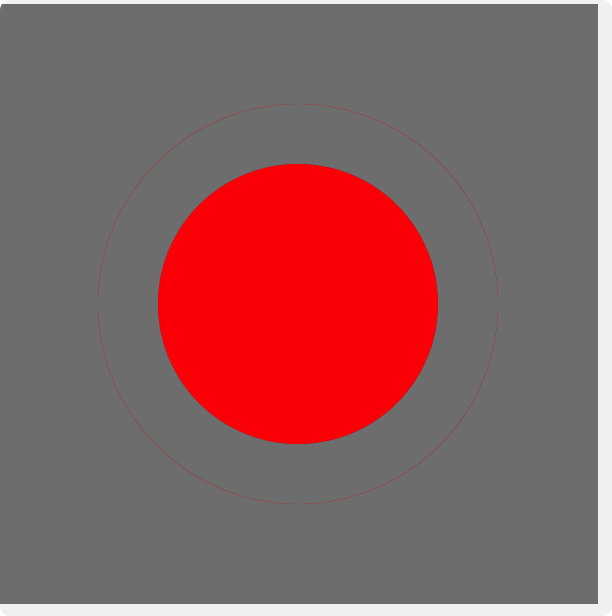
There is a thin line out of the border.
It only happens at the corner of the radiusborder. If I use a smaller borderRadius it will be more obvious.
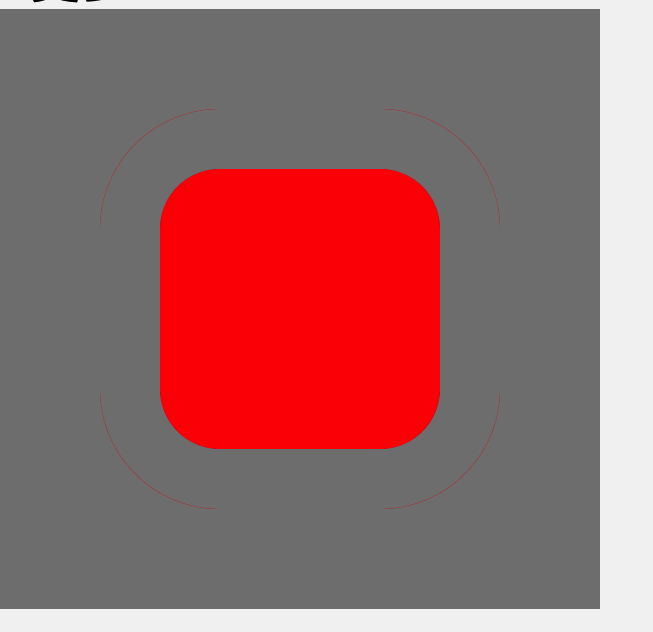
You may notice that I use gray color to container bg and border color. Because this can make the thin line more obvious.
If I changed the color of border:
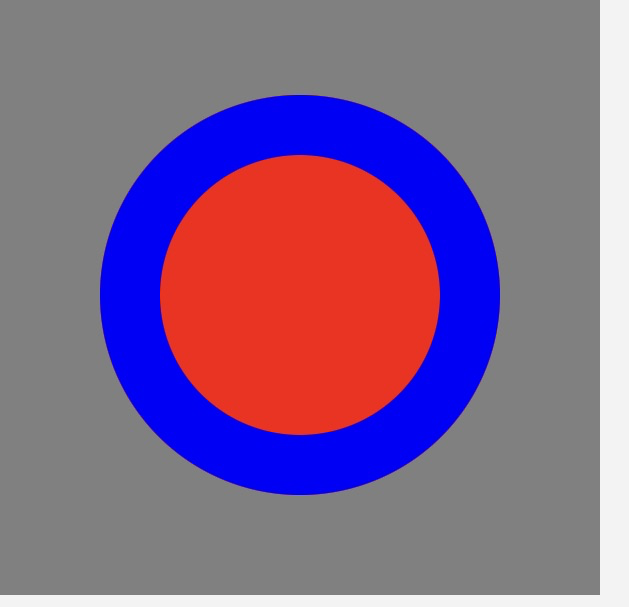
It still happens. you shoud scale it up to 200% , then you can see it . (althouth still barely seeing it)

Also, I have a workaround to overcome it. I use two round view one contains the other.
const Round2 = (props) => {
    return (
        <View
            style={{
                height: 300,
                width: 300,
                backgroundColor: 'gray',
            }}>
            <View
                style={{
                    margin: 50,
                    width: 200,
                    height: 200,
                    backgroundColor: 'gray',
                    borderRadius: 100,
                }}>
                <View
                    style={{
                        margin: 30,
                        width: 140,
                        height: 140,
                        backgroundColor: 'red',
                        borderRadius: 70,
                    }}
                />
            </View>
        </View>
    );
};
It works fine. But I think the bg color rendering out the border is a bug.
This issue is stale because it has been open 180 days with no activity. Remove stale label or comment or this will be closed in 7 days.
![github-actions[bot] avatar](https://avatars.githubusercontent.com/in/15368?v=4 "Published by a pub.dev verified publisher")
This issue was closed because it has been stalled for 7 days with no activity.