

 facebook
RCT-Folly blocking builds (Error message: typedef uint8_t clockid_t; )
Description
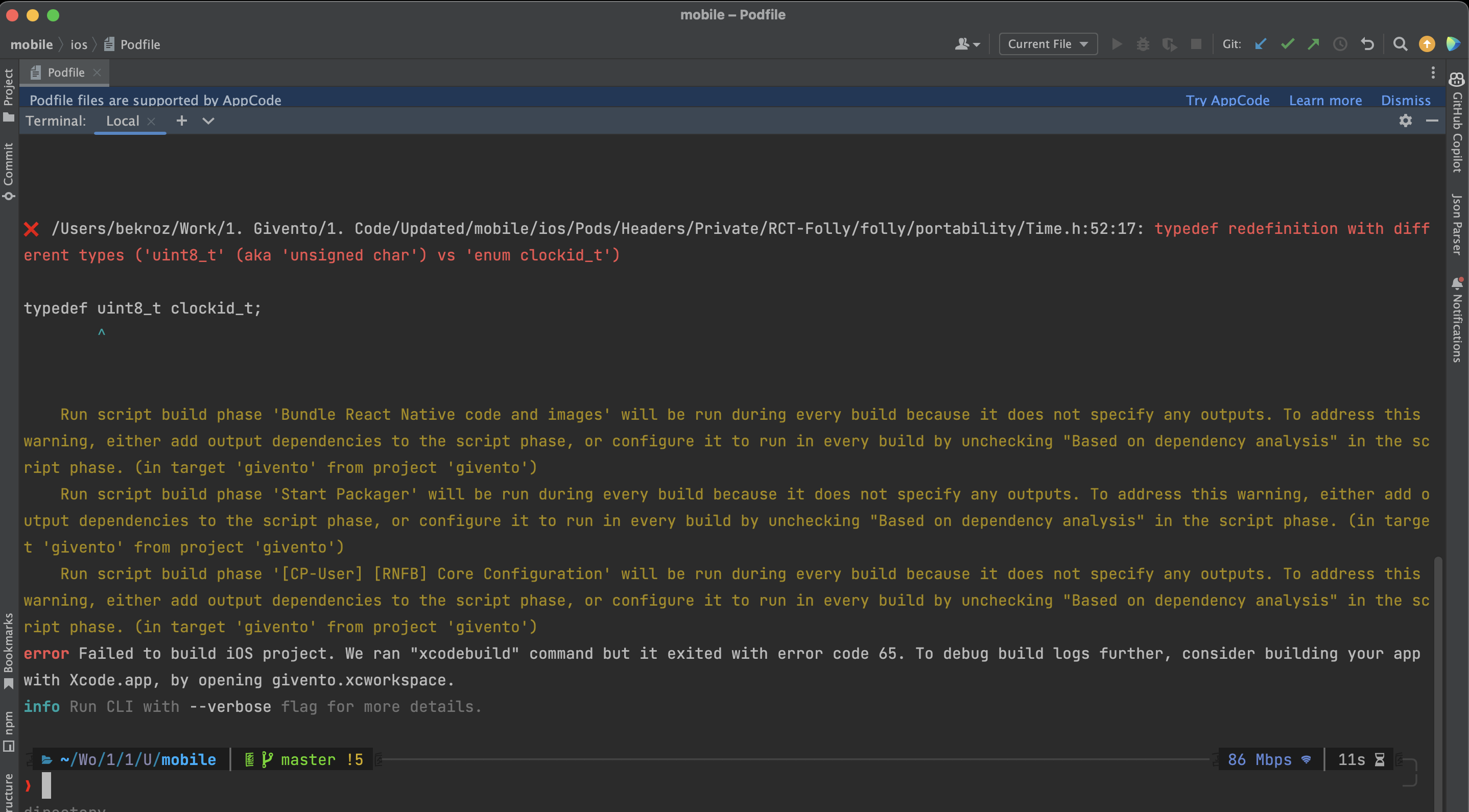
This is what my error message looks like:
❌ /pathToMyProject/ios/Pods/Headers/Private/RCT-Folly/folly/portability/Time.h:52:17: typedef redefinition with different types ('uint8_t' (aka 'unsigned char') vs 'enum clockid_t')
typedef uint8_t clockid_t;
Version
react-native-cli: 2.0.1 react-native: 0.68.2
Output of npx react-native info
My environment:
System: OS: macOS 12.6 CPU: (8) arm64 Apple M1 Memory: 99.52 MB / 16.00 GB Shell: 5.8.1 - /bin/zsh Binaries: Node: 18.11.0 - /opt/homebrew/bin/node Yarn: 1.22.19 - /opt/homebrew/bin/yarn npm: 8.19.2 - /opt/homebrew/bin/npm Watchman: 2022.10.10.00 - /opt/homebrew/bin/watchman Managers: CocoaPods: 1.11.3 - /opt/homebrew/bin/pod SDKs: iOS SDK: Platforms: DriverKit 21.4, iOS 16.0, macOS 12.3, tvOS 16.0, watchOS 9.0 Android SDK: Not Found IDEs: Android Studio: 2021.3 AI-213.7172.25.2113.9014738 Xcode: 14.0.1/14A400 - /usr/bin/xcodebuild Languages: Java: 18.0.2 - /usr/bin/javac npmPackages: @react-native-community/cli: Not Found react: ^18.2.0 => 18.2.0 react-native: 0.68.2 => 0.68.2 react-native-macos: Not Found npmGlobalPackages: react-native: Not Found
Steps to reproduce
1. Create a new project with following command: npx react-native init BugCheck --template react-native-template-typescript 2. Install dependencies (go to root directory): yarn install && cd ios && pod install && cd ... 3. Run on any ios simulator: npx react-native run-ios --simulator="iPhone 14 Pro Max"
Congrats! You discovered a bug. 💀
P.S: To be honest, every developer I know who's been using RN really getting tired of those bugs. There's never have been a stable build which developers can rely upon. Are you maintaining project? If not please, pin it as deprecated. So many developers are wasting their time and stress over little bugs of react-native. I've been using react-native for 2 years and can't even suggest to any of my network to learn react-native. So disappointed.
I hope it'll be fixed soon.
Snack, code example, screenshot, or link to a repository
You can clone my project and run above commands I've provided.
Project link: https://github.com/bekroz/address-taxi

You can clone my project and run above commands I've provided.
I've just cloned your project, run your commands, and I'm able to build your app successfully.

You can clone my project and run above commands I've provided.
I've just cloned your project, run your commands, and I'm able to build your app successfully.
HI, can you share your config

System:
    OS: macOS 12.6
    CPU: (32) x64 Intel(R) Xeon(R) W-3245 CPU @ 3.20GHz
    Memory: 6.23 GB / 96.00 GB
    Shell: 5.8.1 - /bin/zsh
  Binaries:
    Node: 17.8.0 - /var/folders/gc/mp16h51x1gs4jt57by714sjh0000gn/T/yarn--1666013442161-0.5893951454437569/node
    Yarn: 1.22.18 - /var/folders/gc/mp16h51x1gs4jt57by714sjh0000gn/T/yarn--1666013442161-0.5893951454437569/yarn
    npm: 8.5.5 - ~/.nvm/versions/node/v17.8.0/bin/npm
    Watchman: 20221010 - /usr/local/bin/watchman
  Managers:
    CocoaPods: 1.11.3 - /usr/local/bin/pod
  SDKs:
    iOS SDK:
      Platforms: DriverKit 21.4, iOS 15.4, macOS 12.3, tvOS 15.4, watchOS 8.5
    Android SDK:
      API Levels: 26, 27, 28, 29, 30, 31, 32, 33
      Build Tools: 23.0.1, 25.0.2, 27.0.3, 28.0.2, 28.0.3, 29.0.2, 30.0.2, 30.0.3, 31.0.0, 32.0.0, 32.1.0
      System Images: android-30 | Google APIs ARM 64 v8a, android-32 | Google APIs Intel x86 Atom_64
      Android NDK: Not Found
  IDEs:
    Android Studio: 2021.2 AI-212.5712.43.2112.8512546
    Xcode: 13.3.1/13E500a - /usr/bin/xcodebuild
  Languages:
    Java: 11.0.14.1 - /usr/bin/javac
  npmPackages:
    @react-native-community/cli: Not Found
    react: 18.1.0 => 18.1.0
    react-native: 0.70.3 => 0.70.3
    react-native-macos: Not Found
  npmGlobalPackages:
    *react-native*: Not Found
You can clone my project and run above commands I've provided.
I've just cloned your project, run your commands, and I'm able to build your app successfully.
Maybe it’s specific for M1 macs or react-native with 0.68 versions. I’ll match your config and try to rebuild it. If it goes well, I’ll close the issue.
Thank you for the help, Cortinico. 🙏
I sawthat
System: OS: macOS 12.6 CPU: (32) x64 Intel(R) Xeon(R) W-3245 CPU @ 3.20GHz Memory: 6.23 GB / 96.00 GB Shell: 5.8.1 - /bin/zsh Binaries: Node: 17.8.0 - /var/folders/gc/mp16h51x1gs4jt57by714sjh0000gn/T/yarn--1666013442161-0.5893951454437569/node Yarn: 1.22.18 - /var/folders/gc/mp16h51x1gs4jt57by714sjh0000gn/T/yarn--1666013442161-0.5893951454437569/yarn npm: 8.5.5 - ~/.nvm/versions/node/v17.8.0/bin/npm Watchman: 20221010 - /usr/local/bin/watchman Managers: CocoaPods: 1.11.3 - /usr/local/bin/pod SDKs: iOS SDK: Platforms: DriverKit 21.4, iOS 15.4, macOS 12.3, tvOS 15.4, watchOS 8.5 Android SDK: API Levels: 26, 27, 28, 29, 30, 31, 32, 33 Build Tools: 23.0.1, 25.0.2, 27.0.3, 28.0.2, 28.0.3, 29.0.2, 30.0.2, 30.0.3, 31.0.0, 32.0.0, 32.1.0 System Images: android-30 | Google APIs ARM 64 v8a, android-32 | Google APIs Intel x86 Atom_64 Android NDK: Not Found IDEs: Android Studio: 2021.2 AI-212.5712.43.2112.8512546 Xcode: 13.3.1/13E500a - /usr/bin/xcodebuild Languages: Java: 11.0.14.1 - /usr/bin/javac npmPackages: @react-native-community/cli: Not Found react: 18.1.0 => 18.1.0 react-native: 0.70.3 => 0.70.3 react-native-macos: Not Found npmGlobalPackages: react-native: Not Found
I saw that you’re using iOS 15.4, have you tried on iOS 16.0?
Thanks in advance.
I saw that you’re using iOS 15.4, have you tried on iOS 16.0?
Nope I haven't but that shouldn't be unrelated to this build failure
If it's urgent fix, you can add this line inside of podfile: sed -i -e $'s/__IPHONE_10_0/__IPHONE_13_0/' #{installer.sandbox.root}/RCT-Folly/folly/portability/Time.h
After that run: pod install --repo-update
require_relative '../node_modules/react-native/scripts/react_native_pods'
require_relative '../node_modules/@react-native-community/cli-platform-ios/native_modules'

platform :ios, '12.4'
install! 'cocoapods', :deterministic_uuids => false

target 'address' do
  ...
  post_install do |installer|
      ...
      `sed -i -e  $'s/__IPHONE_10_0/__IPHONE_13_0/' #{installer.sandbox.root}/RCT-Folly/folly/portability/Time.h`
  end
end

This issue is stale because it has been open 180 days with no activity. Remove stale label or comment or this will be closed in 7 days.
![github-actions[bot] avatar](https://avatars.githubusercontent.com/in/15368?v=4 "Published by a pub.dev verified publisher")
This issue was closed because it has been stalled for 7 days with no activity.
