

 facebook
Adding a 'cancel' style to an Alert button will always place it at the bottom of the alert
Description
This is the system alert in iOS16 when an app trying to access the clipboard:

When trying to replicate this alert in RN using Alert, I cannot as giving a button object a style of 'cancel' will push it to the bottom of the button stack:

This means I can either make the button text bold or have it first in the stack but not both.
Version
0.68.2
Output of npx react-native info
System:
    OS: Linux 5.10 Ubuntu 21.10 21.10 (Impish Indri)
    CPU: (16) x64 Intel(R) Xeon(R) CPU @ 2.80GHz
    Memory: 80.58 GB / 125.81 GB
    Shell: 5.8 - /bin/zsh
  Binaries:
    Node: 16.15.1 - ~/.nvm/versions/node/v16.15.1/bin/node
    Yarn: 1.22.17 - /usr/local/bin/yarn
    npm: 8.11.0 - ~/.nvm/versions/node/v16.15.1/bin/npm
    Watchman: 4.9.0 - /usr/bin/watchman
  SDKs:
    Android SDK: Not Found
  IDEs:
    Android Studio: Not Found
  Languages:
    Java: 11.0.15 - /usr/bin/javac
  npmPackages:
    @react-native-community/cli: Not Found
    react: 17.0.2 => 17.0.2
    react-native: 0.68.2 => 0.68.2
  npmGlobalPackages:
    *react-native*: Not Found
Steps to reproduce
Alert.alert('"MyApp" would like to paste from "Safari"', '', [ { text: "Don't Allow Paste", onPress: () => {}, style: 'cancel', }, { text: 'Allow Paste', onPress: () => {}, style: 'default', }, ])
Snack, code example, screenshot, or link to a repository
https://snack.expo.dev/Kh-j8L4vq

Hi @barrymcgee, to achieve this behavior, you must set the default style and isPrefered to true. With that you can place the button wherever you want.
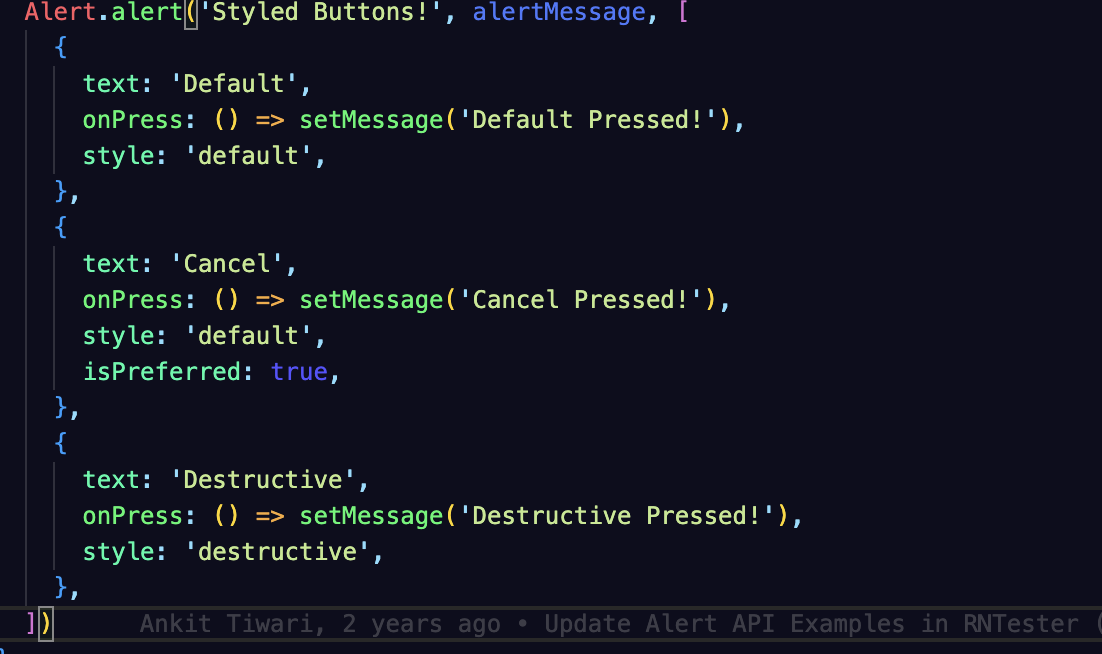


please feel free to correct me but I don't see a clear explanation or documentation how the buttons array should behave. A suggestion is It should respect the sequence of the passed array

Hi @vincentmegia @barrymcgee , have you found the way for your expecting behavior of alert? I'm facing the same issue.
