

 facebook
Problem with anti-aliasing on rotated borders on iOS
Description
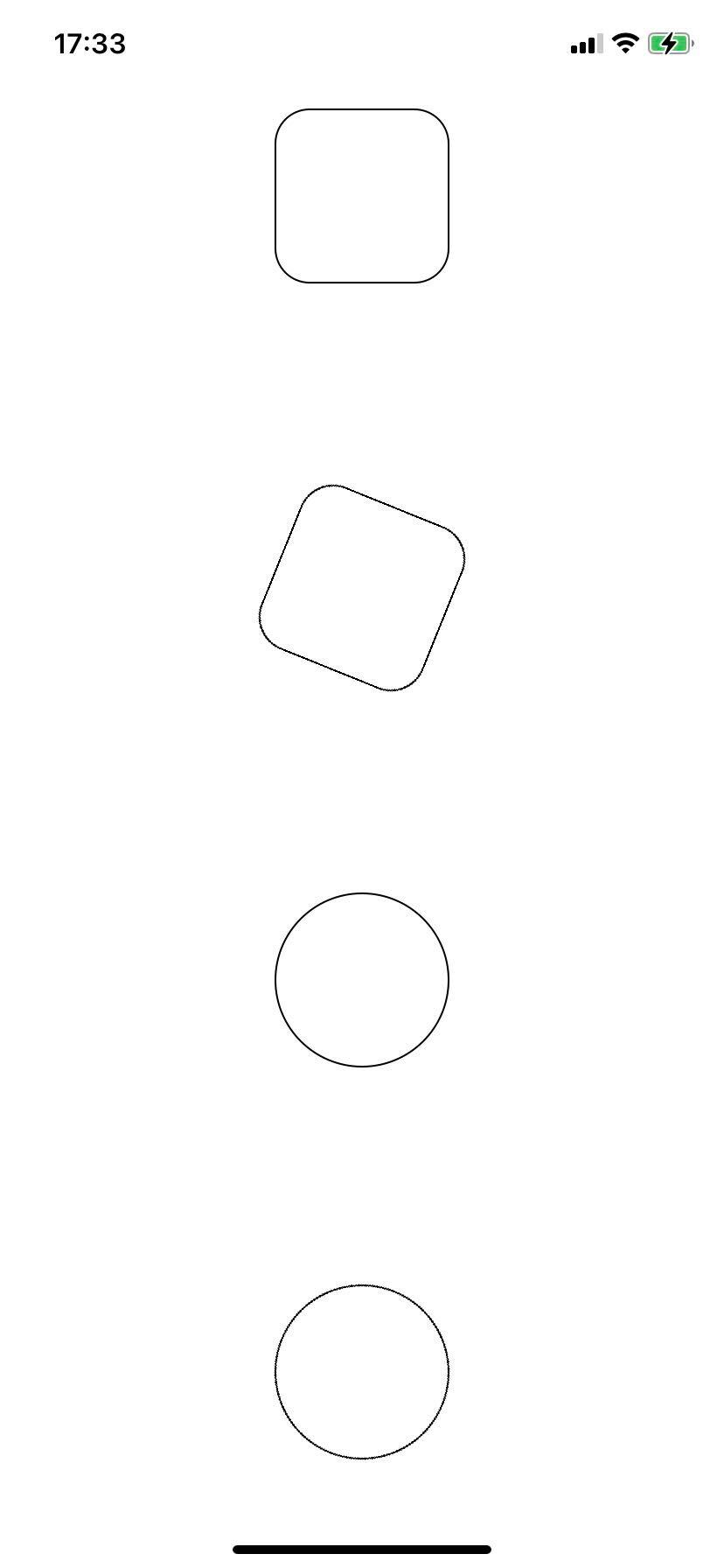
Rotated Views with borders have bad aliasing artefacts, even when the View is a circle.
Version
0.68.2
Output of npx react-native info
System: OS: macOS 12.4 CPU: (10) arm64 Apple M1 Max Memory: 732.47 MB / 32.00 GB Shell: 5.8.1 - /bin/zsh Binaries: Node: 16.15.1 - /opt/homebrew/opt/node@16/bin/node Yarn: 1.22.18 - /opt/homebrew/bin/yarn npm: 8.11.0 - /opt/homebrew/opt/node@16/bin/npm Watchman: 2022.06.06.00 - /opt/homebrew/bin/watchman Managers: CocoaPods: Not Found SDKs: iOS SDK: Platforms: DriverKit 21.4, iOS 15.5, macOS 12.3, tvOS 15.4, watchOS 8.5 Android SDK: Not Found IDEs: Android Studio: 2021.1 AI-211.7628.21.2111.8193401 Xcode: 13.4.1/13F100 - /usr/bin/xcodebuild Languages: Java: 11.0.11 - /usr/bin/javac npmPackages: @react-native-community/cli: Not Found react: 17.0.2 => 17.0.2 react-native: 0.68.2 => 0.68.2 react-native-macos: Not Found npmGlobalPackages: react-native: Not Found
Steps to reproduce
Run the snack on an iPhone through the Expo Go app. Looks closely at the rotated square, and "rotated circle". You can observe anti-aliasing effects, compared to the unrotated ones.
Note: I don't have an Android device to test with so I am not currently able to say whether the same problem occurs on Android.
Snack, code example, screenshot, or link to a repository
https://snack.expo.dev/@robbie-c/3e0ab7
import React from "react";
import { StyleSheet, View } from "react-native";

const styles = StyleSheet.create({
  rect: {
    height: 100,
    width: 100,
    borderColor: "black",
    borderRadius: 20,
    borderWidth: 1
  },
  circ: {
    height: 100,
    width: 100,
    borderColor: "black",
    borderRadius: 50,
    borderWidth: 1
  },
  rotate: {
    transform: [{ rotateZ: "22deg" }]
  },
  container: {
    alignItems: "center",
    justifyContent: "space-around",
    flex: 1
  }
});

const App = () => (
  <View style={styles.container}>
    {/* Normal anti-aliasing*/}
    <View style={[styles.rect]} />

    {/* Has jagged lines */}
    <View style={[styles.rect, styles.rotate]} />

    {/* Normal anti-aliasing*/}
    <View style={[styles.circ]} />

    {/* A rotated circle is more jagged than its unrotated equivalent */}
    <View style={[styles.circ, styles.rotate]} />
  </View>
);

export default App;
From my iPhone 11 (apologies for jpg, png would be better but this is how iDevices take screenshots)
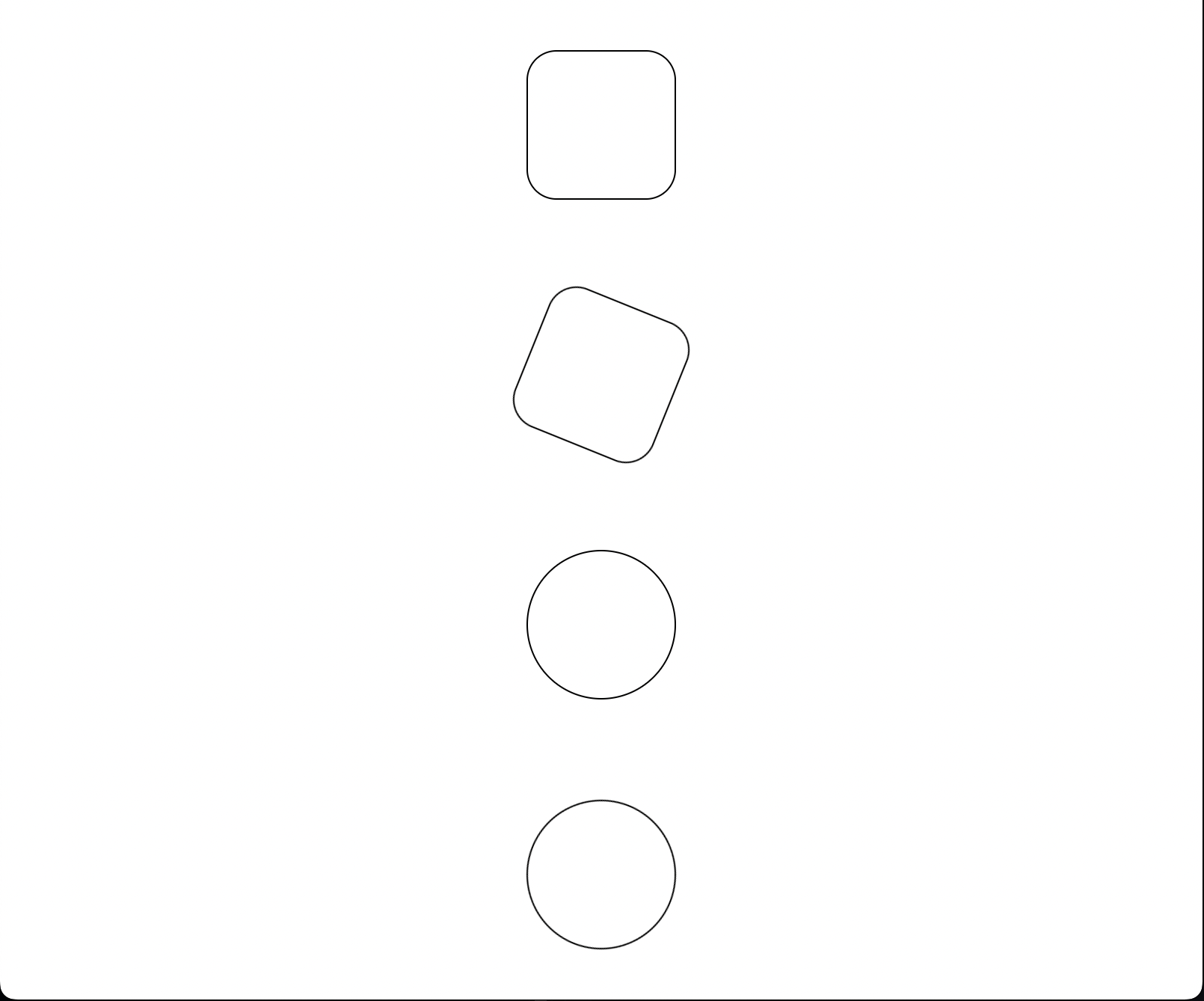
 One web, this works well (this is a Mac running Firefox).

This issue is stale because it has been open 180 days with no activity. Remove stale label or comment or this will be closed in 7 days.
![github-actions[bot] avatar](https://avatars.githubusercontent.com/in/15368?v=4 "Published by a pub.dev verified publisher")
This issue was closed because it has been stalled for 7 days with no activity.