

 facebook
Android ScrollView refresh control indicator blocks pressable components
Description
An invisible refresh control indicator on android blocks any pressable components beneath it
This bug occurs given the following setup:
- TouchableOpacity component above a ScrollView component
- ScrollView component has RefreshControl enabled
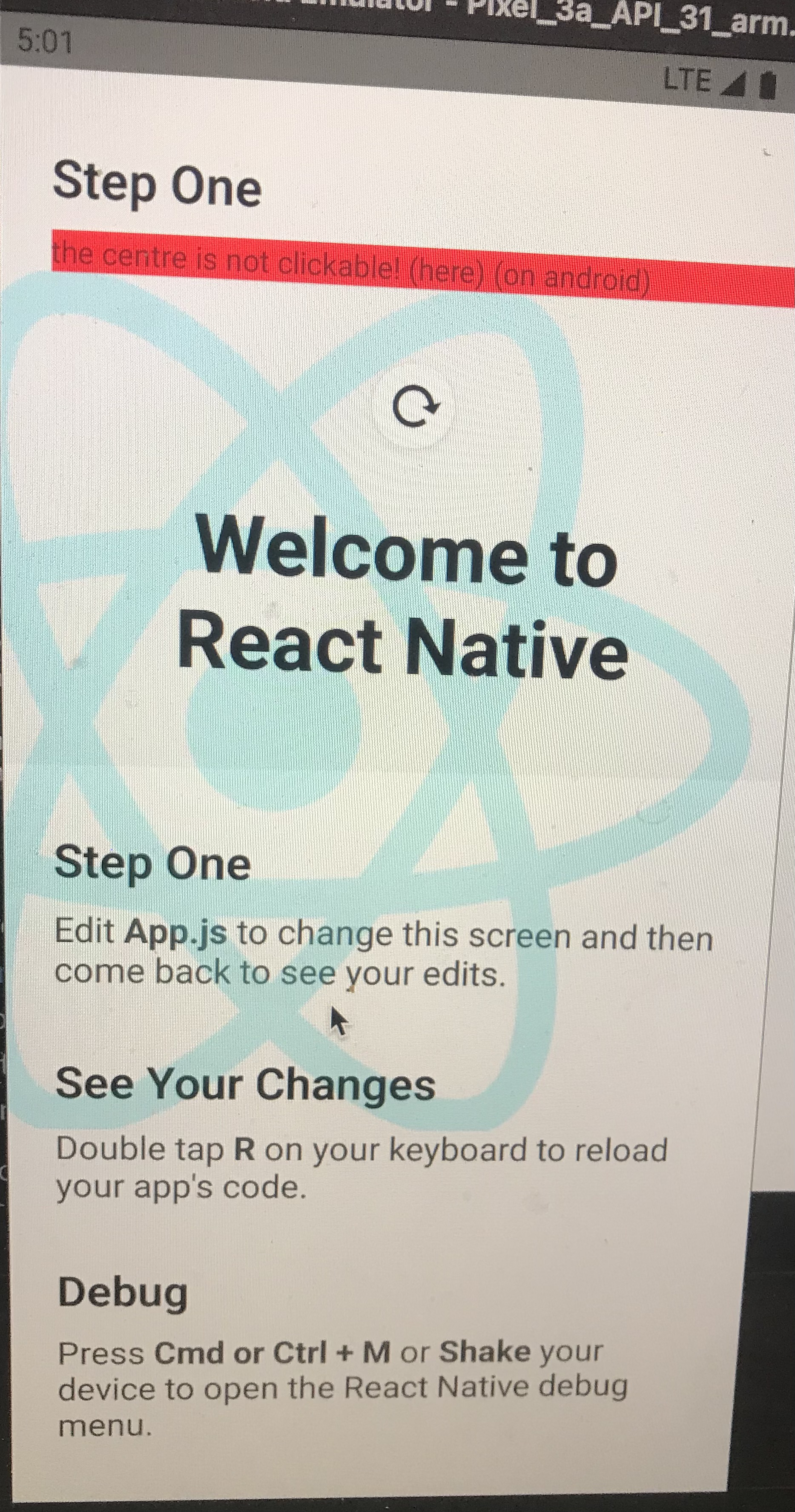
On android, when pulling down, a refresh indicator appears on the screen and disappears when the refresh is completed. However, even after the refresh indicator has disappeared, whatever pressable components that are underneath the refresh indicator will not be pressable.
In Figure 2, the red button beneath the white circular refresh indicator is not clickable. Even when the white circular indicator is hidden, this area is not clickable.
Figure 1.

Figure 2.
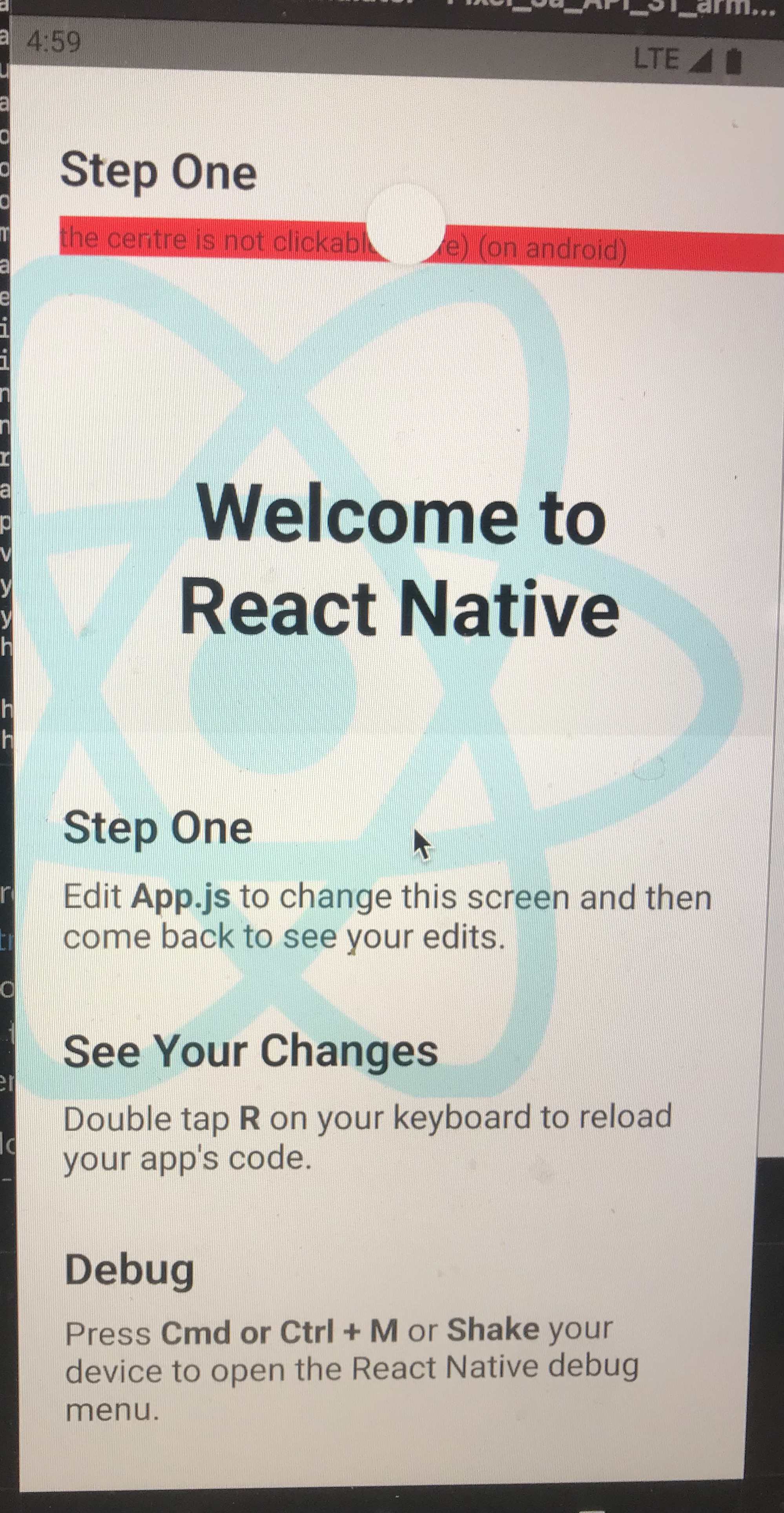
Figure 3.
Version
0.67.3
Output of npx react-native info
System: OS: macOS 11.6 CPU: (8) x64 Apple M1 Memory: 33.61 MB / 8.00 GB Shell: 5.8 - /bin/zsh Binaries: Node: 14.18.3 - ~/.nvm/versions/node/v14.18.3/bin/node Yarn: Not Found npm: 6.14.15 - ~/.nvm/versions/node/v14.18.3/bin/npm Watchman: 2022.01.31.00 - /opt/homebrew/bin/watchman Managers: CocoaPods: 1.11.2 - /usr/local/bin/pod SDKs: iOS SDK: Platforms: DriverKit 21.0.1, iOS 15.0, macOS 12.0, tvOS 15.0, watchOS 8.0 Android SDK: API Levels: 23, 28, 29, 30, 31 Build Tools: 28.0.3, 29.0.2, 30.0.2, 30.0.3, 31.0.0 System Images: android-29 | Google APIs ARM 64 v8a, android-31 | ARM 64 v8a, android-31 | Google APIs ARM 64 v8a Android NDK: Not Found IDEs: Android Studio: Not Found Xcode: 13.1/13A1030d - /usr/bin/xcodebuild Languages: Java: 11.0.11 - /usr/bin/javac npmPackages: @react-native-community/cli: Not Found react: 17.0.2 => 17.0.2 react-native: 0.67.3 => 0.67.3 react-native-macos: Not Found npmGlobalPackages: react-native: Not Found
Steps to reproduce
- Clone the repo and
npm install - Run
npm start - Run
npx react-native run-android - Attempt to press on the area of the red button demarcated as "(here)"
- The touchableOpacity should not activate in the area
- Drag down very slightly to display the refresh indicator. The white circle indicates the unpressable area
Snack, code example, screenshot, or link to a repository
https://github.com/yiheinchai/navigation-bug

I had the same issue and solve it by using zIndex in the pressable container styles.
In my case I have a component that has multiple TouchableOpacity and it looks like this (... indicates the unrelated code):
<View style={outerContainer}> {buttons.map((data) => <TouchableOpacity> ... </TouchableOpacity>)} </View>
And this is how outerContainer style object looks like: (... indicates the unrelated code)
const outerContainer = isAndroid ? {zIndex: 2, ...} : {...};

This issue is stale because it has been open 180 days with no activity. Remove stale label or comment or this will be closed in 7 days.
![github-actions[bot] avatar](https://avatars.githubusercontent.com/in/15368?v=4 "Published by a pub.dev verified publisher")
This issue was closed because it has been stalled for 7 days with no activity.