

 facebook
DevMenu differences iOS/Android when using Hermes
Description
When using Hermes, iOS has a different DevMenu to Android:
iOS:

Android:
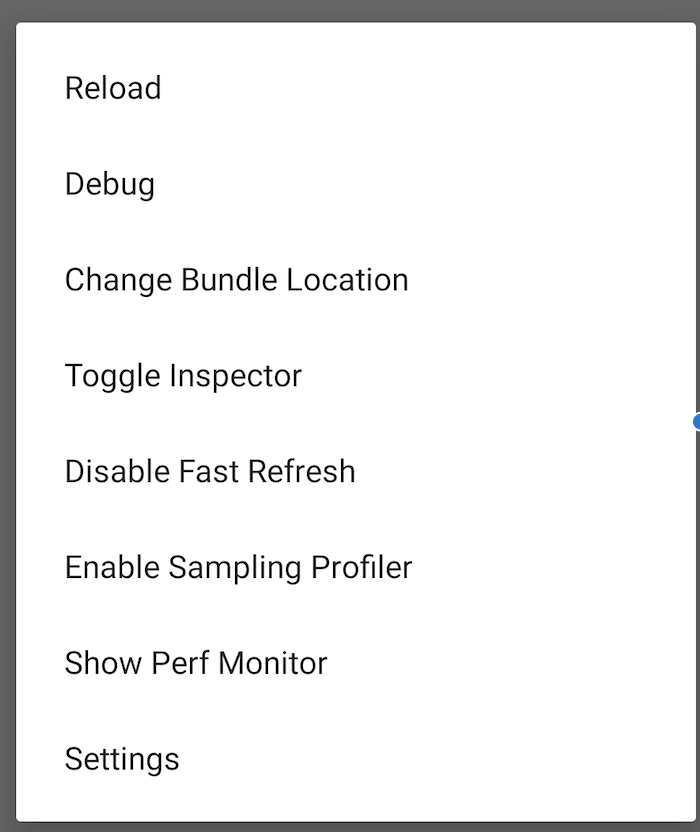
This is important, when clicking Debug the Android app will crash if using Reanimated 2 "As the library uses JSI for synchronous native methods access, remote debugging is no longer possible. You can use Flipper for debugging your JS code, however connecting debugger to JS context which runs on the UI thread is not currently supported."
It's a much better developer experience as well to open Flipper.
Hermes version: - hermes-engine (0.7.2) (Android I assume same version)
React Native version (if any): "react-native": "0.64.1",
OS version (if any): Android 10, iOS 14.4, OSX Catalina
React Native version:
Run react-native info in your terminal and copy the results here.
base λ react-native info
info Fetching system and libraries information...
System:
    OS: macOS 10.15.7
    CPU: (8) x64 Intel(R) Core(TM) i5-1038NG7 CPU @ 2.00GHz
    Memory: 740.27 MB / 32.00 GB
    Shell: 5.7.1 - /bin/zsh
  Binaries:
    Node: 12.19.1 - ~/.nvm/versions/node/v12.19.1/bin/node
    Yarn: 1.22.10 - ~/.nvm/versions/node/v12.19.1/bin/yarn
    npm: 7.5.4 - ~/.nvm/versions/node/v12.19.1/bin/npm
    Watchman: 4.9.0 - /usr/local/bin/watchman
  Managers:
    CocoaPods: 1.10.1 - /usr/local/bin/pod
  SDKs:
    iOS SDK:
      Platforms: iOS 14.4, DriverKit 20.2, macOS 11.1, tvOS 14.3, watchOS 7.2
    Android SDK:
      API Levels: 27, 28, 29, 30
      Build Tools: 28.0.3, 29.0.2, 30.0.1, 30.0.2
      System Images: android-27 | Google APIs Intel x86 Atom, android-30 | Google APIs Intel x86 Atom, android-30 | Google Play Intel x86 Atom
      Android NDK: Not Found
  IDEs:
    Android Studio: 4.1 AI-201.8743.12.41.6953283
    Xcode: 12.4/12D4e - /usr/bin/xcodebuild
  Languages:
    Java: 1.8.0_265 - /usr/bin/javac
  npmPackages:
    @react-native-community/cli: Not Found
    react: 17.0.1 => 17.0.1
    react-native: 0.64.1 => 0.64.1
    react-native-macos: Not Found
  npmGlobalPackages:
    *react-native*: Not Found
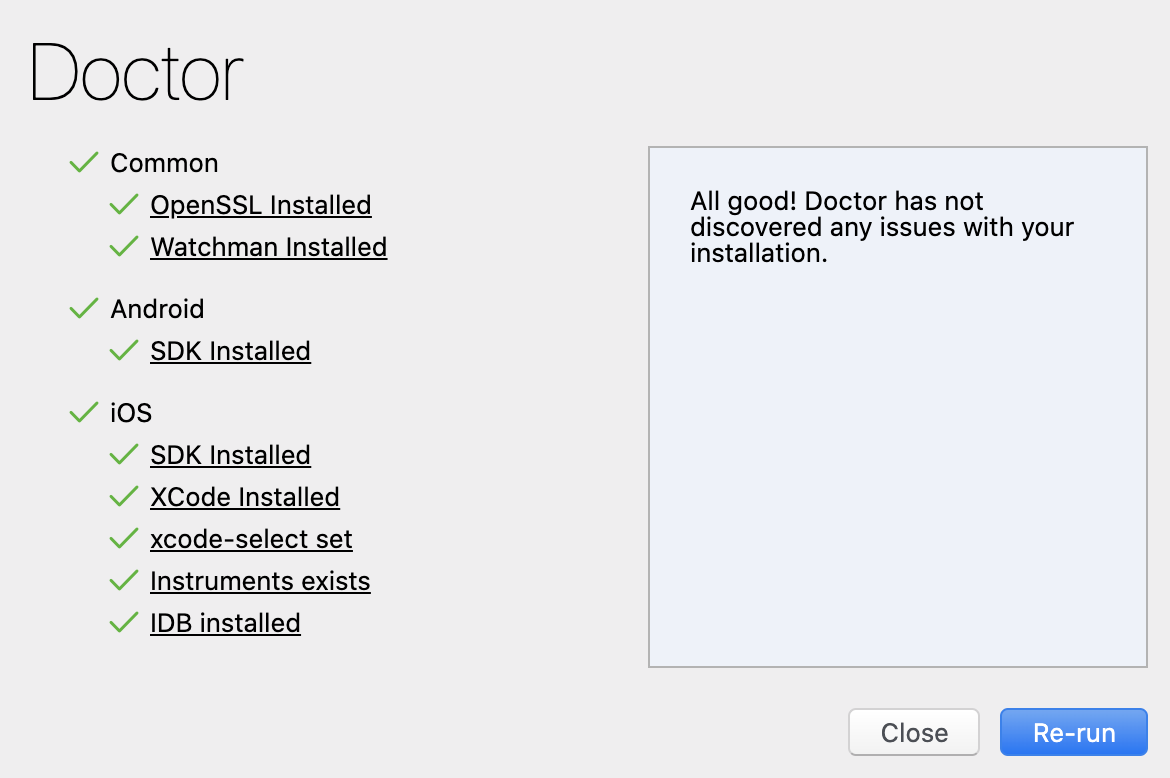
Flipper Doctor:
Steps To Reproduce
Provide a detailed list of steps that reproduce the issue.
- Open debugger menu using iOS and Hermes
- Open debugger menu using Android and Hermes
- See the difference
Expected Results
Android DevMenu should have same menu as iOS.

This is also an issue when the Android device launches with Debugging enabled. It will automatically crash with
java.lang.AssertionError: No source URL loaded, have you initialised the instance?
        at com.facebook.infer.annotation.Assertions.assertNotNull(Assertions.java:2)
2021-07-08 09:33:06.720 8673-8796/ A/libc: Fatal signal 11 (SIGSEGV), code 1 (SEGV_MAPERR), fault addr 0x0 in tid 8796 (create_react_co), pid 8673 (
2021-07-08 09:33:07.262 8673-8806/ E/AndroidRuntime: FATAL EXCEPTION: mqt_js
    Process: PID: 8673
    java.lang.AssertionError: No source URL loaded, have you initialised the instance?
        at com.facebook.infer.annotation.Assertions.assertNotNull(Assertions.java:35)
        at com.facebook.react.modules.debug.SourceCodeModule.getTypedExportedConstants(SourceCodeModule.java:39)
        at com.facebook.fbreact.specs.NativeSourceCodeSpec.getConstants(NativeSourceCodeSpec.java:36)
        at com.facebook.react.bridge.JavaModuleWrapper.getConstants(JavaModuleWrapper.java:129)
        at com.facebook.react.bridge.queue.NativeRunnable.run(Native Method)
        at android.os.Handler.handleCallback(Handler.java:938)
        at android.os.Handler.dispatchMessage(Handler.java:99)
        at com.facebook.react.bridge.queue.MessageQueueThreadHandler.dispatchMessage(MessageQueueThreadHandler.java:27)
        at android.os.Looper.loop(Looper.java:223)
        at com.facebook.react.bridge.queue.MessageQueueThreadImpl$4.run(MessageQueueThreadImpl.java:226)
        at java.lang.Thread.run(Thread.java:923)
This issue is stale because it has been open 180 days with no activity. Remove stale label or comment or this will be closed in 7 days.
![github-actions[bot] avatar](https://avatars.githubusercontent.com/in/15368?v=4 "Published by a pub.dev verified publisher")
This issue was closed because it has been stalled for 7 days with no activity.