

 facebook
iOS KeyboardAvoidingView weird behaviour with TextInput double tap
Description
In iOS, when using KeyboardAvoidingView with behaviour height, after the first appearance of the keyboard by focusing on the input, when clicking in the input, the keyboard appears above the input, but the focus is not lost.
Observations:
- Only happens if a letter is written and then the tap is made on the input.
- The onBlur is not called
- If calling the input focus on
onPressIn, the problem remains, since the focus was not lost. - After the problematic behaviour happens, if we continue to write on the keyboard, the text is written, since the focus was not lost on the input.
Things tested:
- Encapsulating the
TextViewwith aScrollView: same problem - Try without
SafeAreaView: same problem
Also tested in physical device, the problem remains.
React Native version:
0.64.1
Steps To Reproduce
Something like:
<SafeAreaView style={{ flex: 1, paddingBottom: 0 }}>
       <KeyboardAvoidingView
               behavior={Platform.OS === "ios" ? "height" : undefined}
               style={{ flex: 1, justifyContent: "flex-end", backgroundColor: "green" }}
       >
         <TextInput style={{ backgroundColor: "red" }} />
       </KeyboardAvoidingView>
</SafeAreaView>
Expected Results
The input should maintain its position, since its focus was not lost.
Snack, code example, screenshot, or link to a repository:
In this snack I also got a problem, but not actually the same: https://snack.expo.io/bSvTUfBK7 (i'm not sure it was using the same react-native version)
| - | - |
|---|---|
| The problematic behaviour | The problematic behaviour only occuring when tapping after writing a letter after the first focus |
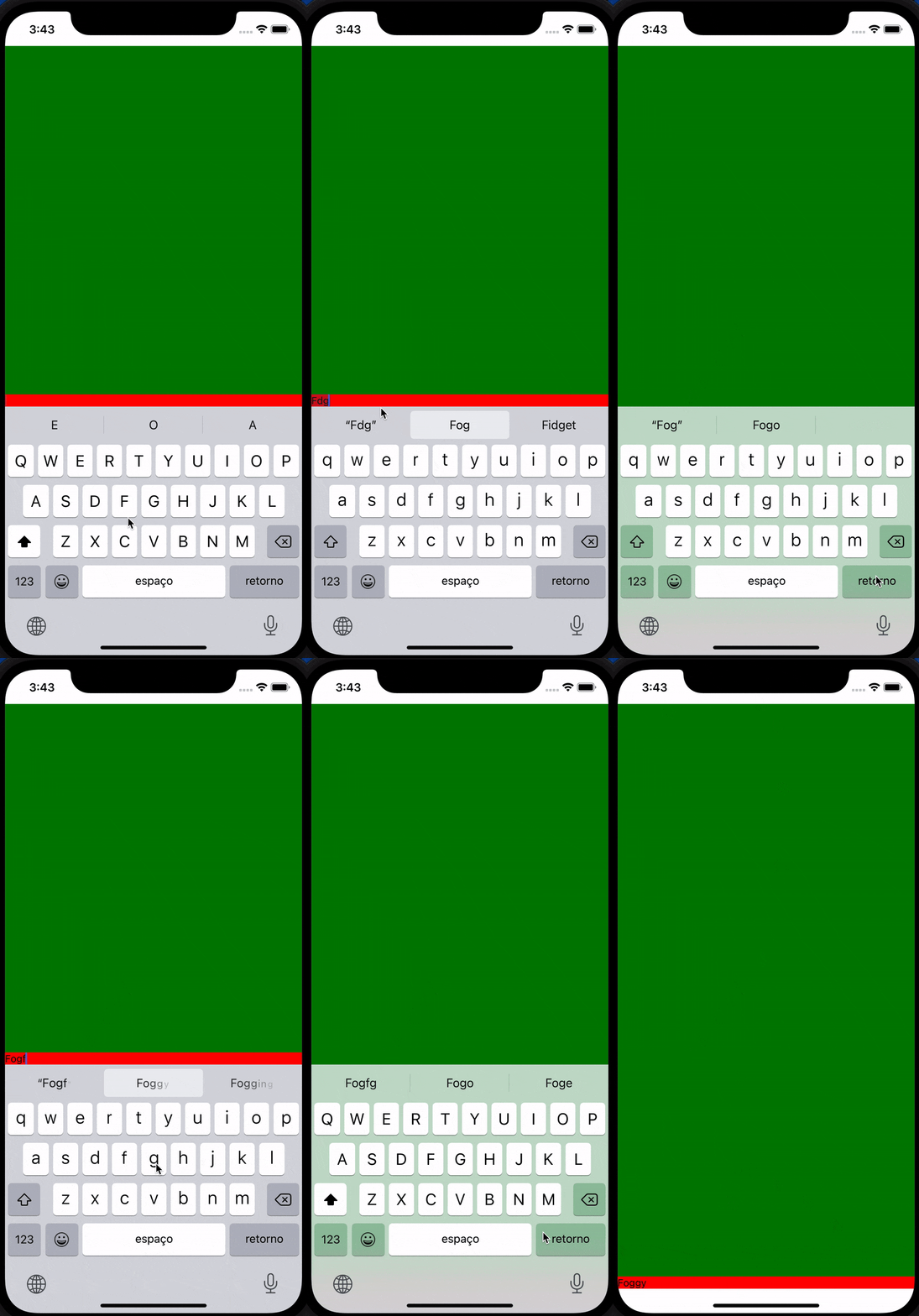 |
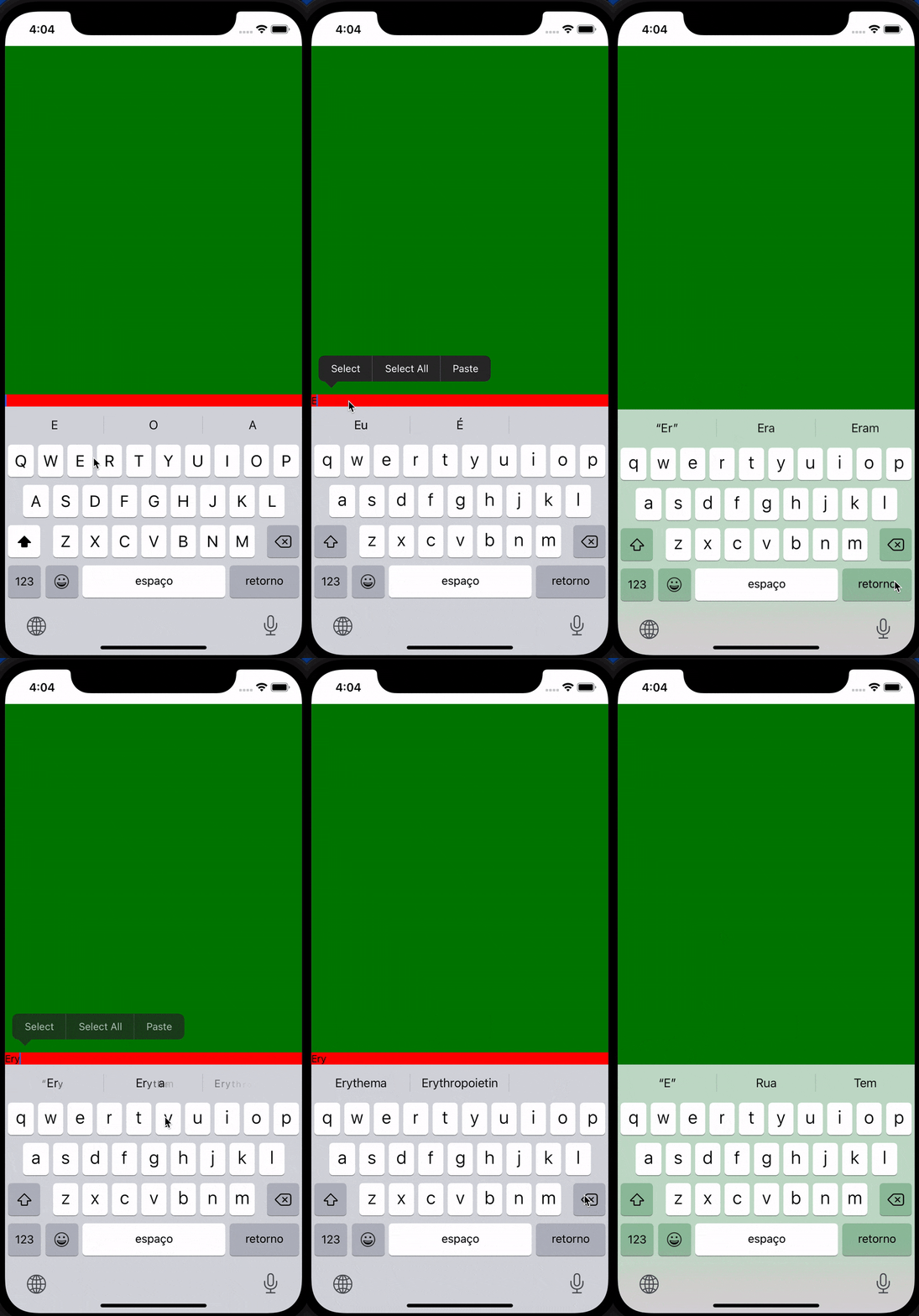 |

This issue is stale because it has been open 180 days with no activity. Remove stale label or comment or this will be closed in 7 days.
![github-actions[bot] avatar](https://avatars.githubusercontent.com/in/15368?v=4 "Published by a pub.dev verified publisher")
This issue was closed because it has been stalled for 7 days with no activity.