

 evrencoskun
Cannot hide some of the dividers/separators
Hi @evrencoskun
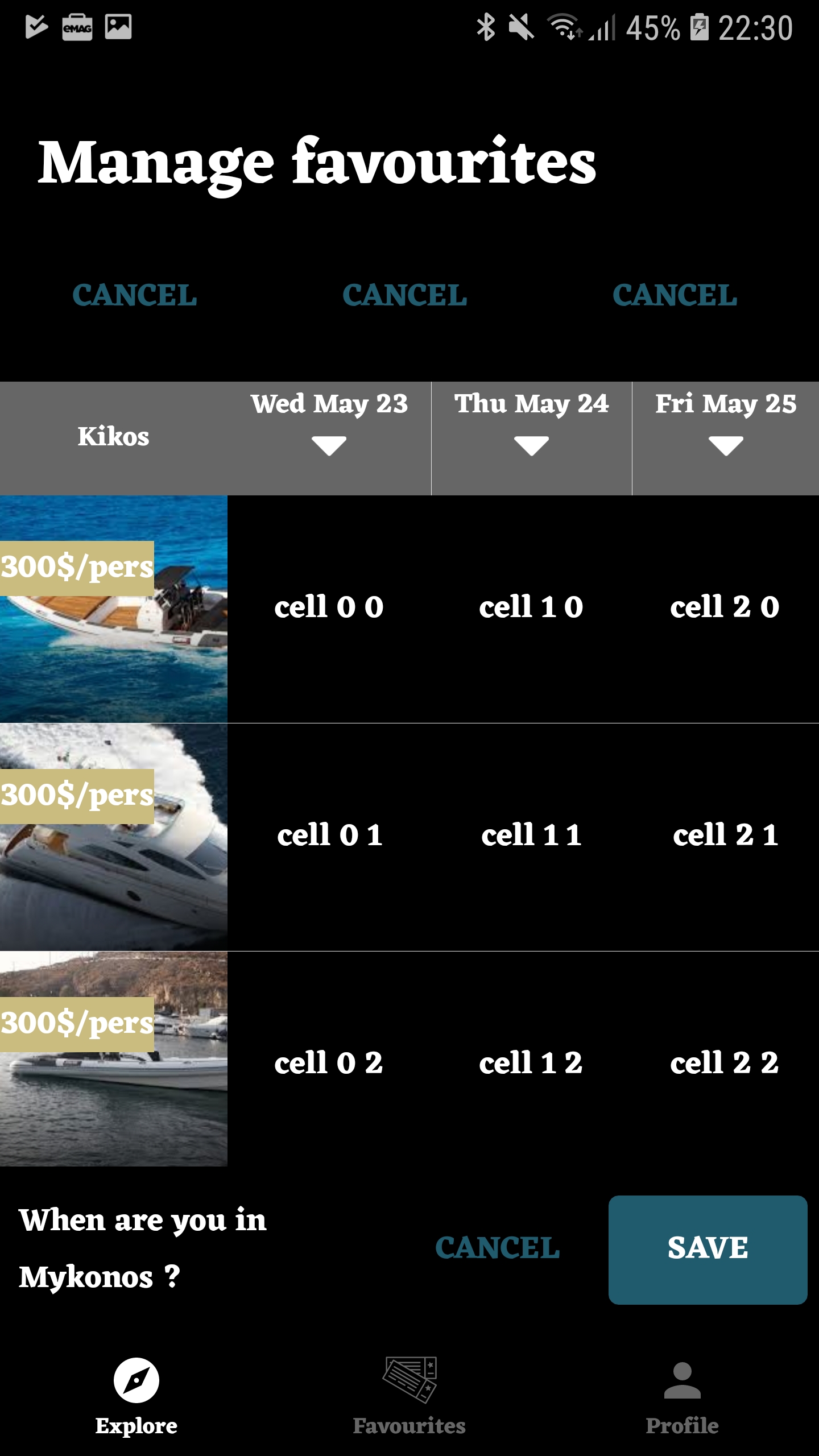 I am trying to hide all dividers as in the picture
I have set table.setShowHorizontalSeparators(false); table.setShowVerticalSeparators(false); but they are not completely hidden. Any thoughts on that ? PS: i did make sure that my layouts don't have any graphic elements similar to the dividers

Hi @bogdanmunteanu ,
Setting a background color could help you.
Please try these;
tableView.getColumnHeaderRecyclerView.setBackgorundColor(Color.GRAY);
tableView.getCellRecyclerView().setBackgroundColor(Color.BLACK);
tableView.getRowHeaderRecyclerView().setBackgroundColor(Color.BLACK);

Hi @bogdanmunteanu ,
you might need to use app:separator_color="@android:color/transparent" in your TableView layout.

@sonique6784 , that did not work , unfortunately . Neither the solution proposed by @evrencoskun din not work :(
Hi @bogdanmunteanu ,
then you can try this: https://github.com/evrencoskun/TableView/issues/115#issuecomment-392403476
overriding createItemDecoration to setup the divider manually.
I was able to get rid of those separators by disabling them in the XML. When I tried to do it programmatically only some of the separators were turned off and only in the table view cells.
<com.evrencoskun.tableview.TableView
        android:id="@+id/table_view"
        android:layout_width="match_parent"
        android:layout_height="match_parent"
        app:show_horizontal_separator="false"
        app:show_vertical_separator="false"/>
