

 euan142
introduce VRAM calculator for a "tool" to optimize avatar's texture size for less advanced users
Is your feature request related to a problem? Please describe. I think a lot of people are unaware how much VRAM their models take and less advanced users don't even know such thing exists in the first place nor how to "fix" it.
Describe the solution you'd like Having some UI in place to show them how much VRAM their avatar takes and a tool to reduce the VRAM size easily for less advanced users would be a nice addition in my opinion. The tool could be something as simple as reducing all the texture sizes to 1-2k that are above 10 MB in the project and are used by the avatar's materials. Could alse be done automatically if you have such option checked/set when avatar is built for example, like most of the other scripts in this repo.
Describe alternatives you've considered
The alternative I use right now is VRCAvatarTools VRAM calculator and I have to manually click on each texture in the drop down so it's not really lazy optimization. Plus I think such UI might be too confusing for less advanced user.
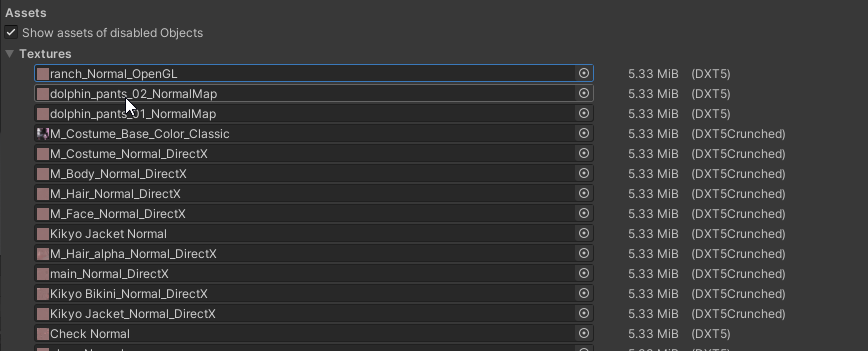
Additional context I am welcome to any type of feedback to this feature request and I would like some more ideas to be built upon this one, since I don't think my solution would be the best. I am mostly aiming it more towards less advanced users, because this Tool is to be used with Creator Companion. Feel free to correct me or disagree with me in the replies.
